Remote Control
Instructions
29
This feature can be activated from the remote control
ONLY. To activate SLEEP feature, the set temperature
will increase(cooling) or decrease(heating) by 1°C/2°F
(or 1°F) in 30 minutes. The set temperature will then
increase(cooling) or decrease(heating) by another 1°C
/2°F (or 1°F) after an additional 30 minutes. This new
temperature will be maintained for 7 hours before it
thermostat allowing for the precise temperature
control at its location. To activate the Follow Me/Temp
Sensing feature, point the remote control towards the
unit and press the Follow Me/Temp Sensing button.
The remote control will send this signal to the air
conditioner until press the Follow Me/Temp Sensing
button again. If the unit does not receive the Follow
Me/Temp Sensing signal during any 7 minutes interval,
the unit will exit the Follow Me/Temp Sensing mode.
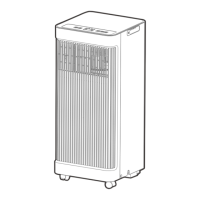
Press the MODE button to select the FAN mode.
Press the FAN button to select the fan speed:
AUTO, LOW, MED(on some models), or HIGH.
Press the ON/OFF button to start theunit.
NOTE: The temperature cannot be set in FAN
mode. As a result, your remote controller’ sLCD
screen will not display the temperature.
1.
2.
3.
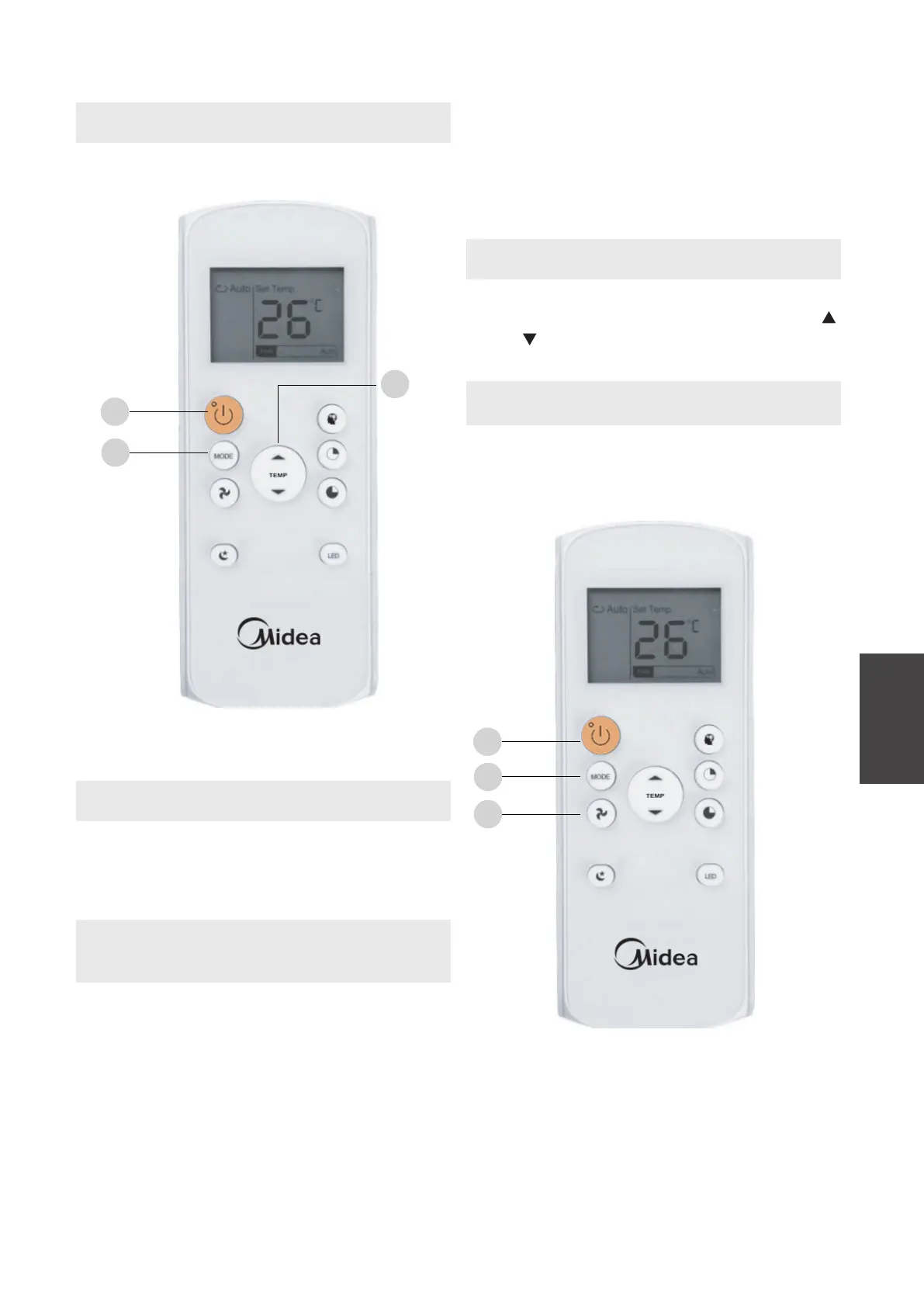
Press the MODE button to select the DRY mode.
Set your desired temperature using the Temp
or Temp button.
Press the ON/OFF button to start the unit.
NOTE: FAN SPEED cannot be changed in DRY
mode.
How to Use the Basic Functions
DRY Operation (dehumidifying)
FAN Operation
1.
2.
3.
1
3
2
1
2
3



 To Next Page