Active clean ( ) Fresh* ( ) Sleep( ) Follow Me( ) AP mode* ( )
Active clean.....
[ ]: Model dependent
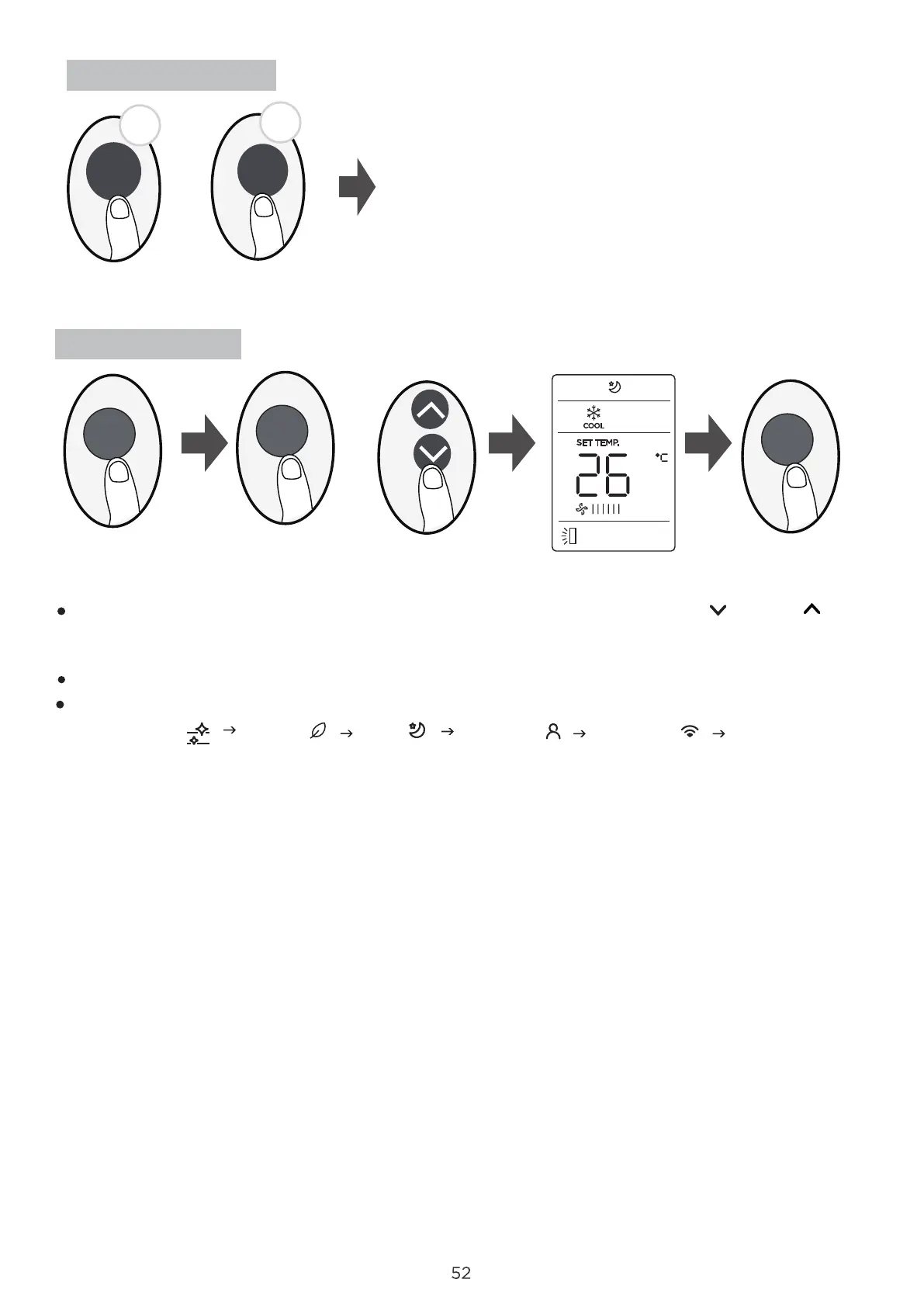
LOCK function
5s
5s
Boost
SET function
or
+
Press together the two buttons at the same time more
than 5 seconds to activate Lock function. All buttons will
not response except pressing these two buttons for two
seconds again to disable locking.
SET
SET
OK
Press the SET button to enter the function setting, then press SET button or TEMP or TEMP
button to select the desired function. The selected symbol will flash on the display area, press the
OK button to confirm.
To cancel the selected function, just perform the same procedures as above.
Vane
Press the SET button to scroll through operation functions as follows:
*




 To Next Page