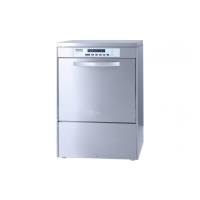
Increasing the water intake
time
To increase the water intake time,
proceed as follows:
^
Turn off the dishwasher using the
”On/Off” button.
^
Turn the program selector to “Stop”.
^
Press the “Top Solo” button while
simultaneously turning the machine
“On”. Release the “Top Solo” button
within 2 seconds. The “Salt - PC” in
-
dicator light should blink.
If any other lights are blinking, repeat
the process.
^
Turn the program selector to
“Economy 55 °C/130 °F”.
–
If the “Top Solo” indicator does not
light, the water intake time is set to
normal.
–
If the “Top Solo” indicator lights, the
increased water intake time is set.
^
To change the setting, press the “Top
Solo” button.
The “Top Solo” indicator light will illumi
-
nate or go out each time the button is
pressed.
^ Turn the program selector to “Stop”.
^ Turn off the dishwasher.
The modified intake time is now stored.
Solving problems
49


 To Next Page