Cleaning and care
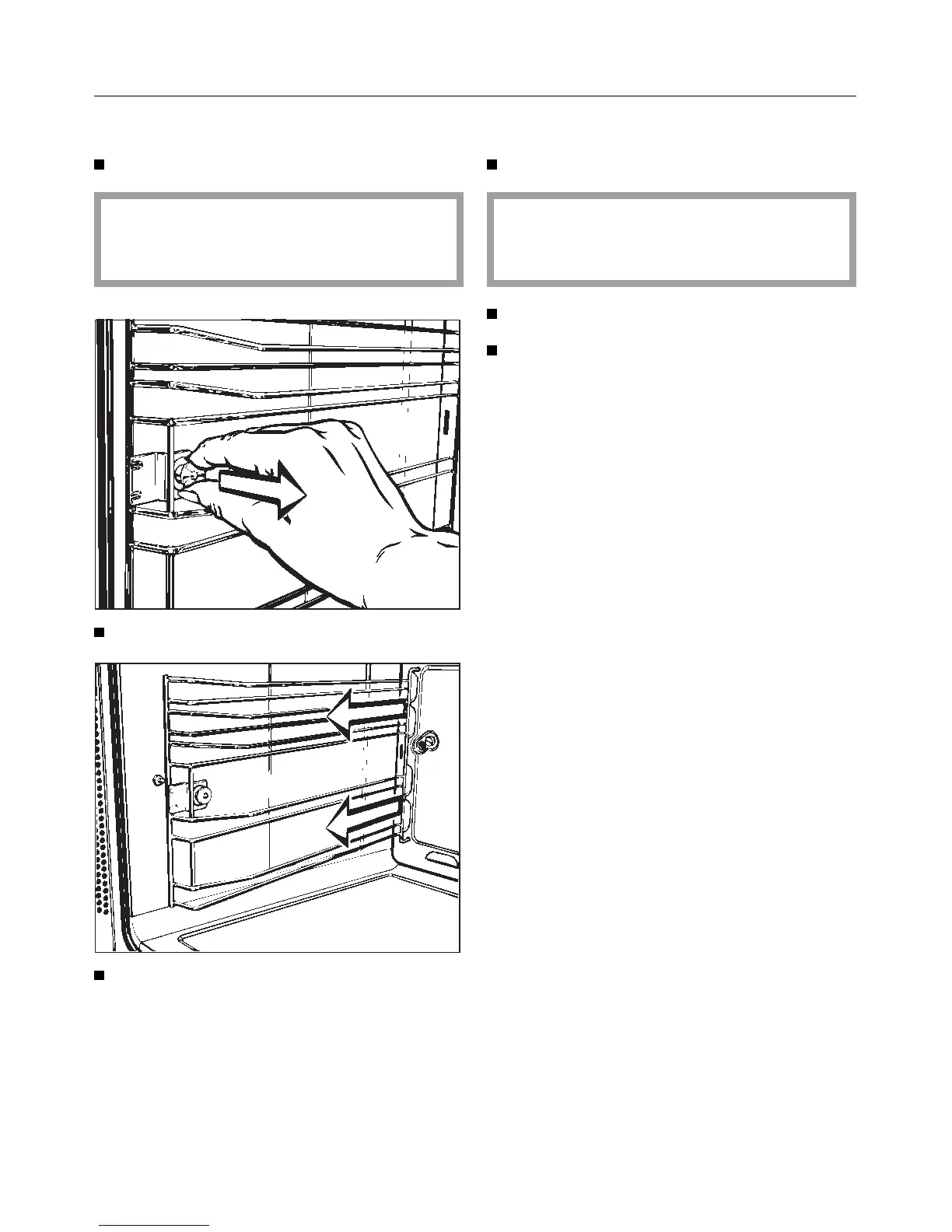
To remove the runners
Select the “Light H” setting.
The oven heater elements must be
switched off, to avoid the danger of
burning.
Pull on the fixing knob to release it.
Take the runners out of the oven.
Reassemble in the reverse order, care-
fully ensuring all parts are correctly in
place.
To remove the catalytic side panels
Select the “Light H” setting.
The oven heater elements must be
switched off, to avoid the danger of
burning.
Take the runners out of the oven.
Gently lift and pull out the catalytic
side panels.
Reassemble in the reverse order, care-
fully ensuring all parts are correctly in
place.
46



 To Next Page