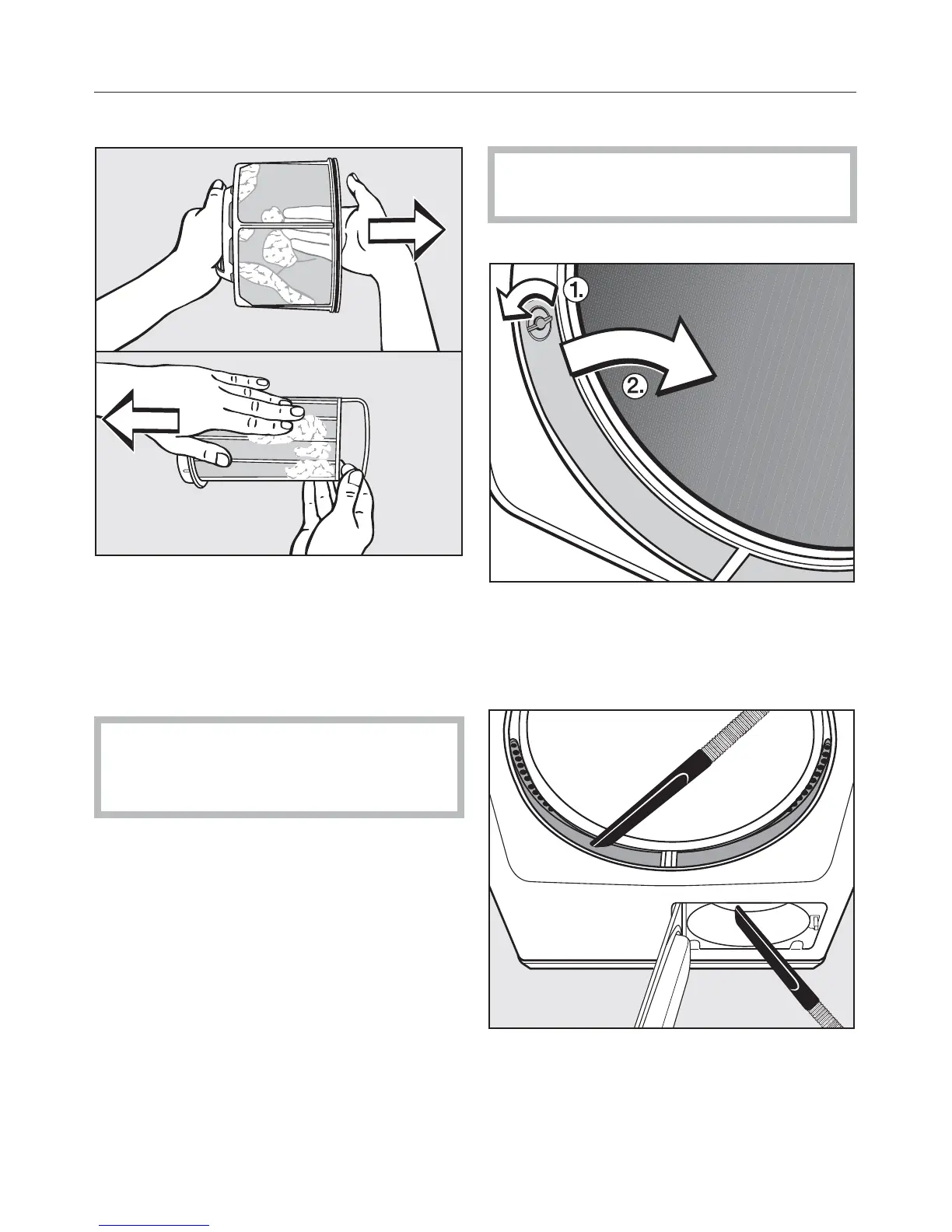
Clean the lint filters - dry
^ Remove the lint with your fingers or a
vacuum.
Clean the lint filters - wet
Rinse the lint filters only if clogged.
,
Let the lint filters air dry before
inserting them. The dryer efficiency
can be affected by wet lint filters.
Cleaning the fan cavity
Check the fan cavity regularly. Clean
only if heavily soiled.
^
Open the door.
^ Turn the knobs, a, of the left and
right covers until they click.
^ Holding by the knobs, pull the covers
up, b, and clean.
^
Use a vacuum to clean the lint filter.
^
Insert the covers and lock them in
place by turning the knobs until they
click.
Cleaning and Care
24



 To Next Page