Replacing the "ACTIVE HEPA"
filter
^
Open the dust compartment lid.
^
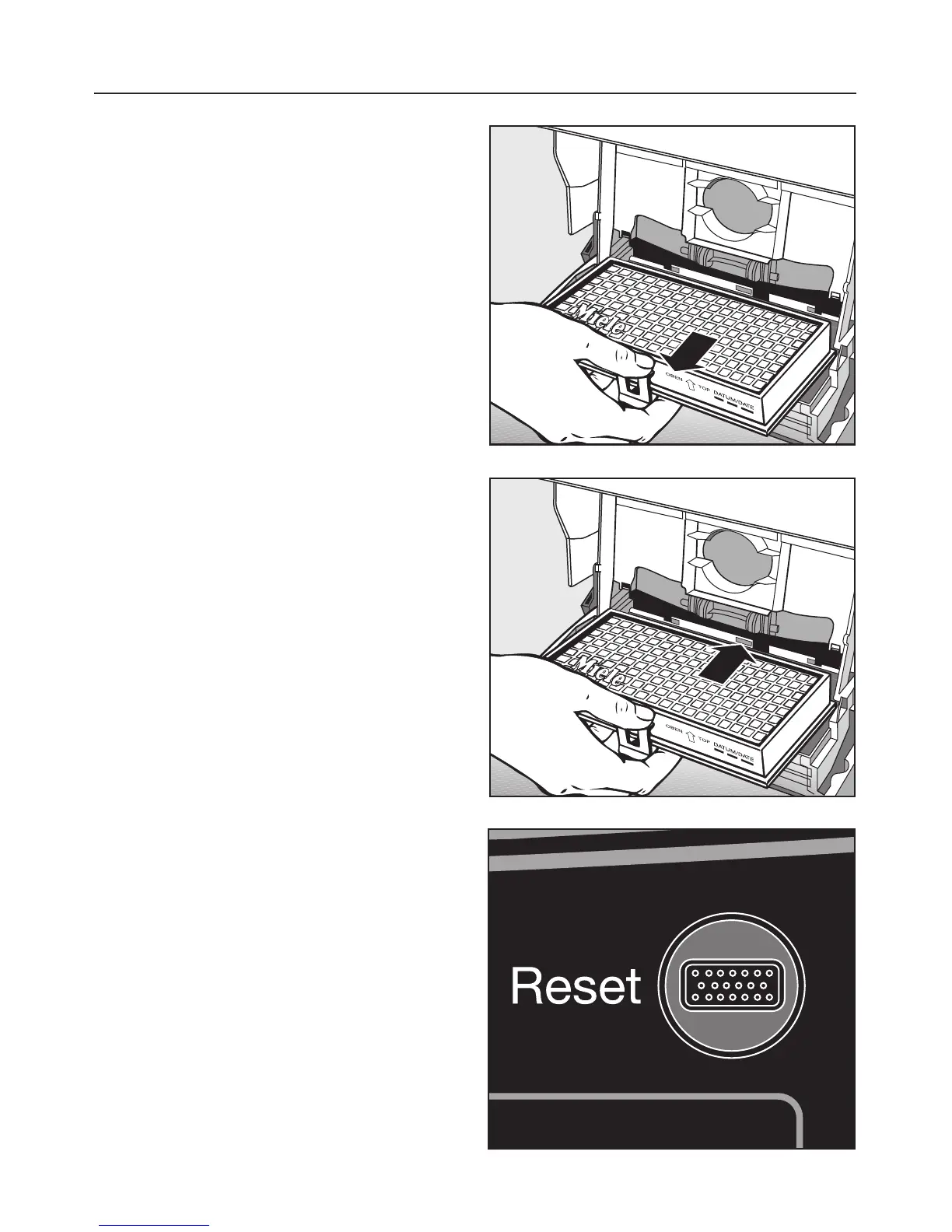
Release the catch and remove the
filter.
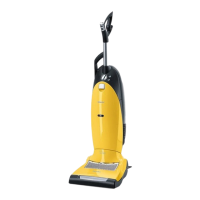
^ To insert the new filter, fit it so that it
engages at the back and then close
the catch.
^ Close the dust compartment lid
firmly. It should click into place.
Resetting the Exhaust filter change
indicator
The filter change indicator needs to be
re-set each time the filter is replaced.
To do this the vacuum cleaner must be
connected to the electricity supply.
^
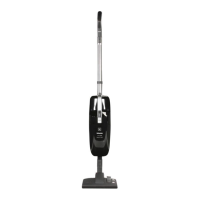
Press on the filter change indicator
light until it goes out. The display is
now back in the starting position
again.
Maintenance and care
28



 To Next Page