13
INITIAL INSTRUCTIONS
BOX 2, TIG
General
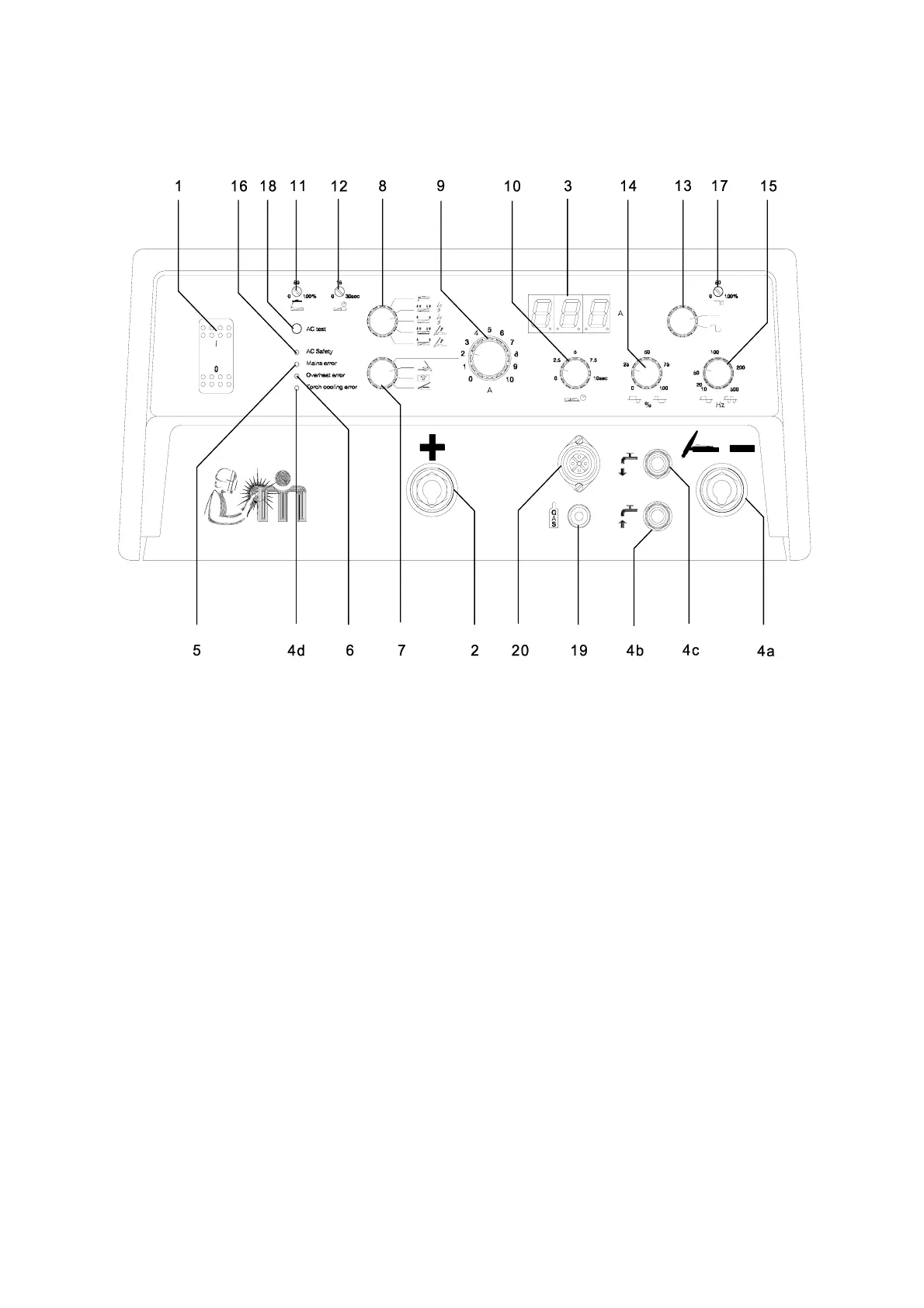
1. Main switch
This control switches the machine on and off.
2. Welding cable plug +
(MMA + TIG)
3. Digital display
The control panel is fitted with a display which
shows the welding current. At stand by the set
welding current is shown. When welding the
average welding current is shown.
Please note that during 'START UP' and when
error messages, for instance overheat, are
displayed the digital readings may be displayed
incorrectly.
4a. Welding cable plug -
(MMA + TIG)
4b. Torch cooling
Quick release for supply of cooling water for
cooling of the welding torch.
4c. Return water
Quick release for return of hot water to the
water-cooling unit.
4d. Cooling Error
Occurs if there is insufficient flow in the hose or
if the water module lacks water.
5. Mains error
Cause: Excessive or insufficient mains
voltage.
Symptoms: The welding stops. This error is
indicated by the red light emitting
diode and the words "Mains error".
Action: Adjust mains voltage.
6. Overheating error
Cause: Overheating of an inverter module
due to incorrect use, or fault in
inverter module.
Symptoms: The welding process stops and
post-flow is activated. This error is
indicated by the yellow light
emitting diode and the words
"Overheating error". This LED
switches off after 7 - 10 min. if the
error is not corrected. When
pressing the trigger, the LED
switches on again.




 To Next Page