7
FUNCTION SELECTION AND
PARAMETER SETTING
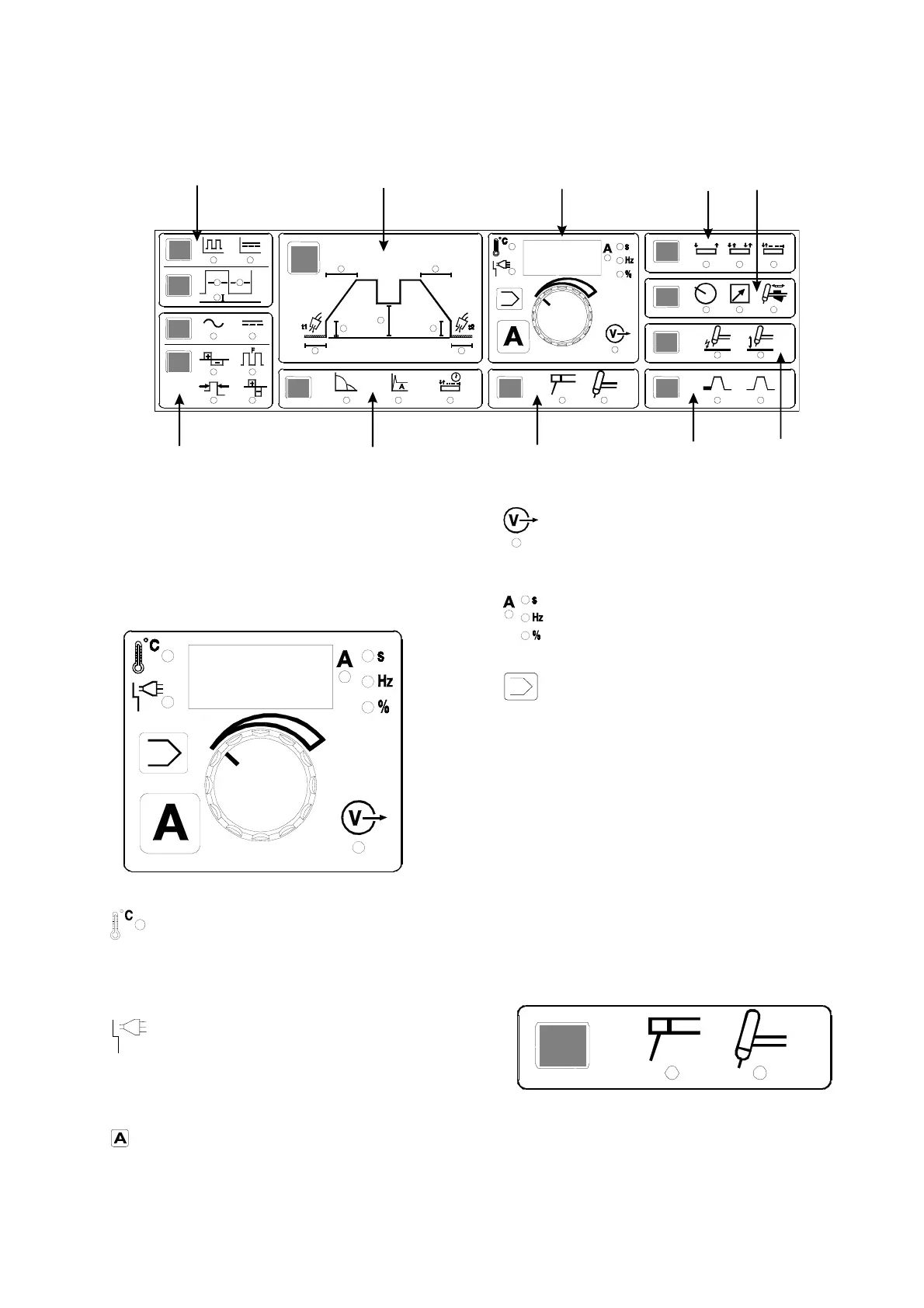
This chapter describes the operation of the machine
in detail and includes references to the three different
control panels illustrated at the end of the chapter.
A
Overheating
The overheating indicator is illuminated if
welding is interrupted due to overheating of the ma-
chine. The indicator remains illuminated 3 seconds
after the overheating error is removed.
Mains error
The mains error indicator is illuminated if the
mains voltage is too high or low. The indicator
remains illuminated 3 seconds after the mains error is
corrected/removed.
On pressing this keypad the control knob can be
used to set the welding current.
Welding voltage
The welding voltage indicator is illuminated for
reasons of safety and in order to show if there is
voltage on the electrode or the TIG torch.
Units of measurement of the parameter
shown in the digital display.
Setting of welding jobs
This function enables storage of often-used
machine settings and shift from one complete setting
to another. By pressing the keypad the display shows
a "P" and a number: "1", "2" etc. Each number is a
setting of all parameters and functions of the
machine. It is therefore possible to have one setting
for each welding job for which the machine is used.
The control knob is used for shifting between these
settings. During shifting it is possible to see both pro-
cess and the other on/off-functions in each setting.
Change of setting is not possible during the welding
process. The setting selected is effected by releasing
the keypad.
B
Welding process
Electrode TIG
This display is used to select the welding process to
be used, e.g. MMA electrode or TIG.
H
G
A
C
D
EFBI
J




 To Next Page