28
rev 07.12.12
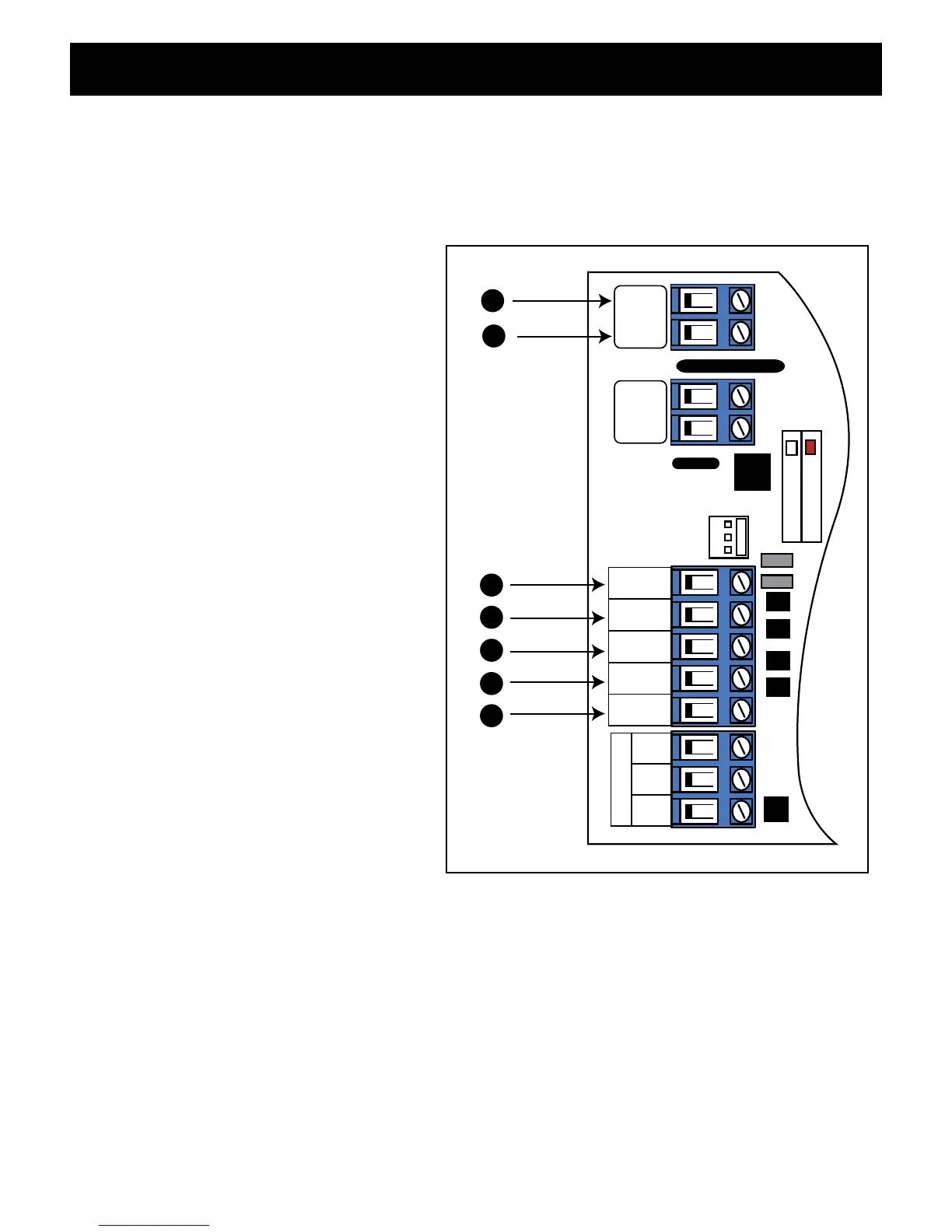
Input Connections
•Allcontrolinputsaredry-contact,normallyopen,inputs.DONOTapplyexternalvoltagesources
to these inputs.
•AllinputsareconnectedwithrespecttoCOMMONterminal.
•ThestatusLEDwillblinkoncewhenanyinputisactivated.
1 COMMON: Circuit common (reference
for all logic input)
2 CYCLE: (Typically for use with push
button or hard-wired keypad)
•Eachactivationatthisinputwillcycle
the operation as follows:
OPEN–STOP–CLOSE–STOP–OPEN
3 EDGE: (Typically for use with safety
edge device)
•Activationofthisinputwhilethe
gate is closing will cause the gate
to stop and reverse direction for
approximately 2 seconds.
•Activationofthisinputwhilethegate
is opening has no effect (gate will
continue to open).
•Activationofthisinputwhilegateis
idle will prevent gate from closing.
4 SAFETY: (Typically for use with photo
beam device, loop detector or other
non-contact sensors)
•Activationofthisinputwhilethegate
is closing will cause the gate to stop
and return to the opened position.
•Activationofthisinputwhilethegate
is opening has no effect (gate will
continue to open).
•Activationofthisinputwhilegateis
idle will prevent gate from closing.
5 EXIT: (Typically for use with exit loop or wand)
•Activationofthisinputwillopenthegateifit’snotalreadyattheopenposition
•Activationofthisinputwhileatopenlimitwillrestarttheautoclosetime(ifenabled).
6/7 AUX/OUT: Multi-function output: refer to DIP Switch 4 on page 23.
CHARGING
POWER
RCVR
GRN
BLK
RED
EXIT
SAFETY
EDGE
CYCLE
COMMON
LINK
AUX
OUT
SOLAR
INPUT
18VAC/
H L
1
2
3
4
5
7
6
CONNECTING ACCESSORIES













 To Next Page