Migomag SIM 200 LCD
Model No ASIM200LCD
10
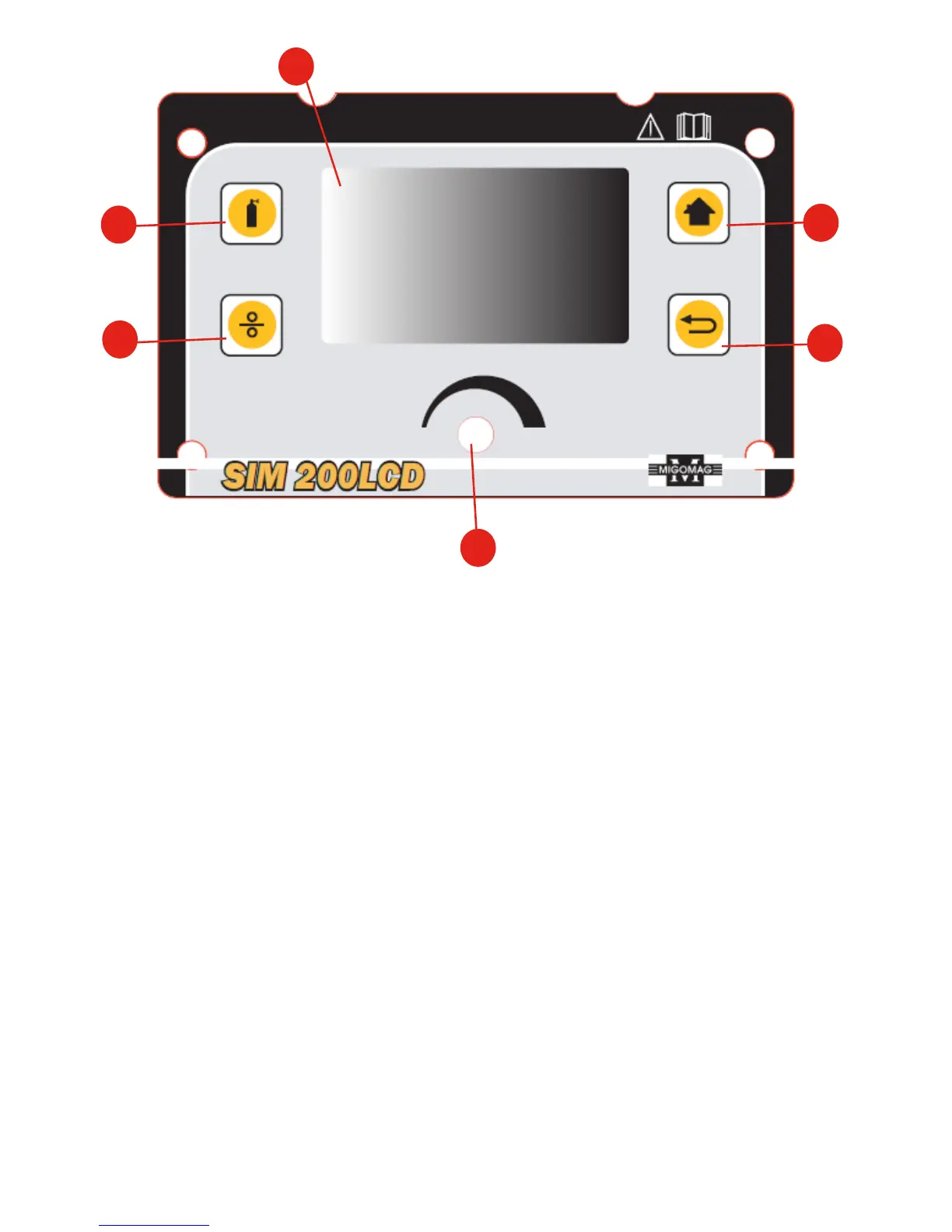
Front Control Panel
1. LCD: Shows all process from funcon selecon to welding.
2. Gas-check buon: press the buon to check gas ow.
3. Wire-check buon:press the buon to feed wire.
4. Mul-funcon adjusng knob: For funcon selecon; Press for conrming. Allows
user to adjust the current and wire feeding speed accurately.
5. Home Key: Keep pressing home key, return to home page
6. Return: Return to the previous step.
1
2
4
3
6
5


 To Next Page