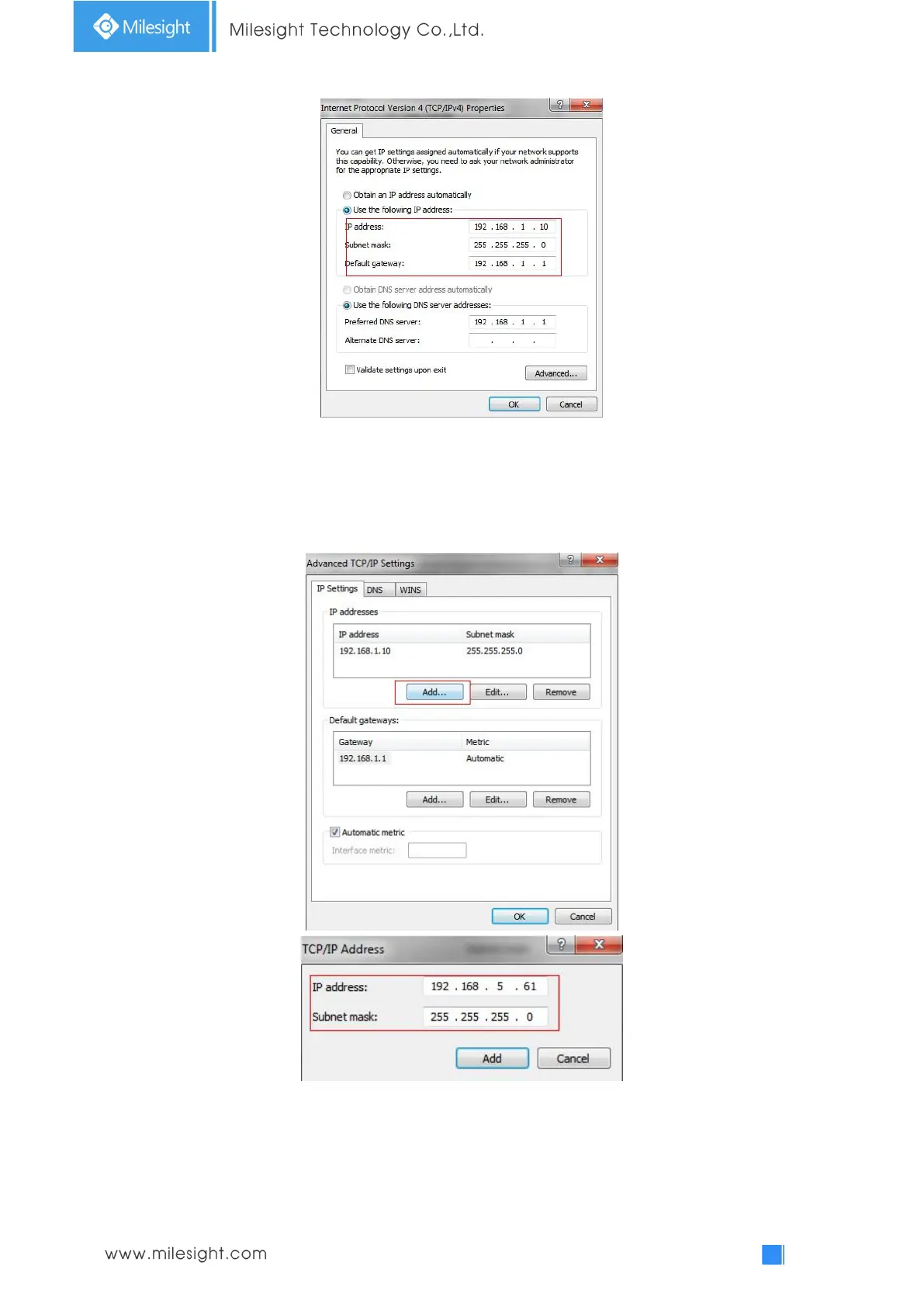
b. Click “Advanced”, and then click “IP settings”
“IP address”
“Add” (See Figure
3-1-9). In the pop-up window, enter an IP address that in the same segment with
Milesight network camera ( e.g. 192.168.5.61, but please note that this IP address
shall not conflict with the IP address on the existing network);
Step2: Start the browser. In the address bar, enter the default IP address of the camera:
http://192.168.5.190;
Step3: If the camera’s firmware version is lower than V4x.7.0.69, it will directly display the login
page, enter the user name and password when the LOGIN page appears;
Default user name: admin



 To Next Page