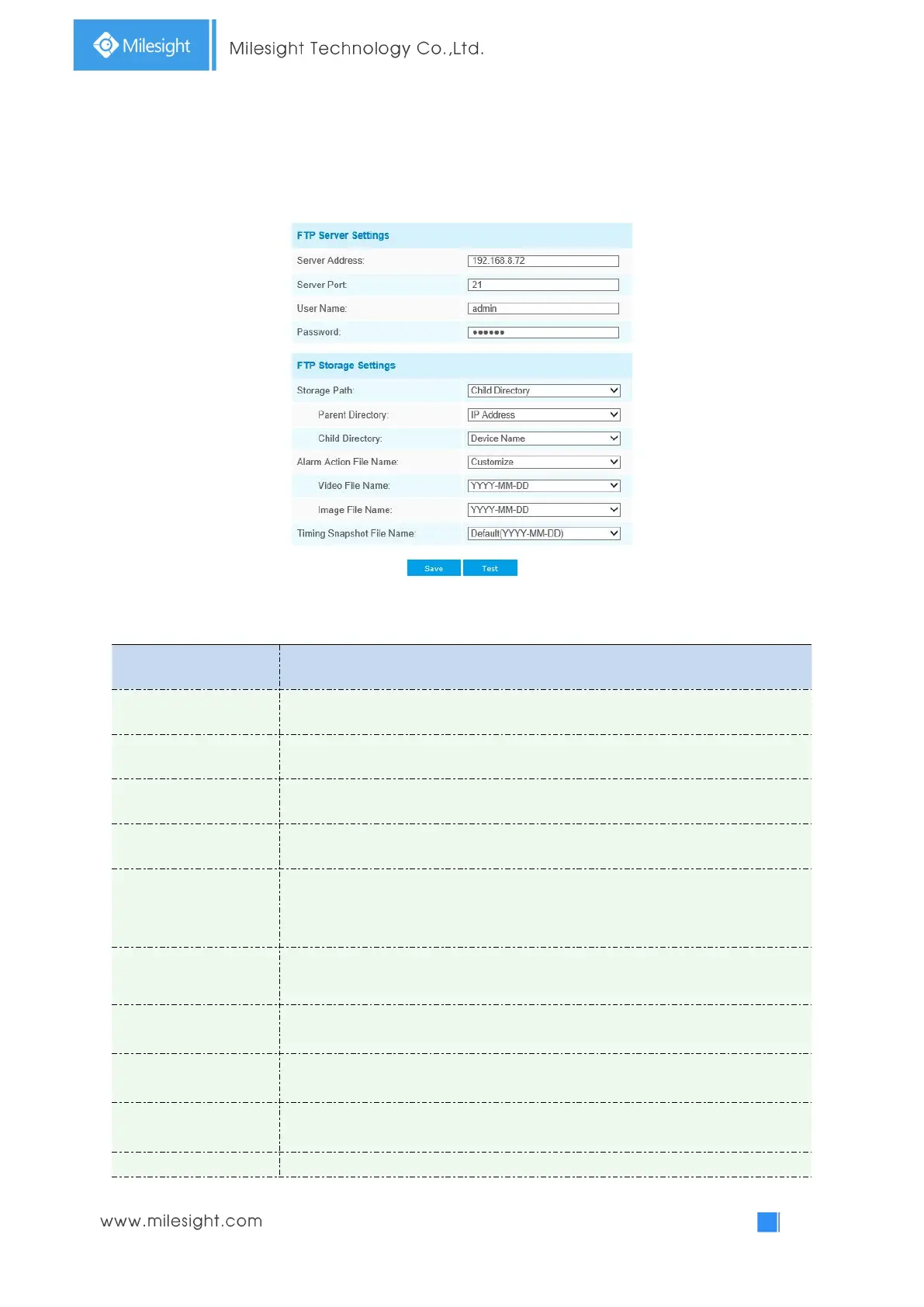
FTP
Alarm video files can be sent to specific FTP server. You must configure the FTP settings correctly
before using it.
Table 4-4-15 Description of the buttons
The port of the FTP server. Generally it is 21
User name used to log in to the FTP sever
Storage Path where video and image will be uploaded to on the FTP server.
Four FTP storage path types are available, including Root Directory, Parent
Directory, Child Directory and Customize.
Choose IP Address/ Device Name/ Date as the folder name of Parent Directory, or
customize the folder name.
Choose IP Address/ Device Name/ Date as the folder name of Child Directory, or
customize the folder name.
If the storage path is more than two levels, enter Multilevel FTP storage path here
manually.
Choose the default(YYYY-MM-DD) or customize the alarm action file name.
If you choose to customize the alarm action file name, YYYY-MM-DD/



 To Next Page