Allow anonymous viewing: Check the checkbox to enable visit from whom
doesn’t have account of the device
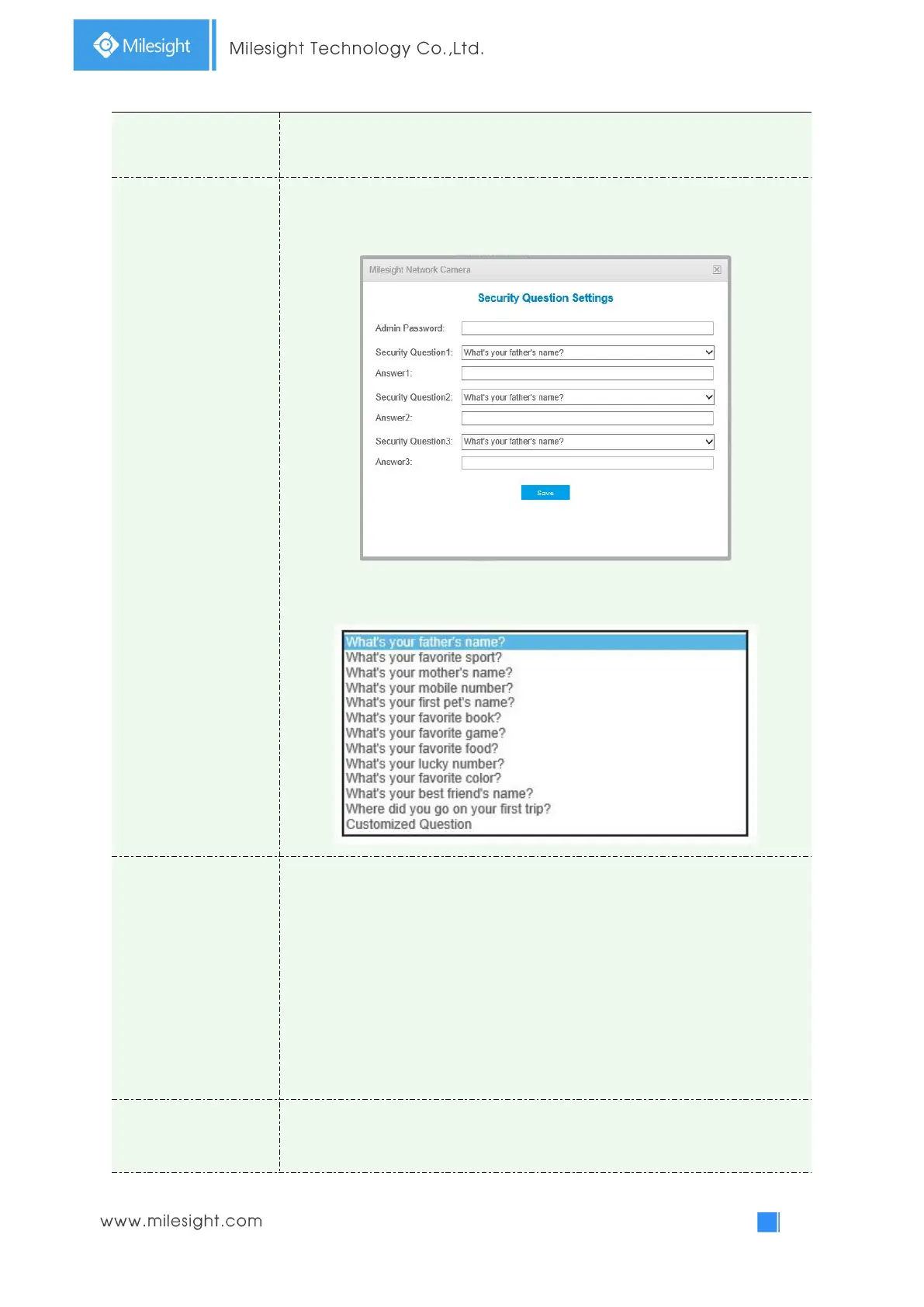
Click “Edit” button to set three security questions for your camera. In case that
you forget the password, you can click “Forget Password” button on login page to
reset the password by answering three security questions correctly.
There are twelve default questions below, you can also customize the security
questions.
Click “Add” button, it will display Account Management page. You can add an
account to the camera by entering the following information. The added account
will be displayed in the account list. You can edit and delete the account in the
account list (except the admin account).
Admin Password: You can only add an account after you enter the correct admin
password.
User Level: Set the privilege for the account.
User Name: Input user name for creating an account
Password: Input password for the account
Confirm: Confirm the password
An administrator can manage all configuration pages of the device, including
change user password, add or delete users (the default user “admin” cannot be
deleted)



 To Next Page