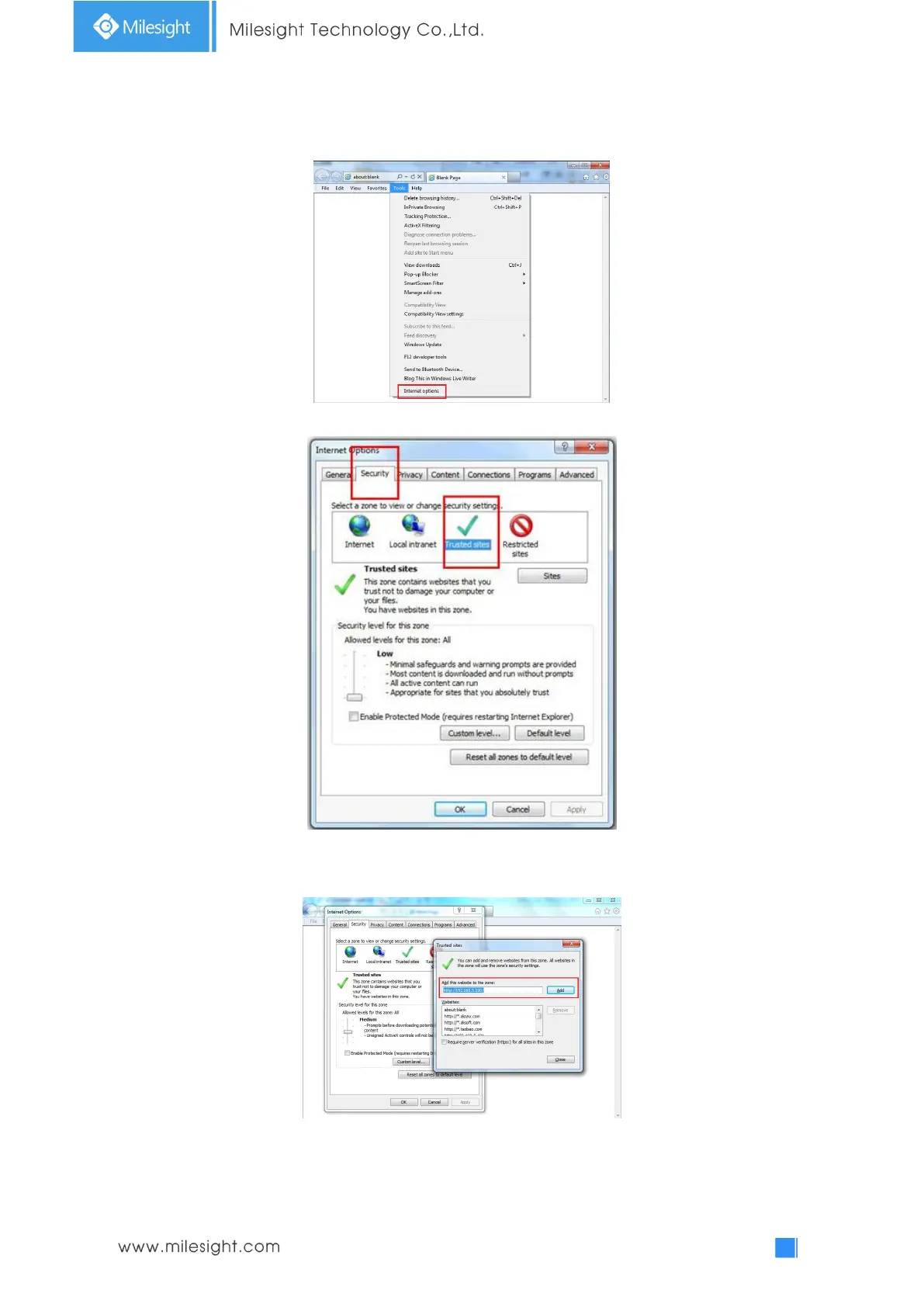
If IE9 or higher version browser is used, it is suggested that the Milesight camera web link should
be added as a trusted site. See the instructions as follows:
Step1: Start the IE9 or higher version browser, and select “Tools”
“Internet Options”;
Step2: Select “Security” to “Trusted”;
Step3: Enter the IP address of the camera in the blank and click “Add”;
Step4: Enter the IP address. After logging on network camera’s web GUI successfully, user is
allowed to view live video as follows.











 To Next Page