Denoise: Set it as On/Off. When you set the function on, the noise detected can
be filtered
Encoding: G.711-ULaw, G.711-ALaw, AAC LC, G.722 and G.726 are available
Audio Bit Rate: The function is available only for AAC LC, and supports up to
256kbps
Sample Rate: 8KHz, 16KHz, 32KHz, 44.1KHz, and 48KHz are available
Input Gain: Input audio gain level, 0-100
Alarm Level: Alarm will be triggered if voice alarm is enabled and input gained
volume is higher than the alarm level, 1-100
Auto Gain Control: This function is only for H.265 series, improve the quality of
audio
Output Volume: Adjust volume of output
Note:
1) 32KHz, 44.1KHz and 48KHz are available for 5MP, 4K camera models and 2MP@120fps camera
models.
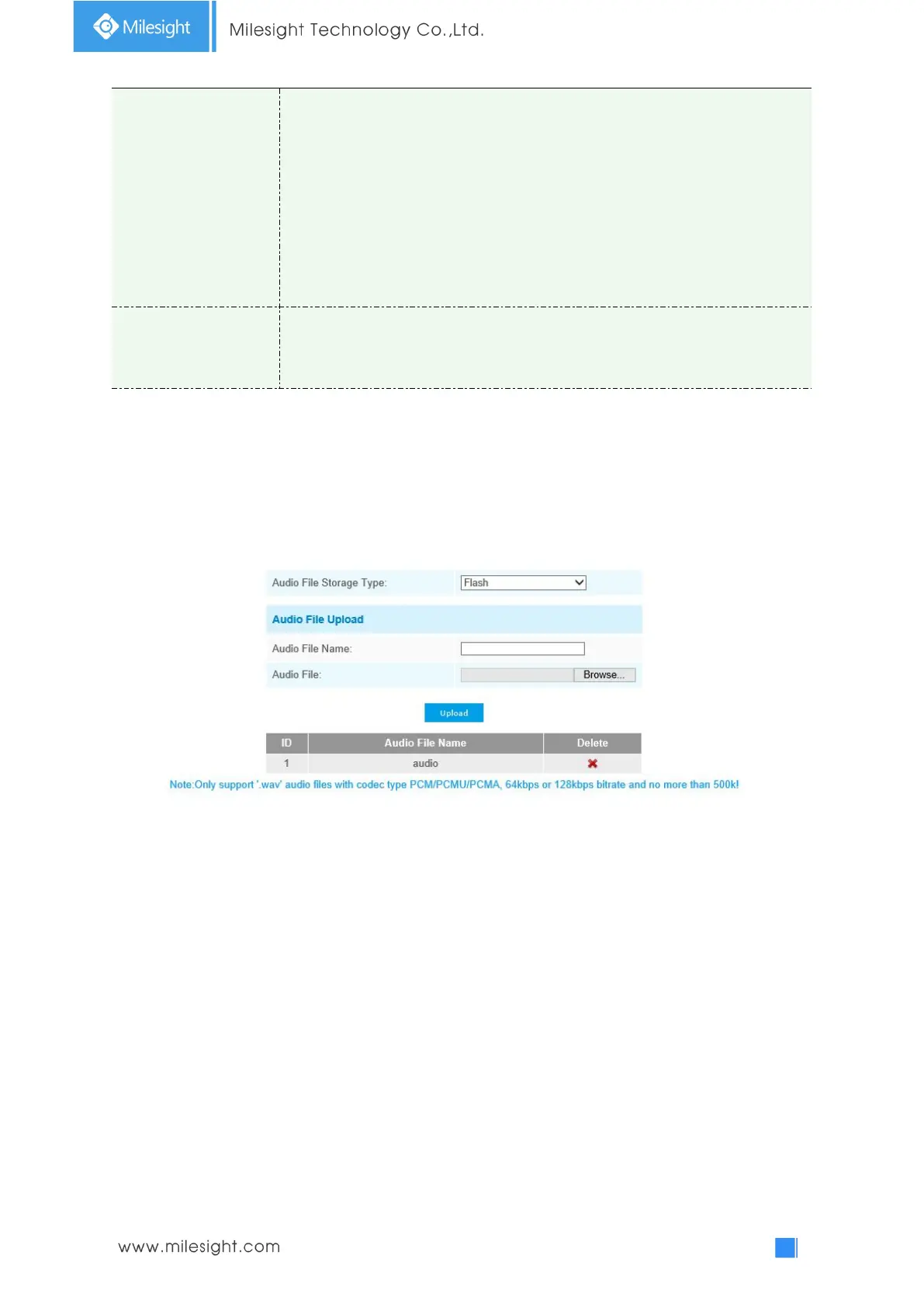
You can upload up to 5 audio files manually to Flash or SD Card on the Audio web page and you
can also edit the audio file’s name when upload.
Note:
1) The Audio mode and Audio Output are only for certain modules.
2) Only support ‘.wav’ audio files with codec type PCM/PCMU/PCMA, 64kbps or 128 kbps and no
more than 500k.
4.4.4 Network
TCP/IP











 To Next Page