Chapter IV System Operation Guide
4.1 Live Video
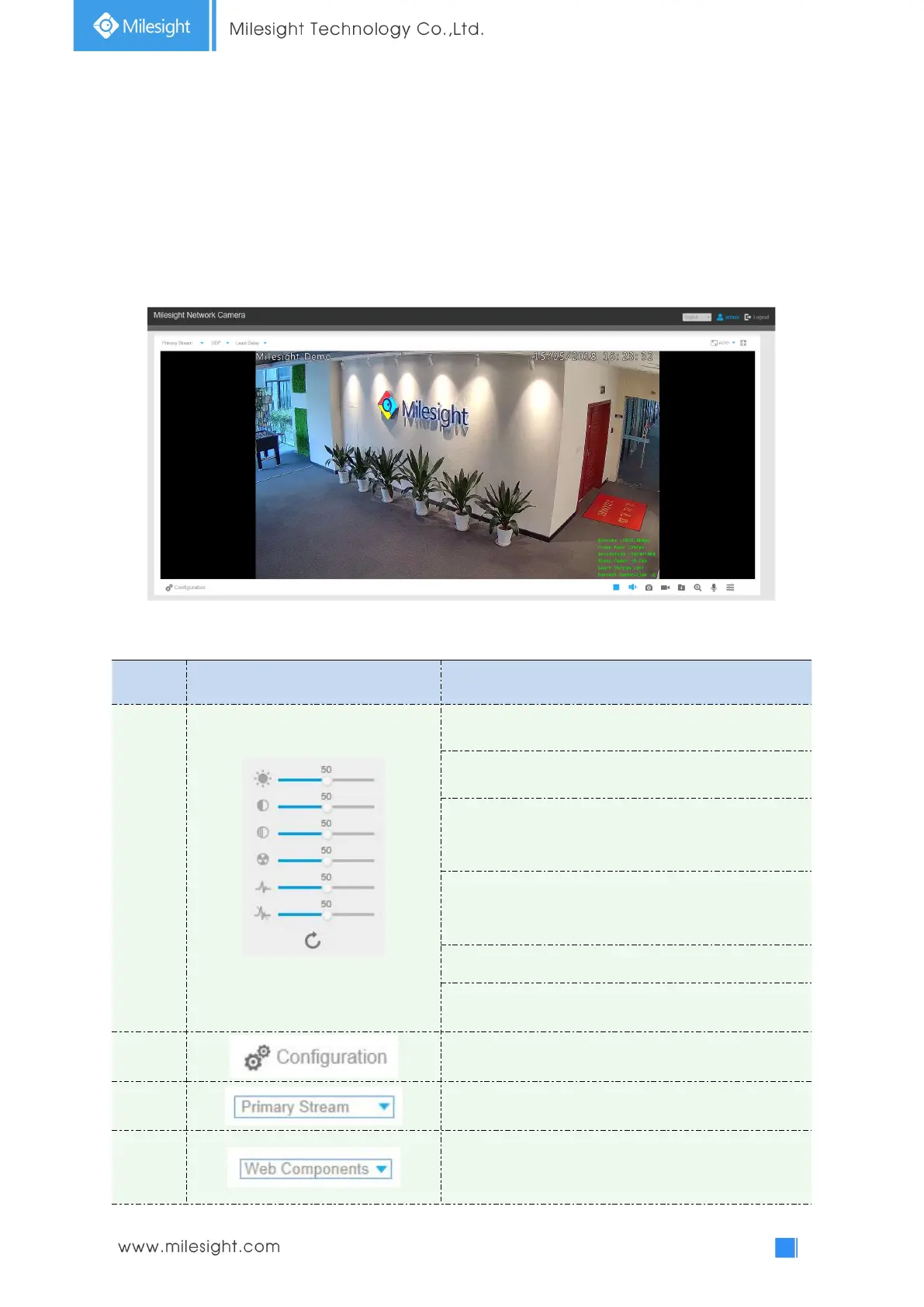
After logging in the network camera web GUI successfully, user is allowed to view live video as
follows.
Table 4-1-1 Description of the buttons
Brightness: Adjust the Brightness of the scene
Contrast: Adjust the color and light contrast
Saturation: Adjust the Saturation of the image.Higher
Saturation makes colors appear more "pure" while
lower one appears more “wash-out”
Sharpness: Adjust the Sharpness of image. Higher
Sharpness sharps the pixel boundary and makes the
image looks “more clear”
2D DNR/3D DNR: Adjust the noise reduction level
Default: Restore brightness, contrast and saturation to
default settings
Click to access the configuration page
Choose the Stream
(
Primary/Secondary/Tertiary
)
to
show on the current video window
Only available for camera whose software version is
43 or above
Web Components: Support Firefox, Safari, Chrome




 To Next Page