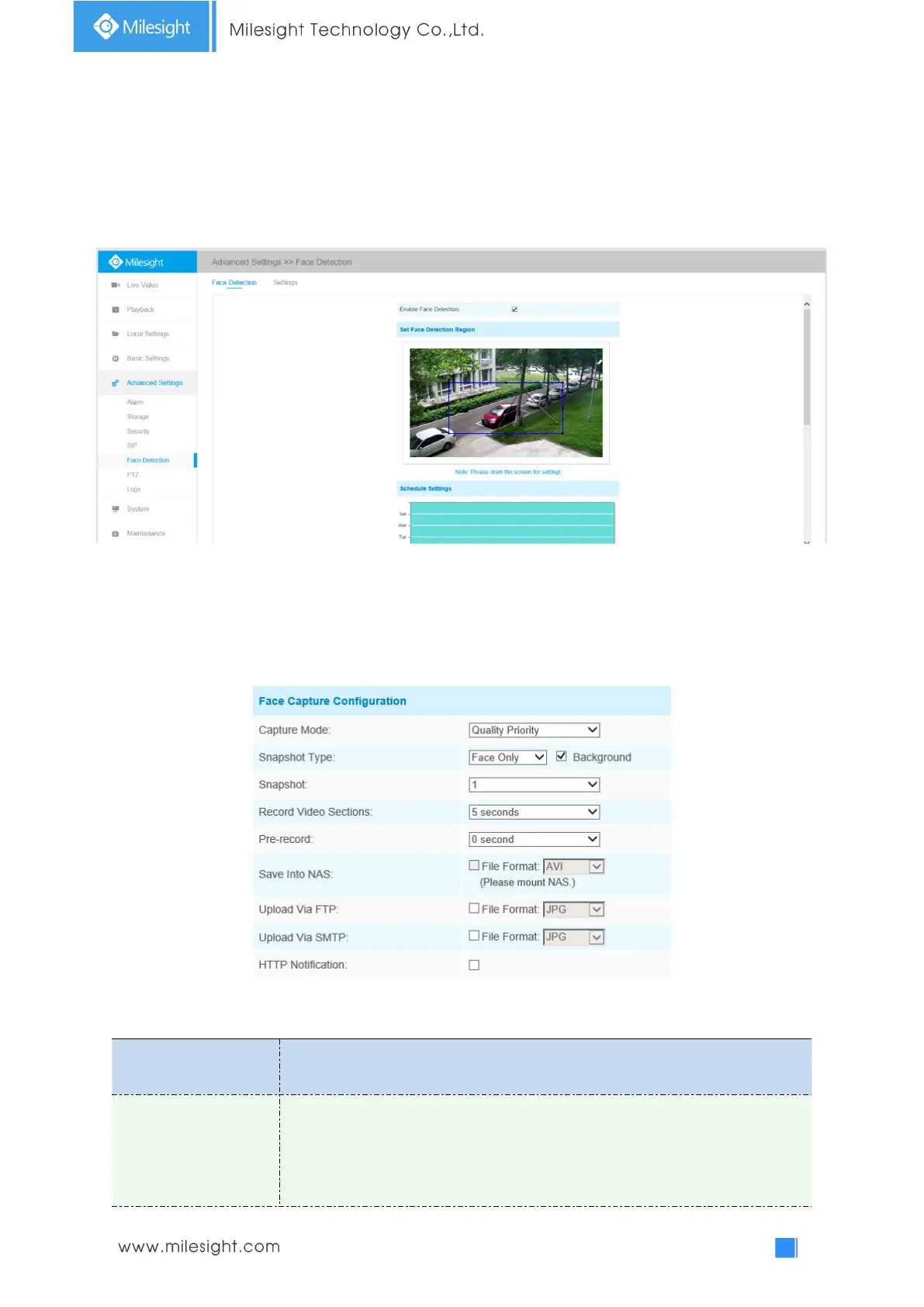
4.5.6 Face Detection(Optional)
The face detection function can detect the face appearing in the drawn area and support to upload
the face screenshot to NAS, FTP, SMTP, HTTP Notification, etc.
Face Detection is optional for Motorized Pro Dome, ABF Pro Box and Motorized Pro Bullet Network
Camera.
Step1: Enable Face Detection;
Step2: Set a rectangular face detection region, you can drag the detection region to adjust the size
of the region. Only faces in this region will be detected;
Step3: Set detection schedule;
Step4: Set Face Capture Configuration;
Table 4-5-16 Description of the buttons
Auto Mode, Quality Priority, Timeliness Priority, Customize are available.
Auto Mode: In this mode, it will push a face screenshot based on screenshot
quality and push speed when the face is detected.
Quality Priority: In this mode, it will push a face screenshot of best quality when











 To Next Page