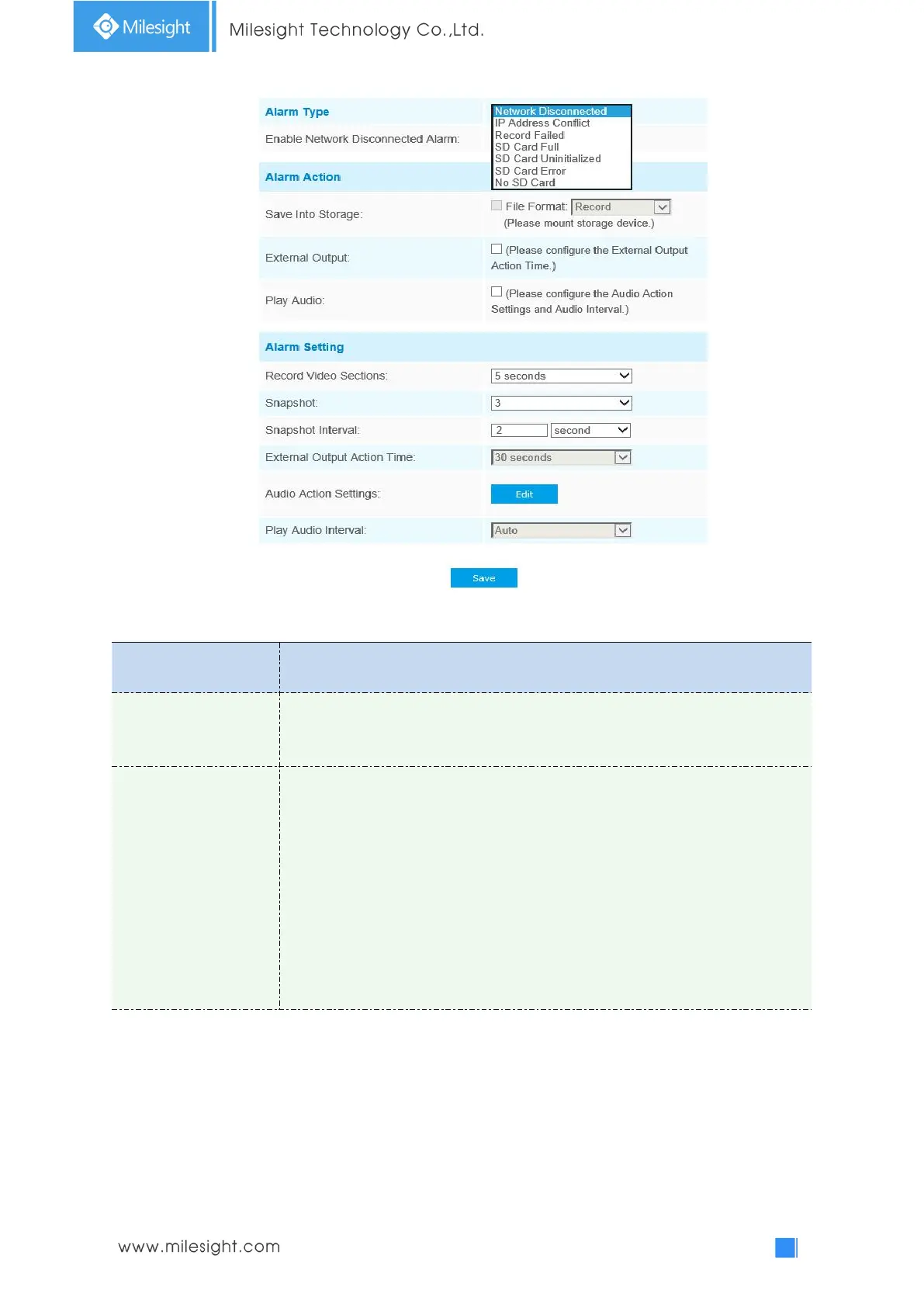
Network Disconnected, IP Address Conflicted, Record Failed, SD Card Full, SD
Card Uninitialized, SD Card Error and No SD Card are available
Check the checkbox to enable the alarm type you selected
Save Into Storage: Save alarm recording files into SD Card
Upload Via Email: Upload alarm recording files via email. This option is available
for Record Failed, SD Card Full, SD Card Uninitialized, SD Card Error and No SD
Card
External Output: If the camera equips with External Output, you can enable the
action after configuring the trigger duration
Play Audio: If the camera equips with Speaker, you can enable the action after
configuring the audio speaker
Play Buzzer: If the camera equips with Buzzer, you can check the checkbox to
enable the function











 To Next Page