3. Hardware Installation
3.1 SIM Card Installation
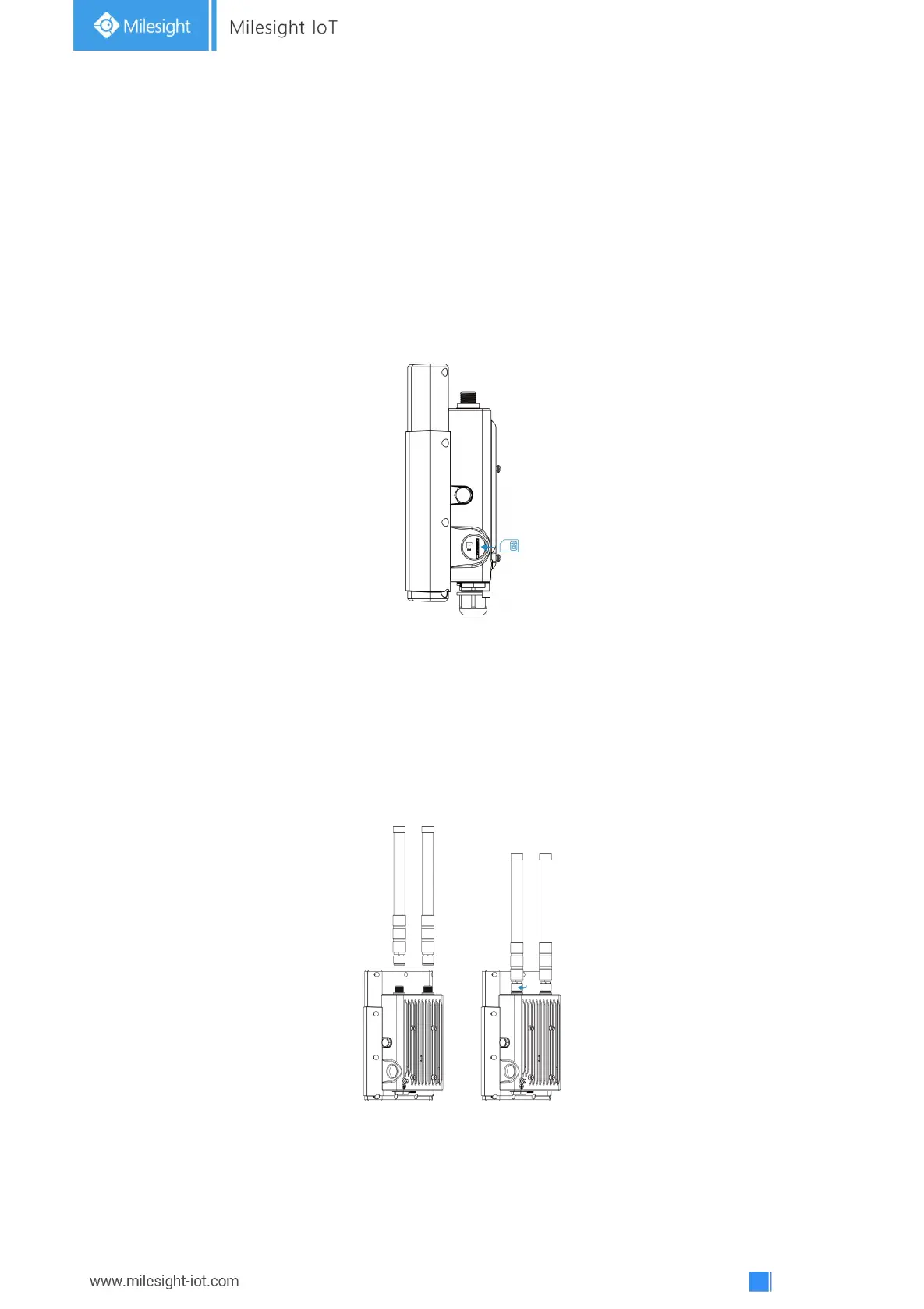
A. Insert the SIM card into the device according to the direction icon on the device. If you need to take
out the SIM card, press into the SIM card and it will pop up automatically.
B. Tighten the SIM dust cover with wrench to prevent water into the device.
Note: UG67 does not support hot plugging (also called hot swapping). please turn off the power before
you insert or take off cards.
3.2 Antenna Installation
For external antenna version, rotate the antenna into the antenna connector accordingly.
The external antenna should be installed vertically always on a site with a good signal.
Note:
1)Please install LoRa antenna into ANT1 connector if there is only one external antenna.
2)Keep front panel away from walls if using embedded antennas.



 To Next Page