12
4.4
Info screen: Opening name and code
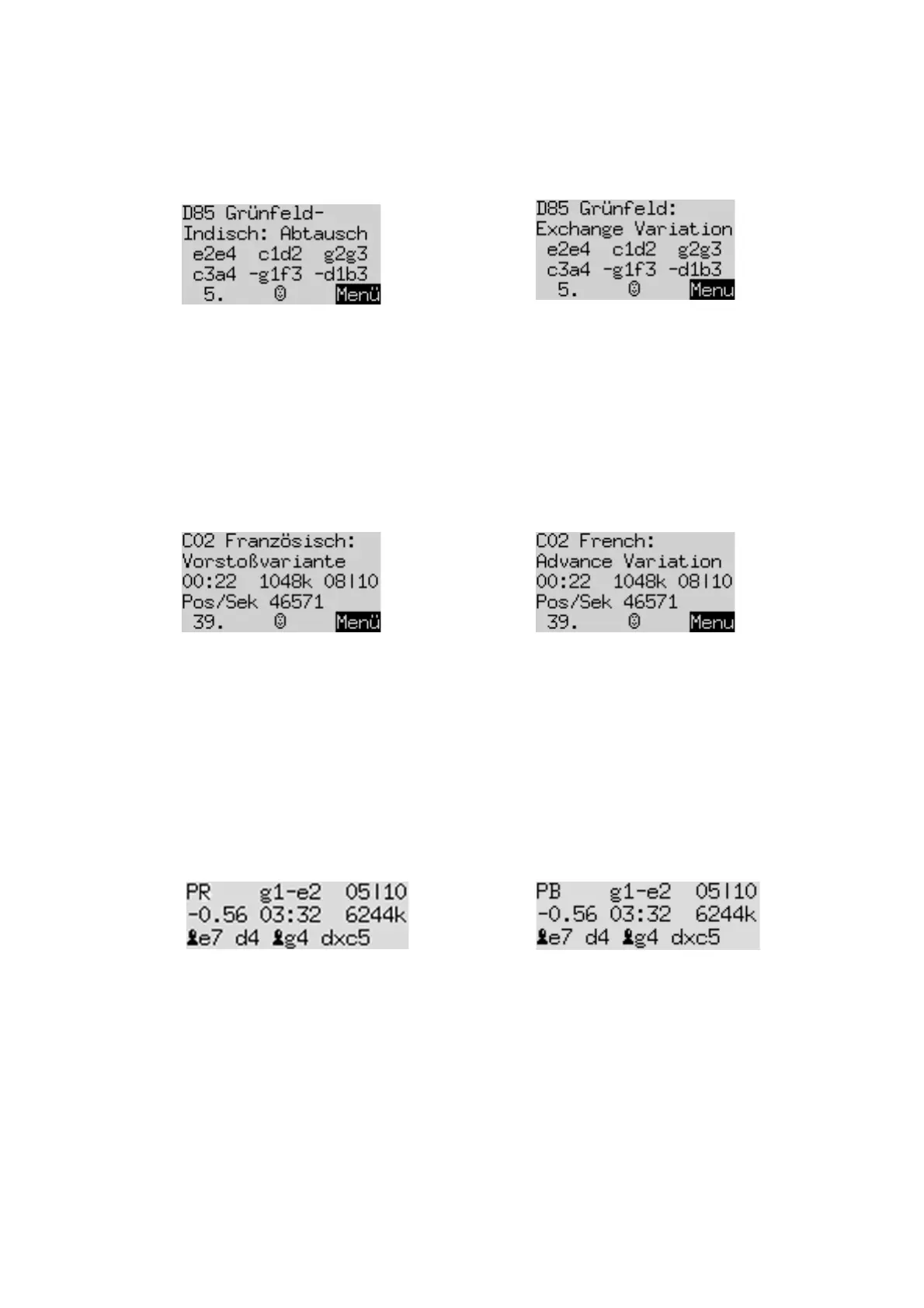
The top 2 lines of the LCD indicate the opening of the current game; you will see the name together with the
‘code’ assigned to the variation in the
Encyclopedia of Chess Openings
(ECO). For example:
Note:
The opening names can be displayed in English and German only.
In the above example, the 3
rd
and 4
th
lines indicate ‘book’ moves available in the current position – i.e. the 5
moves recognized by the ‘openings book’ that the computer is using. (See Sections 5.11.5 and 5.11.6.)
If a move is preceded by ‘–‘, The King will not play it; the openings book merely equips the computer with a
response to this move.
If no book moves are available, the 3
rd
and 4
th
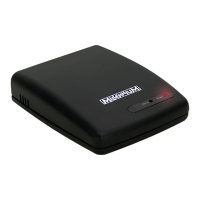
lines will give info that supplements the ‘Analysis’ screen. The
info relates to the analysis that The King has
completed
to a certain depth. For example:
The greatest ‘depth’ to which the analysis has been completed is 10 ‘ply’. To perform this analysis, The King
took 22 seconds, examining about 1,048,000 positions at a rate of 46571 positions per second. The ‘full width
search’ (see 4.5) was conducted to a depth of 8 ply.
4.5
Info screen: Permanent brain
When the ‘Permanent Brain’ is active (see Section 5.11.5), the computer continues to think about the position
when it is your turn – it analyses the consequences of what it considers your best move.
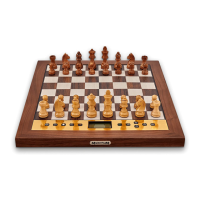
The info it displays is similar in format to the ‘Analysis’ screen; for example, the top three lines may show:
In this example, The King expects you to play Ng1–e2, and anticipates the continuation Be7; d4 Bg4; dxc5….
The computer considers it has a disadvantage worth 0.56 of a pawn. To reach these conclusions, it examined
approximately 6,244,000 positions in 3 minutes 32 seconds.
The computer is currently looking 10 ‘ply’ ahead. The figure 05 in the top line shows that the first 5 ‘ply’ are
subject to a ‘full width search’ (i.e. examination of every legal move and every legal response…).
4.6
Info screen: Small clock
This screen shows various items of information relating to time.
For example, on a ‘Tournament’ or ‘User’ level (see Section 5.4 for explanation), the first 4 lines may show:


 To Next Page