EasyManua.ls Logo

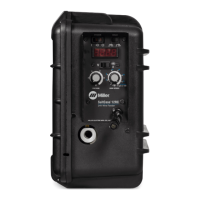
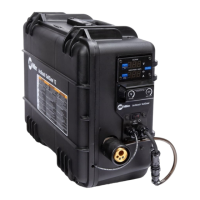
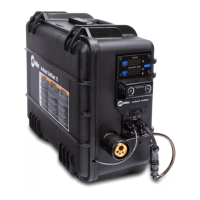
Miller ArcReach SuitCase 12 - User Manual

Miller ArcReach SuitCase 12
48 pages
Print Icon
To Next Page IconTo Next Page
Loading...
OM-278792H 201912
Processes
Description
MIG (GMAW) Welding
Flux Cored (FCAW) Welding
Wire Feeder
File: MIG (GMAW)
R
ArcReach
SuitCase 12
For product information,
Owner’s Manual translations,
and more, visit
www.MillerWelds.com
R
CE And Non-CE Models

Table of Contents

Question and Answer IconNeed help?

Do you have a question about the Miller ArcReach SuitCase 12 and is the answer not in the manual?

Summary

From Miller to You

SECTION 1 - SAFETY PRECAUTIONS - READ BEFORE USING

1-1. Symbol Usage

Explains symbols used for safety warnings in the manual.

1-2. Arc Welding Hazards

Details general hazards associated with arc welding processes.

1-3. Additional Symbols For Installation, Operation, And Maintenance

Presents symbols for installation, operation, and maintenance hazards.

1-4. California Proposition 65 Warnings

Provides legally required warnings about chemical exposure in California.

1-5. Principal Safety Standards

Lists key safety standards and where to obtain them for welding.

1-6. EMF Information

Explains electromagnetic field effects and precautions for medical implants.

SECTION 3 - DEFINITIONS

3-1. Additional Safety Symbols And Definitions

Explains additional safety symbols and their meanings.

3-2. Miscellaneous Symbols And Definitions

Defines various symbols used throughout the manual.

SECTION 4 - SPECIFICATIONS

4-1. Serial Number And Rating Label Location

Describes where to find the unit's serial and rating information.

4-2. Unit Specifications

Provides key technical specifications for the welding unit.

4-3. Environmental Specifications

Details environmental ratings and operating temperature ranges.

4-4. Wire Type, Size, and Feed Speed Capability Table

Lists compatible wire types, sizes, and feed speed capabilities.

4-5. Gun Recommendation Table

Recommends suitable welding guns for different processes.

SECTION 5 - INSTALLATION

5-1. Equipment Connection Diagram

Illustrates how to connect the feeder to the power source and other components.

5-2. ArcReach Applications

Explains how to utilize ArcReach features with compatible equipment.

5-3. Associating Wire Feeder To ArcReach Compatible Power Source Or ArcReach Control

Details the process for linking the feeder to ArcReach controls or power sources.

5-4. Equipment Setup

Covers setup procedures for ArcReach and non-ArcReach configurations.

5-5. Installing Drive Rolls

Provides step-by-step instructions for installing drive rolls.

5-6. Connecting Welding Gun And Voltage Sensing Clamp

Guides on connecting the welding gun and voltage sensing clamp.

5-7. Connecting Shielding Gas

Explains the procedure for connecting the shielding gas supply.

5-8. Connecting Weld Cable

Details how to properly connect the weld cables.

5-9. Selecting Cable Sizes*

Provides guidance on selecting appropriate weld cable sizes based on current and length.

5-10. Installing And Threading Welding Wire

Covers installing and threading the welding wire into the feeder.

5-11. Motor Board (PC1) DIP Switch Settings

Explains how to configure DIP switches on the motor control board.

5-12. Meter Board (PC22) DIP Switch Settings

Details DIP switch settings for the meter board for display configuration.

SECTION 6 - OPERATION

6-1. Controls

Identifies and explains the function of all controls on the feeder.

6-2. Cable Length Compensation (CLC)

Explains the Cable Length Compensation feature and how to use it.

6-3. Wire Speed Dual Schedule

Describes how to use the dual schedule feature for wire speed adjustment.

6-4. Wire Speed Control Settings

Provides recommended starting points for wire speed and other weld parameters.

SECTION 7 - MAINTENANCE & TROUBLESHOOTING

7-1. Routine Maintenance

Outlines regular maintenance tasks and schedules.

7-2. Overload Protection And Thermostat Protection

Explains the unit's overload and thermal protection systems.

7-3. Cleaning Debris From Shielding Gas Filter Fitting

Provides instructions for cleaning the shielding gas filter fitting.

7-4. Troubleshooting

Lists common problems and their solutions for the wire feeder.

7-5. Diagnostics

Explains how to interpret error indicators and diagnostic messages.

SECTION 8 - ELECTRICAL DIAGRAM

SECTION 9 - PARTS LIST

Figure 9-1. Complete Assembly

Shows an exploded view of the complete feeder assembly with numbered parts.

SECTION 10 - OPEN SOURCE LICENSE NOTICES

TRUE BLUE WARRANTY

Owners Record

Summary

From Miller to You

SECTION 1 - SAFETY PRECAUTIONS - READ BEFORE USING

1-1. Symbol Usage

Explains symbols used for safety warnings in the manual.

1-2. Arc Welding Hazards

Details general hazards associated with arc welding processes.

1-3. Additional Symbols For Installation, Operation, And Maintenance

Presents symbols for installation, operation, and maintenance hazards.

1-4. California Proposition 65 Warnings

Provides legally required warnings about chemical exposure in California.

1-5. Principal Safety Standards

Lists key safety standards and where to obtain them for welding.

1-6. EMF Information

Explains electromagnetic field effects and precautions for medical implants.

SECTION 3 - DEFINITIONS

3-1. Additional Safety Symbols And Definitions

Explains additional safety symbols and their meanings.

3-2. Miscellaneous Symbols And Definitions

Defines various symbols used throughout the manual.

SECTION 4 - SPECIFICATIONS

4-1. Serial Number And Rating Label Location

Describes where to find the unit's serial and rating information.

4-2. Unit Specifications

Provides key technical specifications for the welding unit.

4-3. Environmental Specifications

Details environmental ratings and operating temperature ranges.

4-4. Wire Type, Size, and Feed Speed Capability Table

Lists compatible wire types, sizes, and feed speed capabilities.

4-5. Gun Recommendation Table

Recommends suitable welding guns for different processes.

SECTION 5 - INSTALLATION

5-1. Equipment Connection Diagram

Illustrates how to connect the feeder to the power source and other components.

5-2. ArcReach Applications

Explains how to utilize ArcReach features with compatible equipment.

5-3. Associating Wire Feeder To ArcReach Compatible Power Source Or ArcReach Control

Details the process for linking the feeder to ArcReach controls or power sources.

5-4. Equipment Setup

Covers setup procedures for ArcReach and non-ArcReach configurations.

5-5. Installing Drive Rolls

Provides step-by-step instructions for installing drive rolls.

5-6. Connecting Welding Gun And Voltage Sensing Clamp

Guides on connecting the welding gun and voltage sensing clamp.

5-7. Connecting Shielding Gas

Explains the procedure for connecting the shielding gas supply.

5-8. Connecting Weld Cable

Details how to properly connect the weld cables.

5-9. Selecting Cable Sizes*

Provides guidance on selecting appropriate weld cable sizes based on current and length.

5-10. Installing And Threading Welding Wire

Covers installing and threading the welding wire into the feeder.

5-11. Motor Board (PC1) DIP Switch Settings

Explains how to configure DIP switches on the motor control board.

5-12. Meter Board (PC22) DIP Switch Settings

Details DIP switch settings for the meter board for display configuration.

SECTION 6 - OPERATION

6-1. Controls

Identifies and explains the function of all controls on the feeder.

6-2. Cable Length Compensation (CLC)

Explains the Cable Length Compensation feature and how to use it.

6-3. Wire Speed Dual Schedule

Describes how to use the dual schedule feature for wire speed adjustment.

6-4. Wire Speed Control Settings

Provides recommended starting points for wire speed and other weld parameters.

SECTION 7 - MAINTENANCE & TROUBLESHOOTING

7-1. Routine Maintenance

Outlines regular maintenance tasks and schedules.

7-2. Overload Protection And Thermostat Protection

Explains the unit's overload and thermal protection systems.

7-3. Cleaning Debris From Shielding Gas Filter Fitting

Provides instructions for cleaning the shielding gas filter fitting.

7-4. Troubleshooting

Lists common problems and their solutions for the wire feeder.

7-5. Diagnostics

Explains how to interpret error indicators and diagnostic messages.

SECTION 8 - ELECTRICAL DIAGRAM

SECTION 9 - PARTS LIST

Figure 9-1. Complete Assembly

Shows an exploded view of the complete feeder assembly with numbered parts.

SECTION 10 - OPEN SOURCE LICENSE NOTICES

TRUE BLUE WARRANTY

Owners Record

Miller ArcReach SuitCase 12 Specifications

General IconGeneral
BrandMiller
ModelArcReach SuitCase 12
CategoryWelding Accessories
LanguageEnglish

Related product manuals