EasyManua.ls Logo

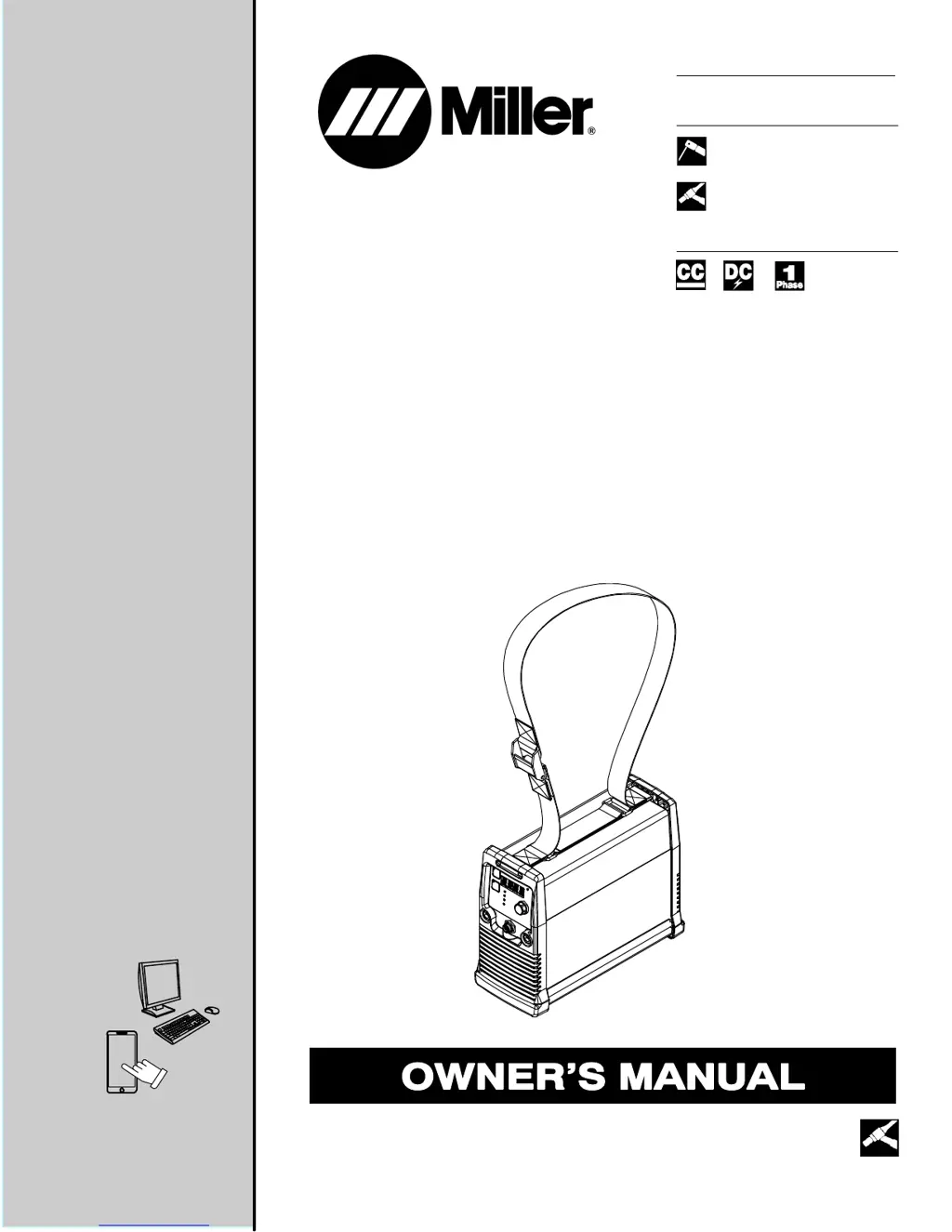
Miller Maxstar 161 S - User Manual

Miller Maxstar 161 S
44 pages
Print Icon
To Next Page IconTo Next Page
Loading...
Processes
Description
TIG (GTAW) Welding
Stick (SMAW) Welding
OM-275099A 2016−10
Arc Welding Power Source
Maxstar 161 S, STL, and STH
With Auto-Linet
File: TIG (GTAW)
For product information,
Owner’s Manual translations,
and more, visit
www.MillerWelds.com

Table of Contents

Questions and Answers

  • M
    Matthew DavisAug 14, 2025
    What to do if there is no weld output, but the fan is on in my Miller Welding Accessories?
    • A
      alexandragallagherAug 14, 2025
      If your Miller Welding Accessories unit shows no weld output but the fan is running, there are a few things you can check. First, examine the connection to the remote control receptacle. Next, inspect the remote control itself. Finally, the unit may have overheated, so allow it time to cool down.
  • B
    bcannonAug 17, 2025
    Why is the weld output erratic or improper on my Miller Welding Accessories?
    • M
      Mrs. Sharon Hardy MDAug 17, 2025
      If you're experiencing erratic or improper weld output with your Miller Welding Accessories, ensure that the weld cables are laid out straight and not coiled. Also, verify the position of the Process Selector switch and the Amperage control.
  • R
    rachel82Aug 20, 2025
    Why does my Miller Welding Accessories unit provide only maximum or minimum weld output?
    • J
      Jose AdamsAug 20, 2025
      If your Miller Welding Accessories unit provides only maximum or minimum weld output, ensure the Material Amperage control is in the correct position.
  • C
    Charles AllenAug 25, 2025
    What to do if there is no weld output and the fan doesn't run on my Miller Welding Accessories?
    • Y
      ywilcoxAug 25, 2025
      If you're not getting any weld output from your Miller Welding Accessories, and the fan isn't running either, start by ensuring the line disconnect switch is in the On position. Then, check the line fuses and replace them if necessary. Lastly, verify that the input power connections are properly connected.
  • J
    Jordan CurtisAug 27, 2025
    How to troubleshoot no weld output and a completely inoperative Miller Welding Accessories unit?
    • J
      Jessica ComptonAug 27, 2025
      If your Miller Welding Accessories unit is completely inoperative with no weld output, first ensure the line disconnect switch is in the On position. Then, check the line fuses and replace them if necessary. Finally, check for proper input power connections.
  • J
    John WestAug 30, 2025
    Why is there a wandering arc or poor control of direction of arc with my Miller Welding Accessories?
    • T
      Thomas JonesAug 30, 2025
      If you're experiencing a wandering arc or poor control of the arc direction with your Miller Welding Accessories, try reducing the gas flow rate. Also, ensure that the tungsten is properly prepared.
  • L
    Laura ScottSep 3, 2025
    Why is the tungsten electrode oxidizing and not remaining bright after welding with my Miller Welding Accessories?
    • J
      Justin RuizSep 3, 2025
      If the tungsten electrode is oxidizing and not remaining bright after welding with your Miller Welding Accessories, shield the weld zone from drafts. Also, check and tighten all gas fittings, and ensure the tungsten is properly prepared.
  • N
    Nicole EllisSep 6, 2025
    Why is the fan not operating on my Miller Welding Accessories?
    • C
      Charles FinleySep 6, 2025
      The unit is equipped with Fan-On-Demand. Fans run only when necessary. The unit is equipped with circuitry to protect against overheating.
  • T
    Tina Walters DDSSep 9, 2025
    Why is there a lack of high frequency or difficulty in starting GTAW arc on my Miller Welding Accessories?
    • H
      Hayden BishopSep 9, 2025
      If you're experiencing a lack of high frequency or difficulty starting the GTAW arc with your Miller Welding Accessories, make sure the torch cable is not close to any grounded metal. Also, check the cables and torch for cracked insulation or bad connections, and repair or replace them as needed.

Summary

From Miller to You

SECTION 1 - SAFETY PRECAUTIONS - READ BEFORE USING

Symbol Usage

Explains the meaning of danger, warning, and notice symbols.

Arc Welding Hazards

Details hazards associated with arc welding and protective measures.

Additional Symbols For Installation, Operation, And Maintenance

California Proposition 65 Warnings

Principal Safety Standards

EMF Information

SECTION 3 - DEFINITIONS

Additional Safety Symbols And Definitions

Explains additional safety symbols found on CE products.

Miscellaneous Symbols And Definitions

SECTION 4 - SPECIFICATIONS

Serial Number And Rating Label Location

Specifies the location of the serial number and rating label on the machine.

Specifications

Provides detailed technical specifications for the welding power source.

Environmental Specifications

Duty Cycle And Overheating For Maxstar 161 S Models

Duty Cycle And Overheating For Maxstar 161 STL And STH Models

Static Characteristics

Remote 6 Receptacle Information (STL And STH Models Only)

SECTION 5 - INSTALLATION

Selecting a Location

Provides guidance on selecting a suitable location and ensuring proper airflow.

Electrical Service Guide

Selecting Extension Cord (Use Shortest Cord Possible)

Connecting 120 VAC Input Power

Connecting 1-Phase Input Power For 240 VAC

Shoulder And Handle Strap Installation

SECTION 6 - OPERATION

Front Panel Controls And Gas Connection

Describes the front panel controls, displays, and gas connection.

Process Selection (STL Model Only)

Process Selection (STH Model Only)

Process Selection (S Model Only)

Lift-Arc And TIG Impulse Start Procedures

Accessing Control Panel Menu: TIG-HF (STH Model Only)

Accessing Control Panel Menu: Lift-Arc TIG (STH And STL Models Only)

Accessing Control Panel Menu: Stick

SECTION 7 - ADVANCED MENU FUNCTIONS

Accessing Tech Menu For Maxstar 161 Models

Details how to access the advanced "Tech Menu" for specific settings.

SECTION 8 - MAINTENANCE AND TROUBLESHOOTING

Routine Maintenance

Outlines routine maintenance tasks and their recommended frequency.

Meter Troubleshooting Displays

Troubleshooting

SECTION 10 - HIGH FREQUENCY

Welding Processes Requiring High Frequency

Identifies welding processes that require the use of high frequency.

Installation Showing Possible Sources Of HF Interference

Recommended Installation To Reduce HF Interference

SECTION 11 - SELECTING AND PREPARING A TUNGSTEN FOR DC OR AC WELDING WITH INVERTER MACHINES

Selecting Tungsten Electrode (Wear Clean Gloves To Prevent Contamination Of Tungsten)

Guides on selecting the correct tungsten electrode and proper handling.

Preparing Tungsten Electrode For DC Electrode Negative (DCEN) Welding Or AC Welding With Inverter Machines

SECTION 12 - STICK WELDING (SMAW) GUIDELINES

Electrode and Amperage Selection Chart

Provides a chart for selecting electrodes and corresponding amperage for SMAW.

WARRANTY

Miller Maxstar 161 S Specifications

General IconGeneral
Input Hz50/60 Hz
Weight13 lbs (5.9 kg)
TIG Lift ArcYes
Input Voltage120 V / 240 V
Welding ProcessesStick (SMAW), TIG (GTAW)
Input PhaseSingle Phase
Stick Electrode Compatibility3/32 in - 5/32 in (2.4 mm - 4.0 mm)

Related product manuals