EasyManua.ls Logo

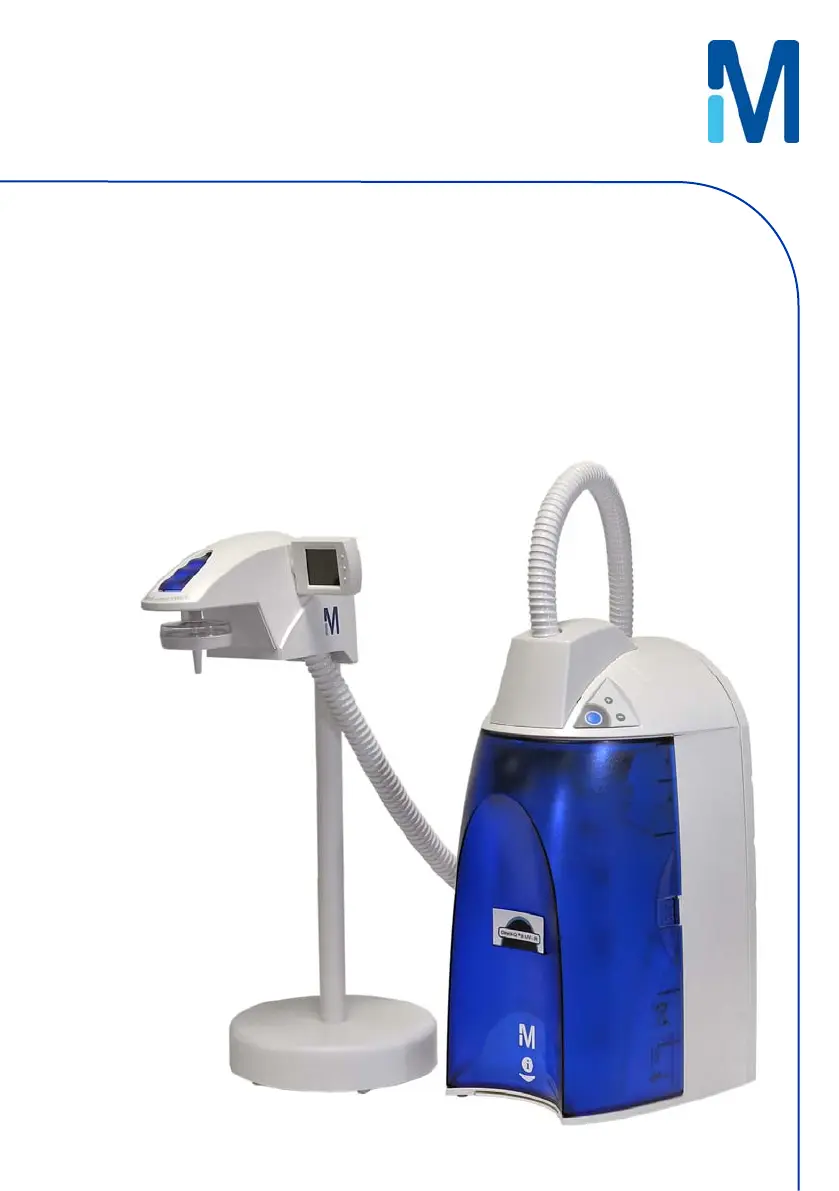
Millipore direct-q 8 UV-R - User Manual

Millipore direct-q 8 UV-R
80 pages
Print Icon
To Next Page IconTo Next Page
Loading...
Direct-Q
®
3, 5, 8 R system
Direct-Q 3, 5, 8 UV-R system
User manual

Table of Contents

Questions and Answers

  • M
    Martin Evans PhDAug 13, 2025
    How to fix a Millipore Water Filtration UV System only?
    • A
      Austin DelgadoAug 13, 2025
      If you're experiencing issues with only the UV System of your Millipore Water Filtration System: * The UV Timer might be exhausted, indicating the need to replace the UV Lamp. * The UV Lamp might not be installed correctly or not installed at all. Power OFF the system and reinstall the UV Lamp.
  • L
    Leslie ChanAug 17, 2025
    Why is there low or no water flow when dispensing from my Millipore Water Filtration System?
    • K
      Kurt TuckerAug 17, 2025
      Low or no water flow when dispensing from your Millipore Water Filtration System can occur for several reasons: * The water level might be less than 10%, preventing dispensing. Allow the system to enter FILLING TANK mode until the Tank Level display shows sufficient water. * The Tank Outlet Valve could be open, preventing the tank from filling. Ensure the Tank Outlet Valve is closed. * The Millipak Filter might be air locked. Vent all air from the Millipak Filter. * The Final Filter might be clogged.
  • S
    Sarah GomezAug 21, 2025
    What to do if the display screen is blank on my Millipore Water Filtration System?
    • B
      bjohnsonAug 21, 2025
      If the display screen on your Millipore Water Filtration System is blank, here are a few things to check: * Make sure the power cord is properly plugged in. * Verify that there is a source of electrical power. * If the above steps don't resolve the issue, the Main Power Fuse may be blown.
  • O
    olivertimothyAug 25, 2025
    What should I do if the last Product resistivity value is not displayed on my Millipore Water Filtration System?
    • S
      Stephanie KennedyAug 26, 2025
      If the last Product resistivity value isn't showing on your Millipore Water Filtration System, there could be several reasons: * A measurement might not have been taken during DISPENSING mode or recirculation. Manually dispense or recirculate water to initiate a Product resistivity reading. * The Tank Outlet Valve might not be open. Open the Tank Outlet Valve to drain the water from the tank. * The SmartPak cartridge lifetime may be exhausted. Replace the SmartPak cartridge. * The SmartPak cartridge might not be installed correctly or not installed at all. Reinstall the SmartPak cartridge. * The system may have been in STANDBY mode for a while. Recirculate the water in the system.
  • K
    kelly19Aug 28, 2025
    Why is the Tank Level display not rising in FILLING TANK mode on my Millipore Water Filtration System?
    • E
      esmithAug 28, 2025
      If the Tank Level display isn't rising during FILLING TANK mode on your Millipore Water Filtration System, consider the following: * The Tank Outlet Valve might be open, diverting water to the drain. Close the Tank Outlet Valve. * The RO membrane could be dirty or clogged. Replace the SmartPak cartridge.
  • T
    Teresa LarsonSep 1, 2025
    Why is the AUTO-DISPENSING mode not accurate on my Millipore Water Filtration System?
    • J
      John HillSep 2, 2025
      Inaccurate AUTO-DISPENSING mode on your Millipore Water Filtration System can be due to: * The Product Water flowrate not being calibrated. * The Final Filter being clogged or airlocked. Replace the Final Filter.
  • L
    lauren60Sep 5, 2025
    What causes the DISPENSING mode to run continuously on my Millipore Water Filtration System?
    • T
      Thomas GuzmanSep 5, 2025
      If the DISPENSING mode runs continuously on your Millipore Water Filtration System, even when the Tank Level display is below 10%, the water level may not be calibrated.
  • K
    Karina GrimesSep 9, 2025
    What to do if the RO Permeate conductivity value is not displayed on my Millipore Water Filtration System?
    • R
      Raymond HansenSep 9, 2025
      To display the RO Permeate conductivity value on your Millipore Water Filtration System, ensure that the measurement was made while dispensing water during FILLING TANK mode. If not, dispense water during FILLING TANK mode to start a RO Permeate conductivity reading again.

Summary

Introduction

Safety Information

Details essential safety precautions, warnings, and symbol meanings for operating the system safely.

Product Information

Pre Installation

Installation Requirements

Specifies the necessary feedwater quality, pressure, temperature, and environmental conditions for installation.

Installation

Connection of the Power Cord - Turning on the System Power

Step-by-step guide to connect the power cord and initiate system power-up.

Installation of the SmartPak cartridge

Procedures for installing the SmartPak cartridge, including necessary precautions.

Calibration of the Tank Level for a Direct-Q 5 and 8 R

Detailed steps to calibrate the tank level sensor for accurate water level monitoring.

Installation and Rinsing of the Final Filter

Instructions for installing and rinsing the final filter to ensure water quality.

How to Calibrate the Flowrate from the Direct-Q R (F02)

Detailed steps to calibrate the water dispensing flowrate for accurate volumes.

How to Set the Resistivity Setpoint (CO2)

Guide to setting the resistivity setpoint for low resistivity alerts.

Using the Direct-Q R

How to Get Water from the Direct-Q R

Describes the methods for dispensing ultrapure water using the dispensing button.

How to Dispense an Exact Amount of Product Water (F01)

Procedure for dispensing precise volumes of product water using the auto-dispensing feature.

Maintenance

How to Replace the SmartPak Cartridge

Detailed steps for removing and installing a new SmartPak cartridge.

How to Replace the Final Filter

Detailed instructions for removing and installing a new final filter.

How to Sanitize the System

Comprehensive guide for sanitizing the entire water system to eliminate bacteria.

How to Sanitize the Tank only

Specific procedure for sanitizing only the water tank to prevent bacterial growth.

How to Replace the UV Lamp (UV System only)

Detailed instructions for replacing the UV lamp in UV system models.

Troubleshooting

Low water flow or no water flow when the Dispensing Button is pressed.

Addresses problems with low or no water flow during dispensing.

The SmartPak cartridge lifetime is exhausted.

Identifies and resolves issues related to an exhausted SmartPak cartridge.

The SmartPak cartridge is not installed correctly or not installed at all.

Troubleshooting for incorrect or missing SmartPak cartridge installation.

The UV Timer is exhausted.

Addresses issues related to the UV timer indicating the lamp needs replacement.

The UV Lamp is not installed correctly or not installed at all.

Troubleshooting for incorrect or missing UV lamp installation.

Millipore direct-q 8 UV-R Specifications

General IconGeneral
TOC< 5 ppb
Bacteria< 1 CFU/mL
Particles > 0.22 μm< 1 particle/mL
Pyrogens (Endotoxins)< 0.001 EU/mL
UV Lamp Wavelength254 nm
UV Lamp Life9000 hours
TypeWater Purification System
TechnologyReverse Osmosis, UV
Feed Water TypeTap water, Deionized water
Output Water QualityUltrapure water
Resistivity18.2 MΩ·cm
Electrical Requirements100-240 VAC, 50/60 Hz

Related product manuals