35
Q-POD Unit, Continued
Connecting the
RC-Link
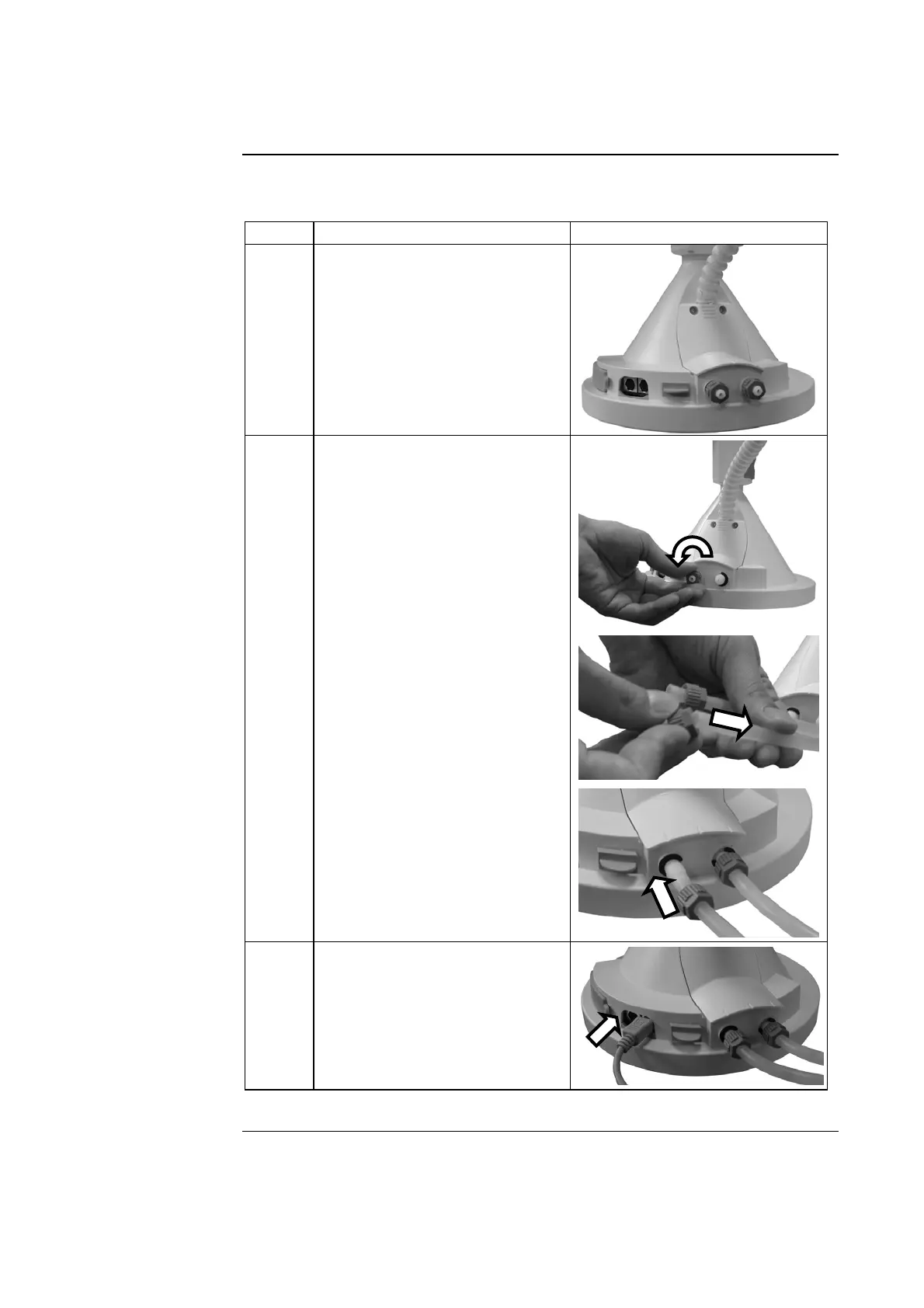
Follow the steps below to connect the RC-Link to the Q-POD Base.
Step Action Diagram
1 Locate the two tubing ports on
the back of the Q-POD Base.
2 Connect the RC-Link tubing to
the Q-POD Ports:
• Unscrew the 2 nuts from the
Q-POD Ports.
• Push the end of each piece of
tubing through the nuts.
• Push this end of the pieces of
tubing onto the plastic stem.
• Tighten the 2 nuts.
NOTE:
Either end of the RC-Link can
be attached to the Q-POD Unit.
3 Connect the RC-Link PS/2
cable to either PS/2 port on the
Q-POD Base.
Continued on next page







 To Next Page