MSFD0802AE/8946DV (1 of 5)
ÈSYSTEM 7 MICROPROCESSOR SOFTWARE
•
••
•
General
•
••
•
How to Identify Configuration and Software Version
•
••
•
Formula Count Accumulator
•
••
•
How to Configure
ÊGeneral
Software is the instructions contained in the EPROM which tell the microprocessor how the equipment is to
operate, and is comprised of two types of information:
1. Seven fixed wash formulas for each of seven possible machine configurations.
2. The instructions that tell the microprocessor how to interpret and implement these wash formulas.
The software tells the microprocessor how to respond to the selections made by the operator at the control
panel (inputs) to insure safe and efficient operation. In turn, it actuates the various machine functions (outputs).
The software does not provide for user programming of wash formulas. However, seven different software
configurations are available, each containing seven distinct wash formulas which have been developed specifically
for each application. Contact your MILNOR dealer or the MILNOR Service Department for information about
changing the configuration of your machine.
ÊHow to Identify Configuration and Software Version
The software configuration and version code can be read from the EPROM label on the microprocessor board
or from the display on the control panel in either the Manual or Auto mode. The microprocessor board is located on
the inside, bottom of the electrical control box in 42026M6G and all M7G models, and behind the control panel in
all other SYSTEM 7 models.
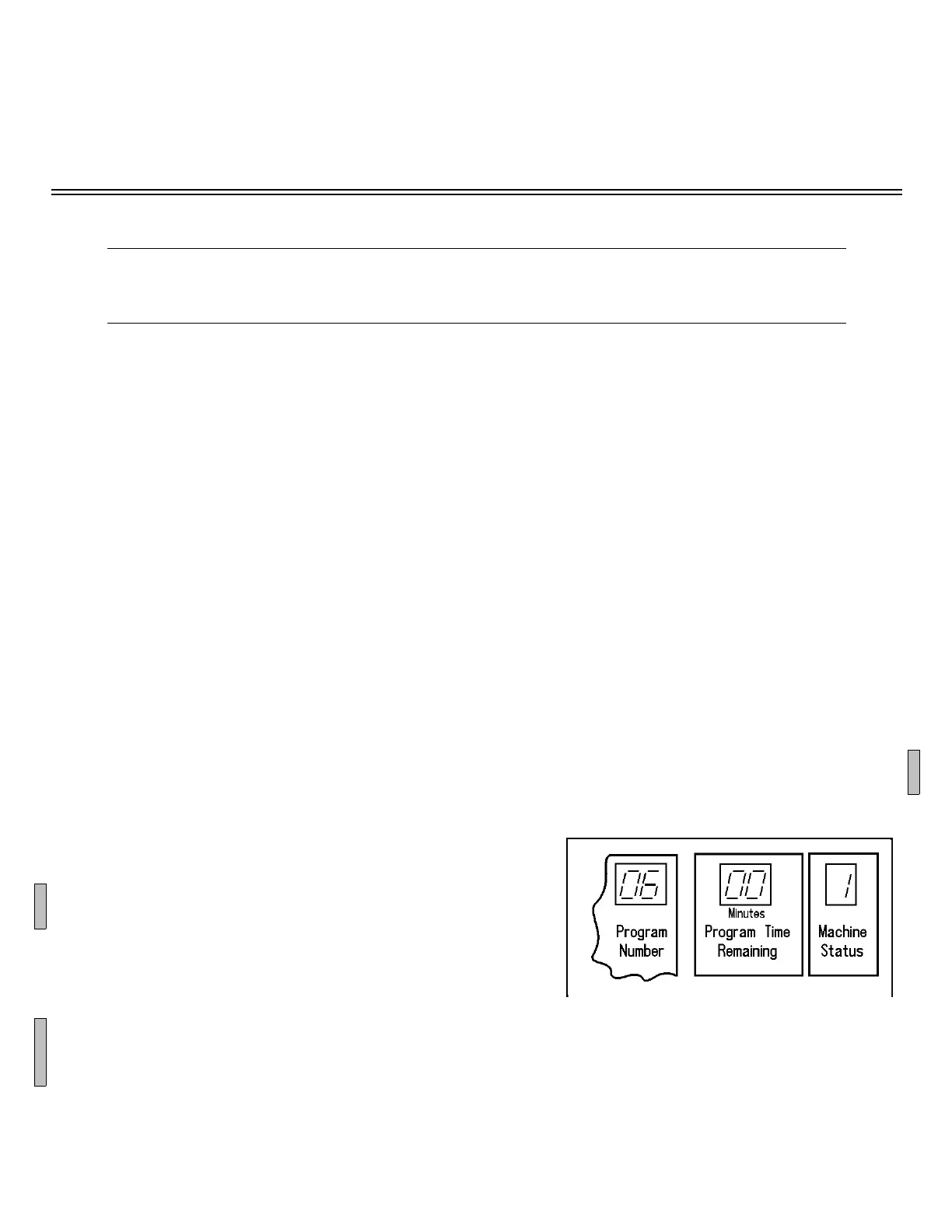
To display the software code with the machine in Auto mode, set the Fabric Selection switch to PERMANENT PRESS
and press OVERSUDS. The left digit of the Program Number window
shows the machine class ("0" for M4G, M5G, and 30015M6G; "1"
for M7G and 42026M6G; "2" for Q4G and Q6G) and the right digit
displays the industry configuration (DIP switch setting). The two
digits of the Program Time Remaining window and the single digit
of the Machine Status window are read together as the software ver-
sion. For example, the first version of the Shirt Laundry configura-
tion (6) in an M4G, M5G, or 30015M6G will display 06 00 1, as
shown in Figure 1. Similarly, the fourth revision of the Healthcare
configuration (3) in an M7G or 42026M6G will display 13 00 4.
The software code will also be observed on the display when the Manual mode switch is first set to the Manual
position.
B
C
B
ÎFIGURE 1
(MSFD0802AE)
ÎSoftware Code Display



 To Next Page