LOGGING (MW151) 41
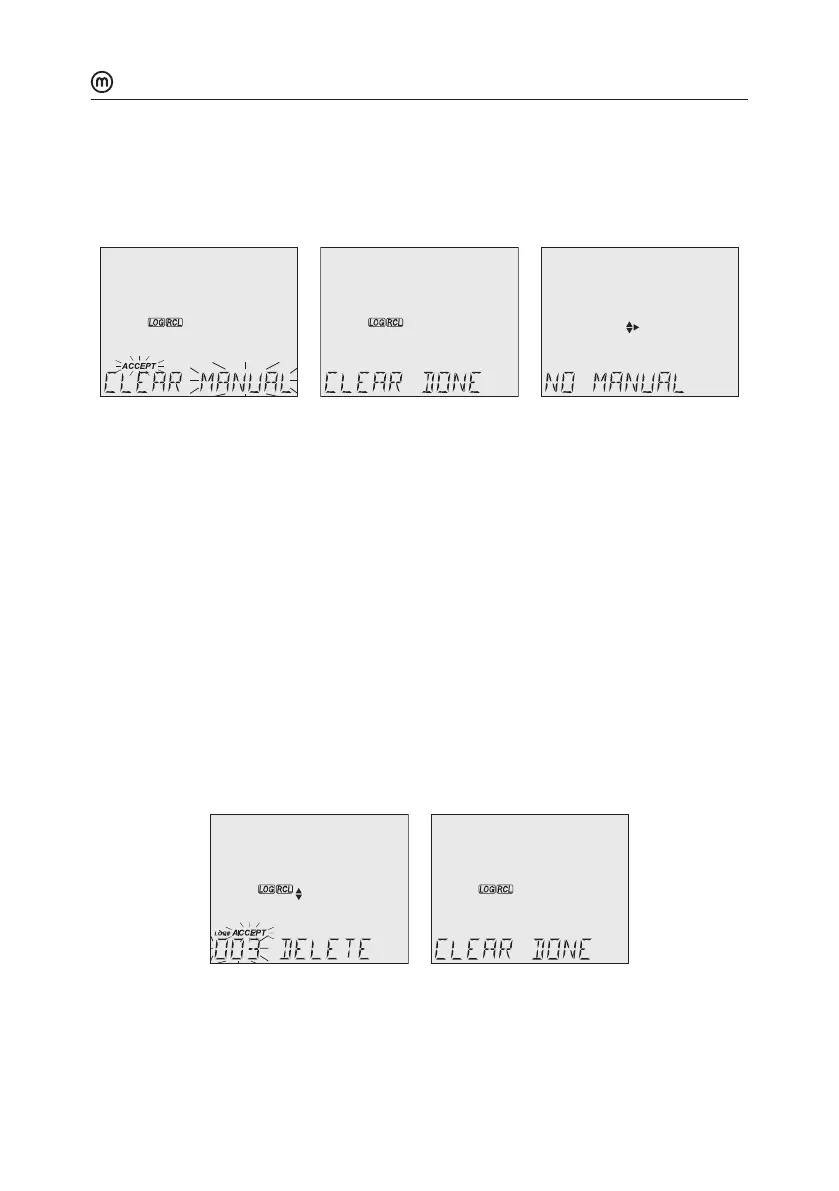
5. Press GLP/ACCEPT to confirm (to exit, press ESC or CAL/EDIT or LOG/CLEAR). “PLEASE
WAIT” with ACCEPT tag blinking is displayed, until the lot is deleted.
After the selected lot has been deleted, “CLEAR DONE” displays briefly.
Display shows “NO MANUAL / LOGS” or “NO STABILITY / LOGS”.
Individual Logs / Records
1. Press RCL to access the logged data.
LCD displays “PLEASE WAIT” followed by “LOG RECALL” with ACCEPT tag blinking and
the total number of logs.
2. Press GLP/ACCEPT to confirm.
3. Use keys to select MANUAL or STABILITY lot type.
4. Press GLP/ACCEPT to confirm.
5. Use the to navigate between logs. Log record number displays on the left.
6. With desired log record selected, press LOG/CLEAR to delete.
“DELETE” is displayed with ACCEPT tag and log ### blinking.
7. Press GLP/ACCEPT to confirm (to exit, press ESC or CAL/EDIT or LOG/CLEAR).
“DELETE” and Log ### blinking is displayed, until the log is deleted.
After the log has been deleted “CLEAR DONE” message displays briefly.
Display shows logged data of the next log ###.
Note: Logs stored within an interval lot can not be deleted individually.



 To Next Page