42 MW150 & MW151 Bench Meters
Log on Interval
1. Press RCL to access the logged data.
LCD displays “PLEASE WAIT” followed by “LOG RECALL” with ACCEPT tag blinking and
the total number of logs.
2. Press GLP/ACCEPT to confirm.
3. Use keys to select an interval logging lot number.
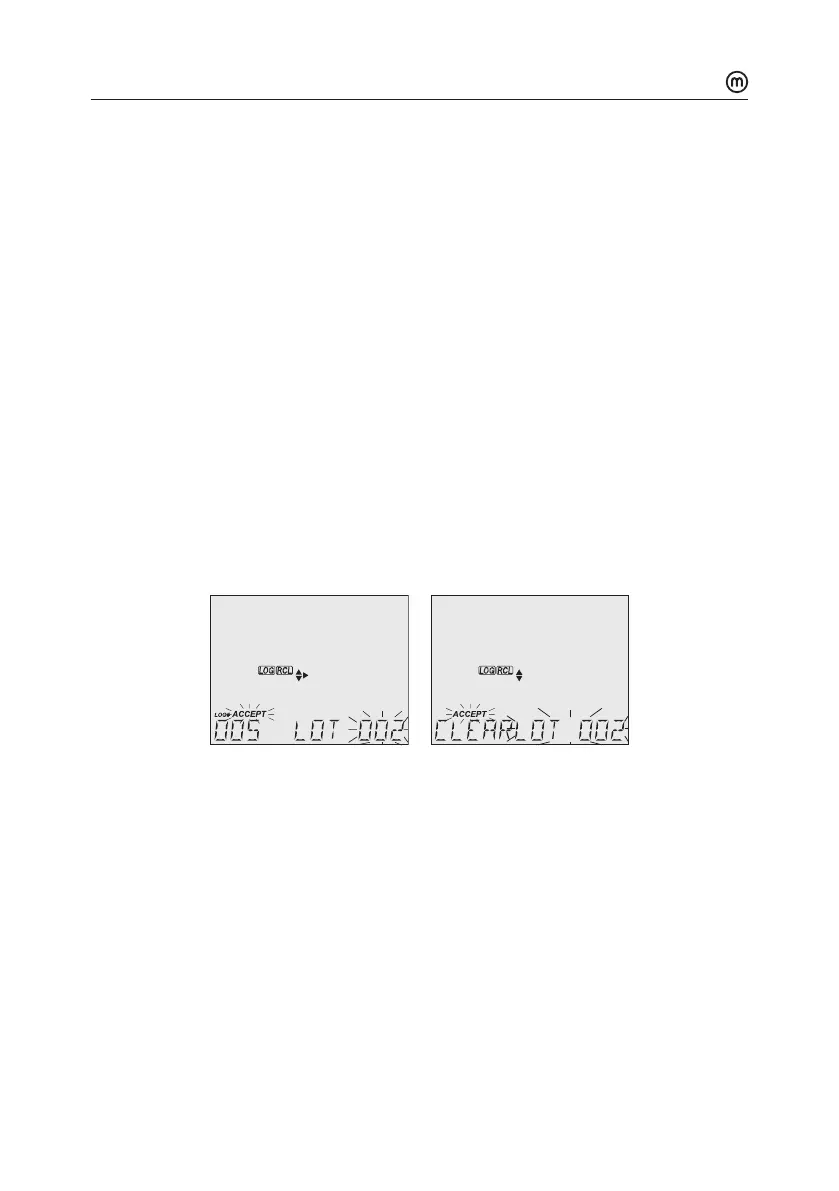
The LOG ### LOT ### screen displays selected lotnumber (bottom right) and total
logs stored in lot (bottom left).
4. Press GLP/ACCEPT to confirm (to exit, press ESC or CAL/EDIT; or LOG/CLEAR).
5. With the lot selected, press LOG/CLEAR to delete entire lot.
“CLEAR” is displayed with ACCEPT tag and lot name blinking.
Note: Use keys to select a dierent lot number.
6. Press GLP/ACCEPT to confirm (to exit, press ESC or CAL/EDIT or LOG/CLEAR).
“PLEASE WAIT” with ACCEPT tag blinking is displayed, until the lot is deleted.
After deletion “CLEAR DONE” message displays briefly.
Display shows the previous lot ###.
Delete All
1. Press RCL to access the logged data.
LCD displays “PLEASE WAIT” followed by “LOG RECALL” with ACCEPT tag blinking and
the number of stored logs.
2. Press LOG/CLEAR to delete all logs.
“CLEAR ALL” is displayed with ACCEPT tag blinking.
3. Press GLP/ACCEPT to confirm (to exit, press ESC or CAL/EDIT; or LOG/CLEAR).
“PLEASE WAIT” is displayed with a percentage counter, until all logs are deleted.
After deletion “CLEAR DONE” message displays briefly.
Display returns to the log recall screen.



 To Next Page