LOGGING (MW151) 43
11.2.3. Exporting Data
PC Export
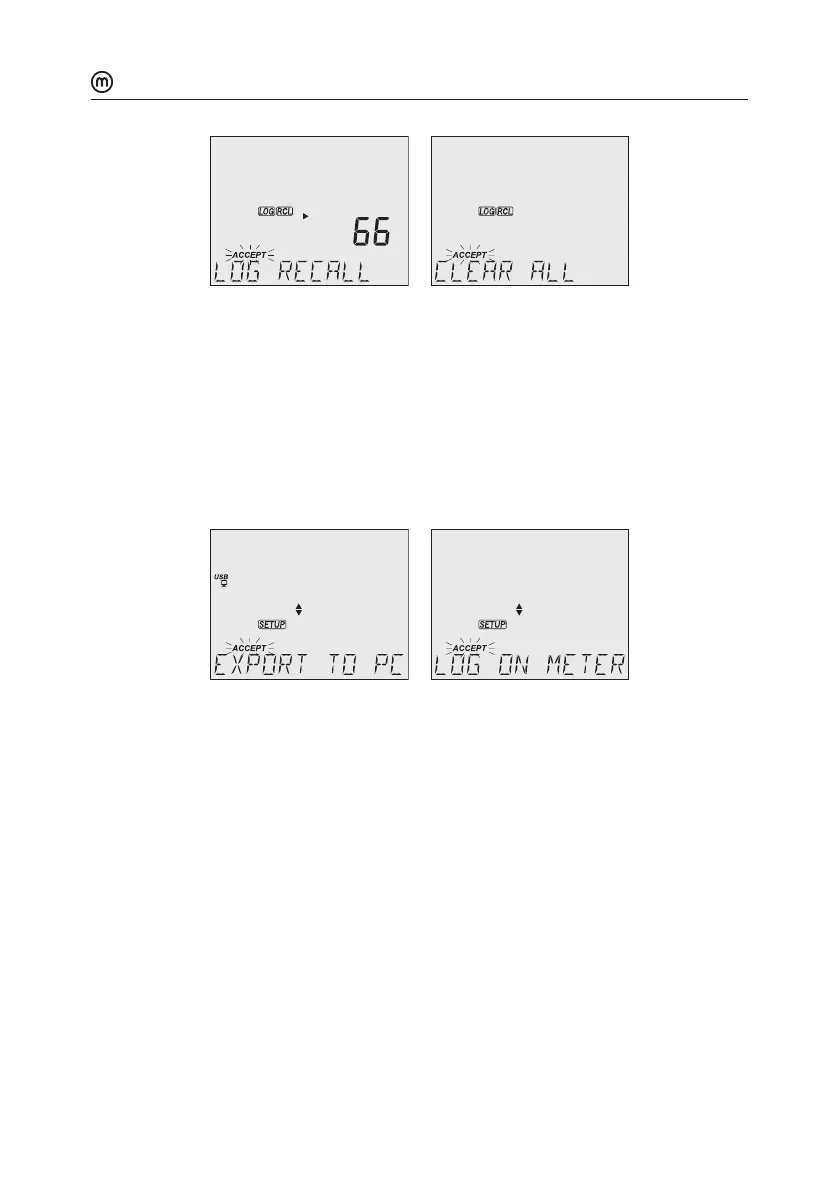
1. With the meter on, use the supplied micro USB cable to connect to a PC.
2. Press SETUP then CAL/EDIT.
3. Use the keys and select “EXPORT TO PC”.
The meter is detected as a removable drive. LCD displays the PC icon.
4. Use a file manager to view or copy files on the meter.
When connected to a PC, to enable logging:
y Press LOG/CLEAR. LCD displays “LOG ON METER” with ACCEPT tag blinking.
y Press GLP/ACCEPT. Meter disconnects from the PC and the PC icon is no longer
displayed.
y To return to “EXPORT TO PC” mode, follow steps 2 and 3 above.
Exported data file details:
y The CSV file (comma separated values) may be opened with a text editor or
spreadsheet application.
y The CSV file encoding is Western Europe (ISO-8859-1).
y Field separator may be set as comma or semicolon. See Separator Type in MW151
SPECIFIC SETUP section.
y Interval log files are named ECLOT###, where ### is the lot number (e.g. ECLOT).
y Manual log file is named ECLOTMAN and stability log file is named ECLOTSTA.



 To Next Page