90
8 Quick setting to wireless network
The steps of setting are:
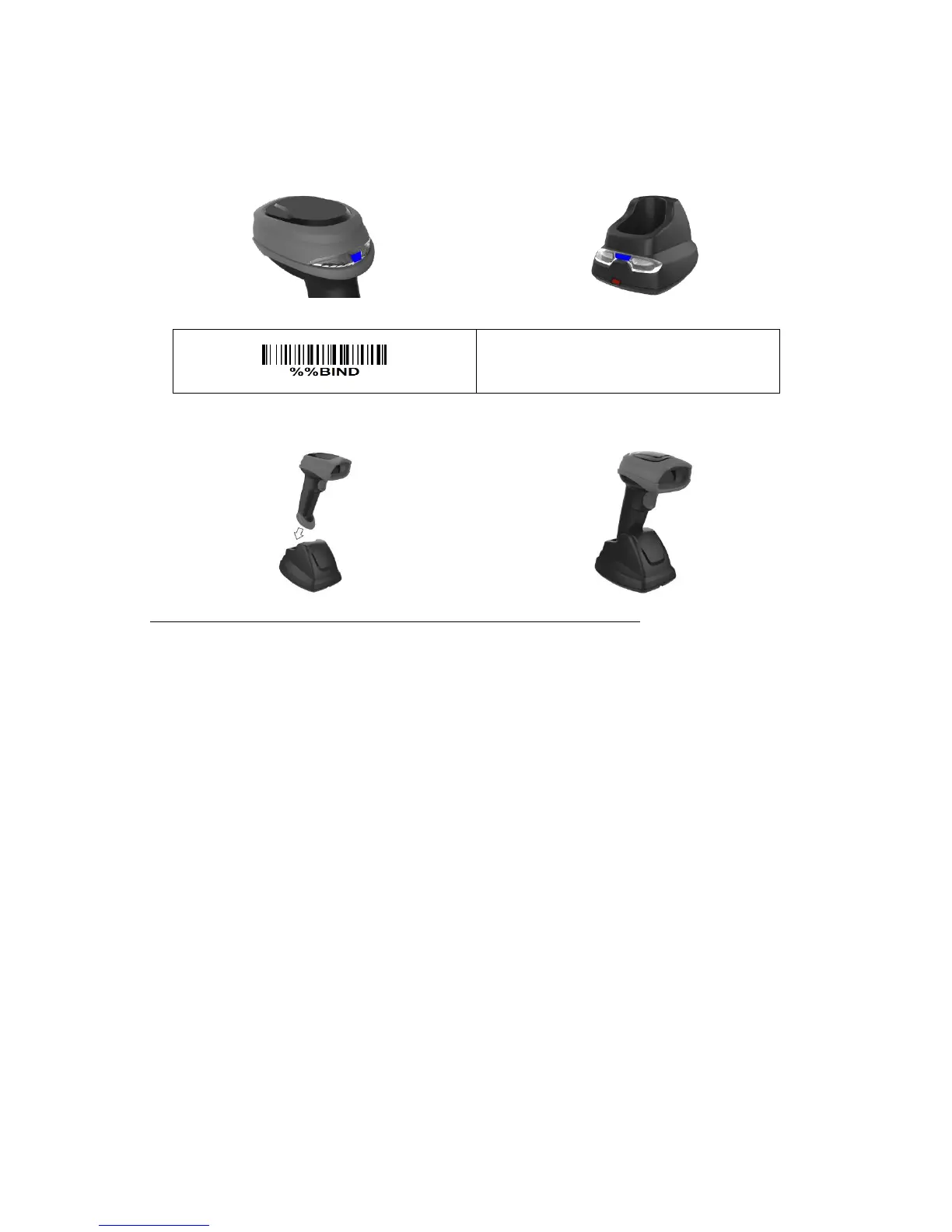
1. Both the handheld unit and the cradle are in normal working mode. Normally it means that only the
blue LED on the handheld unit and only the blue LED on the cradle are ON as shown below.
2. Scan the following barcode.
3. The blue LED on the handheld unit will blink and the beeper will beep regularly to indicate that the
handheld unit is ready to be positioned onto the cradle.
4. Firmly position the handheld unit onto the cradle within 15 seconds. Two short beeps will be
emitted to indicate a successful setting; otherwise, two long beeps and a short beep will be emitted
to indicate a failed setting.
Referring to 11 Display firmware version & radio communication setting, check the current radio
communication setting of the handheld unit and the cradle.


 To Next Page