EasyManua.ls Logo

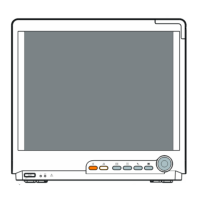
Mindray BeneVision N19 - User Manual

Mindray BeneVision N19
528 pages
Print Icon
To Next Page IconTo Next Page
Loading...
BeneVision N Series
Patient Monitor
Operators Manual
(For BeneVision N22/BeneVision N19/
BeneVision N17/BeneVision N15/BeneVision N12/BeneVision N12C)

Table of Contents

Other manuals for Mindray BeneVision N19

Questions and Answers

  • A
    Angela HallSep 10, 2025
    Why is my Mindray BeneVision N19 Monitor having power supply failures?
    • A
      Alexandra Rodriguez MDSep 10, 2025
      If your Mindray Monitor is experiencing power supply failures, it could be due to several reasons: * A damaged battery: Replace the battery, and if you replace it, charge it fully. * Check the cable connections: Verify the cable connecting the battery interface board to the power module and the cable connecting the battery interface board to the DCDC interface board are correctly connected. * A damaged DCDC interface board: Replace the DCDC interface board. * Power supply protection: Turn off the monitor and then restart it. Also, try disconnecting the AC mains for 5 seconds and then reconnecting it before restarting.
  • M
    mooreelizabethSep 12, 2025
    Why are my Mindray Monitor alarms failing?
    • J
      John WellsSep 12, 2025
      If the alarms on your Mindray Monitor are failing, consider these potential causes: * Check the cable connections: Verify the cable connecting the alarm LED board to the front housing interface board and the cable connecting the front housing interface board to the main board are properly connected. Also, verify the cable connecting the speaker to the main board is properly connected. * Component failure: The alarm LED board, speaker, front housing interface board, or main board may be defective and require replacement. * Audible alarm disabled: Select the Main Menu quick key, go to System, then Maintenance (enter required password), select Alarm, and set the Minimum Alarm Volume to a proper value.
  • J
    Julie GordonSep 13, 2025
    How to troubleshoot module rack failures on Mindray BeneVision N19 Monitor?
    • Z
      zmorrisonSep 13, 2025
      To troubleshoot module rack failures on your Mindray Monitor, consider the following: * Check external cable connections: Ensure the cable connecting the SMR and the main unit of the monitor is properly connected and not damaged. Verify the connecting cables and connectors are not damaged. * Defective parameter module: Replace the malfunctioning parameter module with a known good module. * Wrong communication board software version: Upgrade the module and/or the SMR software to a compatible level. * SMR power supply abnormal: Check whether the SMR interface output voltage of the main unit is 12 V. * If problems persist, the 8-slot module rack communication board or DCDC board may be defective and require replacement.
  • M
    Melvin BarnettSep 15, 2025
    What causes output interface failures in Mindray BeneVision N19 Monitor?
    • A
      Angela RogersSep 15, 2025
      Output interface failures on your Mindray Monitor can stem from several causes: * Loose DCDC interface board cable: Verify the cable connecting the DCDC interface board to the main board is properly connected. * Damaged DCDC interface board: Replace the DCDC interface board. * USB enumeration failure: Restart the system. * Cable issues: Verify the cable connecting the USB Hub board to the main board is properly connected. * If the above doesn't resolve the issue, the USB Hub board or the main board may be defective and require replacement.
  • S
    Sean FisherSep 18, 2025
    What to do if Mindray BeneVision N19 Monitor has device integration failures?
    • C
      Charles HuynhSep 18, 2025
      If your Mindray Monitor experiences device integration failures, consider the following solutions: * ID adapter incompatibility: Replace the ID adapter. * Serial port adapter cable incompatibility: Replace the serial port adapter cable. * Software/protocol version issues: Verify the protocol version and software version are supported by the ID adapter. * Corrupted BeneLink module software: Upgrade or update the software application of the BeneLink module using the network upgrading tool. * Damaged BeneLink module: Replace the module.
  • D
    Daniel FordNov 20, 2025
    Why is my Mindray Monitor telemetry disconnected?
    • J
      jackiesteeleNov 20, 2025
      Your Mindray monitor telemetry might be disconnected due to several reasons: * The TM80 is out of the MPAN coverage area. To solve this, put the TM80 in the MPAN coverage area. * The TM80 is out of the Wi-Fi coverage area. To solve this, put the TM80 in the Wi-Fi coverage area. * The TM80 has been powered off. To solve this, power on the TM80. * A satellite module rack is not connected to the monitor properly. To solve this, replug the satellite module rack. * The monitor is not connected to Wi-Fi network or its wireless network settings are incorrect. To solve this, verify that the monitor’s wireless network settings are correct and the monitor has been connected to Wi-Fi network. * The TM80 is not connected to Wi-Fi network or its wireless network settings are incorrect. To...

Mindray BeneVision N19 Specifications

General IconGeneral
BrandMindray
ModelBeneVision N19
CategoryMonitor
LanguageEnglish

Related product manuals