9
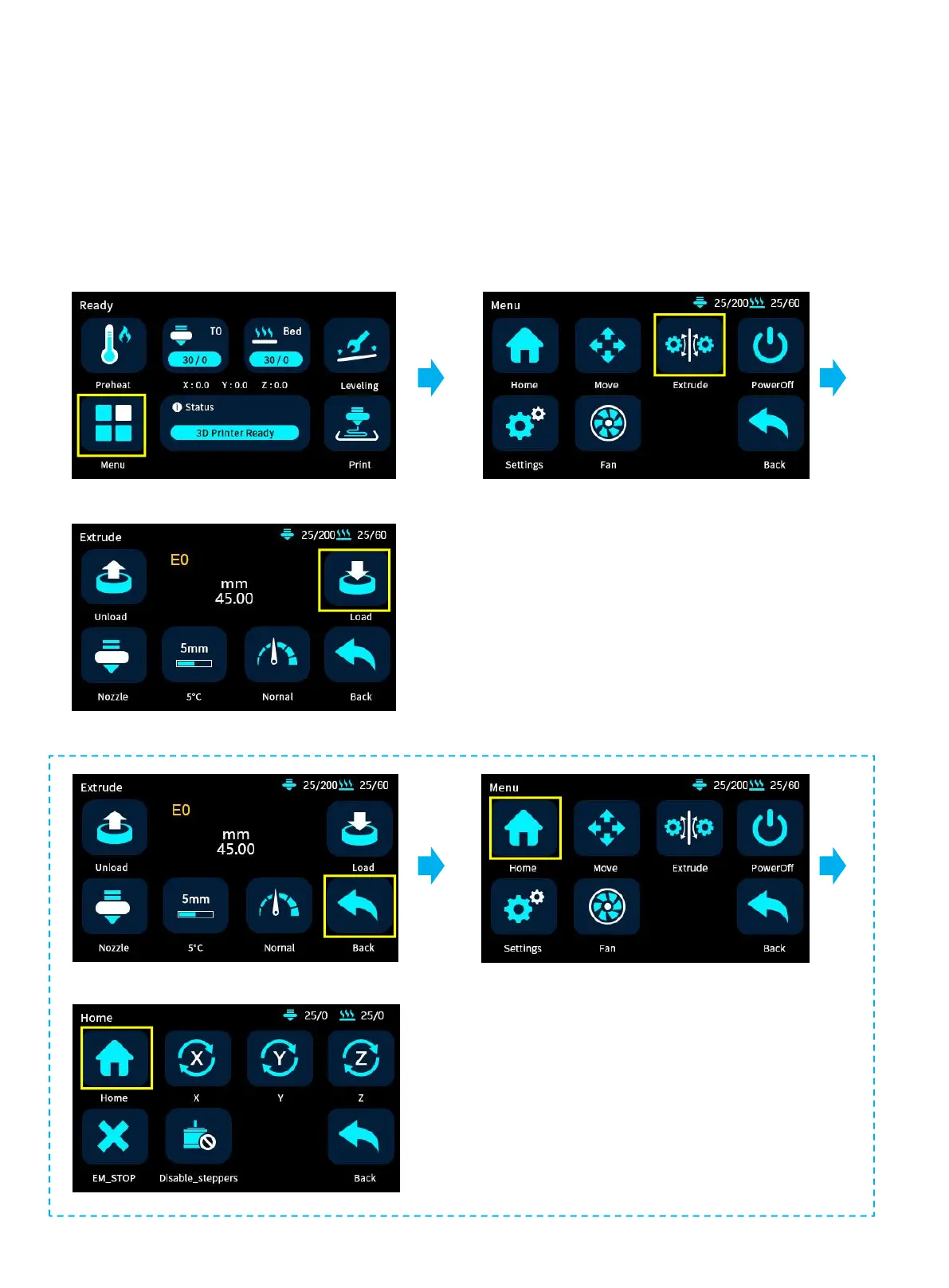
3. Click Meny-Extrude-Load. Keep clicking Load until the filament come out
E0 to the left extruder, E1 to the right extruder . Click nozzle to exchange left and right extruder.
Please Home the printer before switching the Nozzle. Because of two-in-one-out structure, when one filament
needs to be load, the other material needs to be unload first. If not home, the original filament will not be unload,
and the filament cannot be feed at this time, please home first.



 To Next Page