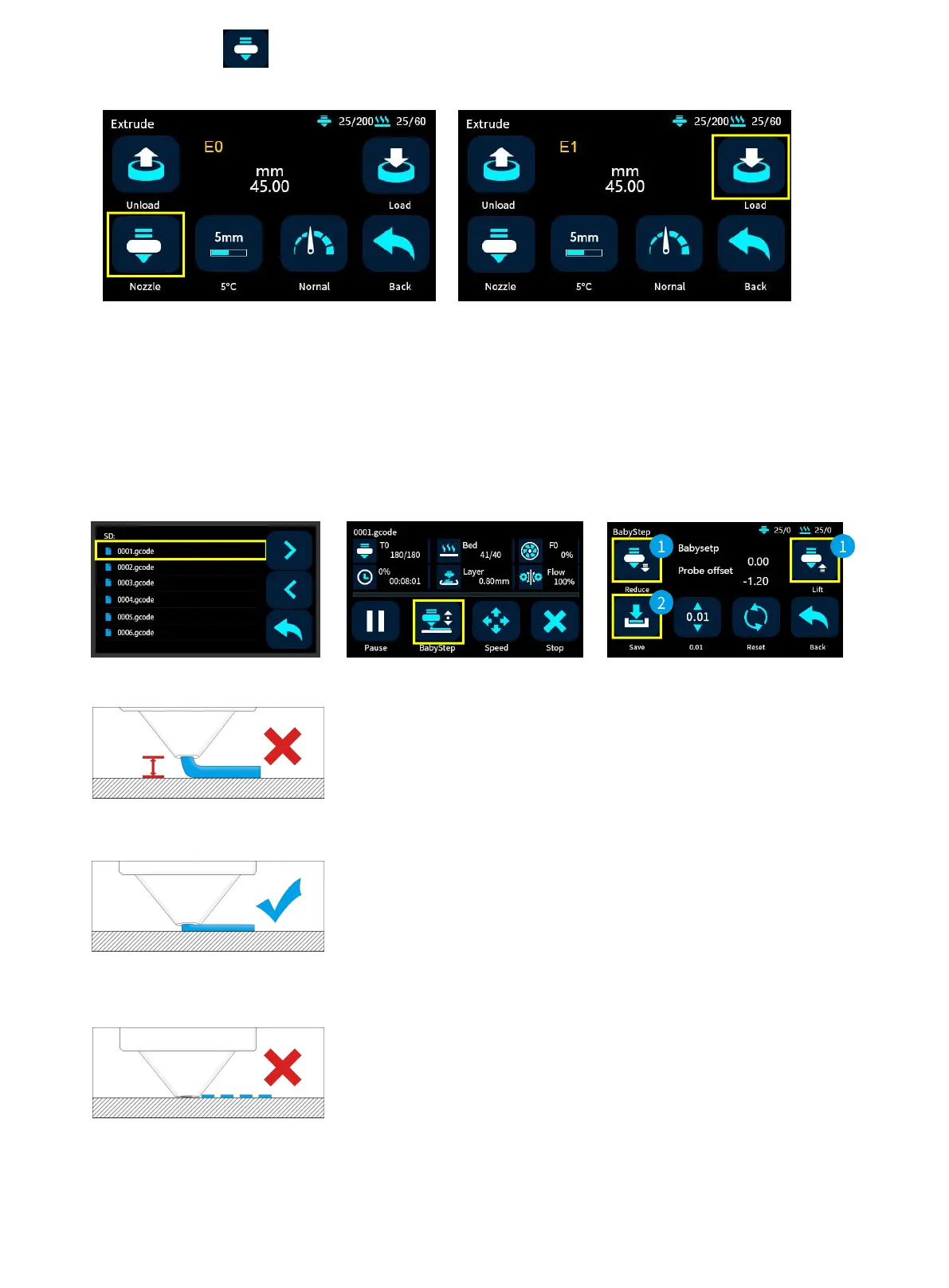
4. Click the nozzle icon to switch to E1, and the right extruder is working at this time. Keep clicking Load until
the filament come out.
Printing the Test Files
Click on the Print icon, choose a gcode file which you want to print.
Tip: You can adjust the babystep according to the adhesion of the first layer of filament. After the
adjustment is completed, click Save, then you can print directly next time without any adjustments.
If the distance between the nozzle and the platform is too high, the
filament will not easy to stick to the platform. Should click "Decrease"
until the distance is proper.
Keep a proper distance between the nozzle and the hot bed, so that
the filament stick to the hot bed evenly.
If the distance between the nozzle and the platform is too low, the
filament will be not easy to feed out smoothly . Should click
"Increase" until the distance is proper.
10



 To Next Page