EasyManua.ls Logo

MINIWARE DT71 - How to Charge

Default Icon
18 pages
Print Icon
To Next Page IconTo Next Page
To Previous Page IconTo Previous Page
Loading...
»
How
to
charge
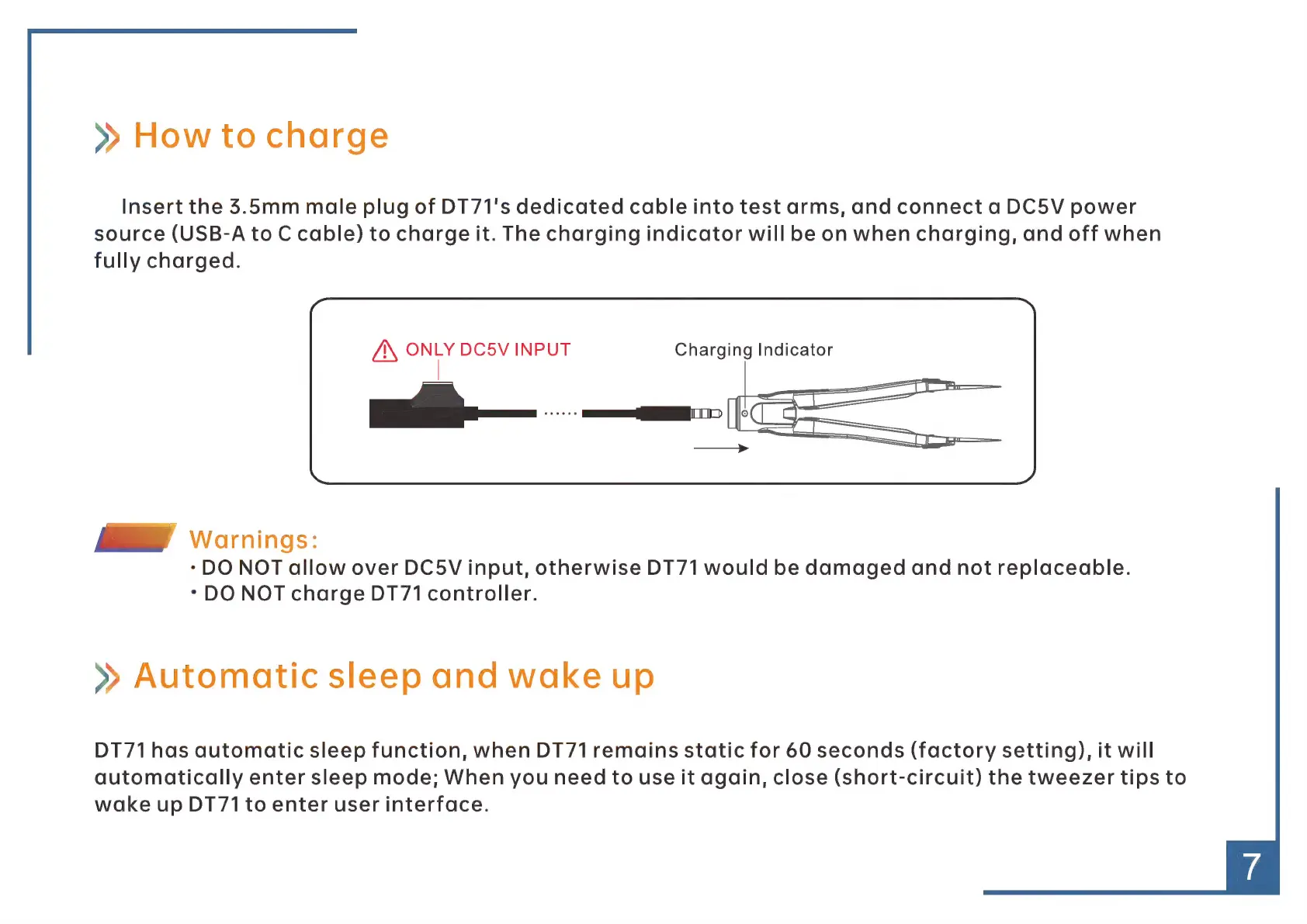
Insert
the
5.5mm
male
plug
of
DT71's
dedicated
cable
into
test
arms,
and
connect
a
DC5V
power
source
(USB-A
to
C
cable)
to
charge
it.
The
charging
indicator
will
be
on
when
charging,
and
off
when
fully
charged.
Á\
ONLY
DC5V
INPUT
Charging
Indicator
ik
Warnings:
*
DO
NOT
allow
over
DC5V
input,
otherwise
DT71
would
be
damaged
and
not
replaceable.
*
DO
NOT
charge
DT71
controller.
»
Automatic
sleep
and
wake
up
DT71
has
automatic
sleep
function,
when
DT71
remains
static
for
60
seconds
(factory
setting),
it
will
automatically
enter
sleep
mode;
When
you
need
to
use
it
again,
close
(short-circuit)
the
tweezer
tips
to
wake
up
DT71
to
enter
user
interface.