4
1.3 Memory Card Insertion and Removal
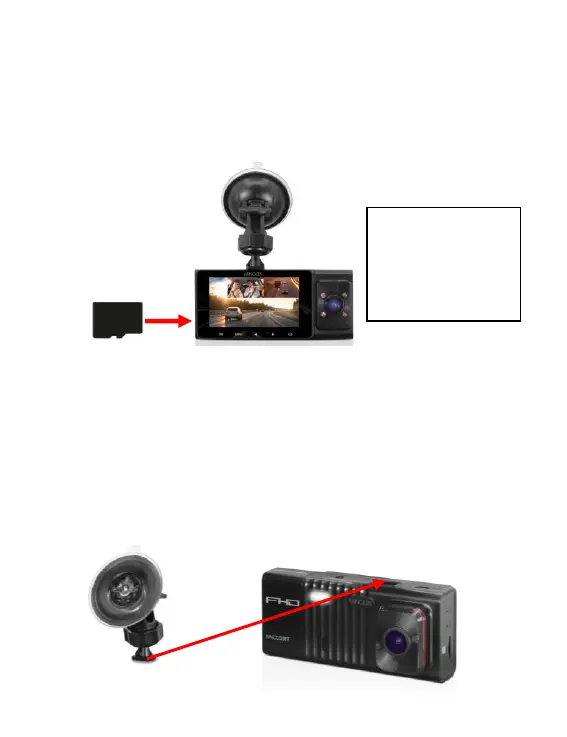
1. Ensure the camcorder is powered off.
2. Insert a MicroSD memory card into the MicroSD card slot with the gold pins facing the
display screen. Do not force it through the MicroSD card into the slot as it can only be
inserted in one direction. Once successfully inserted, it will click in.
3. To remove the MicroSD card, simply push the MicroSD card in and it will bounce back
out of the slot.
1.4 Windshield Mount
The windshield mount is included for mounting your camcorder to your windshield. Simply
attach the smaller plastic end of the mount to the top of your camcorder. Apply the suction
cup side to the top of your windshield. Then lift up on the lever that is attached to the
suction cup to secure the suction cup to the windshield. Before applying to your windshield,
make sure that your windshield is clean and free of any dirt or debris. Before removing the
suction cup from the windshield, make sure to lower the lever.
NOTE: If the suction cup loses its grip over time, thoroughly clean the clear suction are with
soap and water. After cleaning, allow it to dry for 2 hours and reapply it to your windshield.


 To Next Page