2 0 0 9
P a g e | 18
Skype
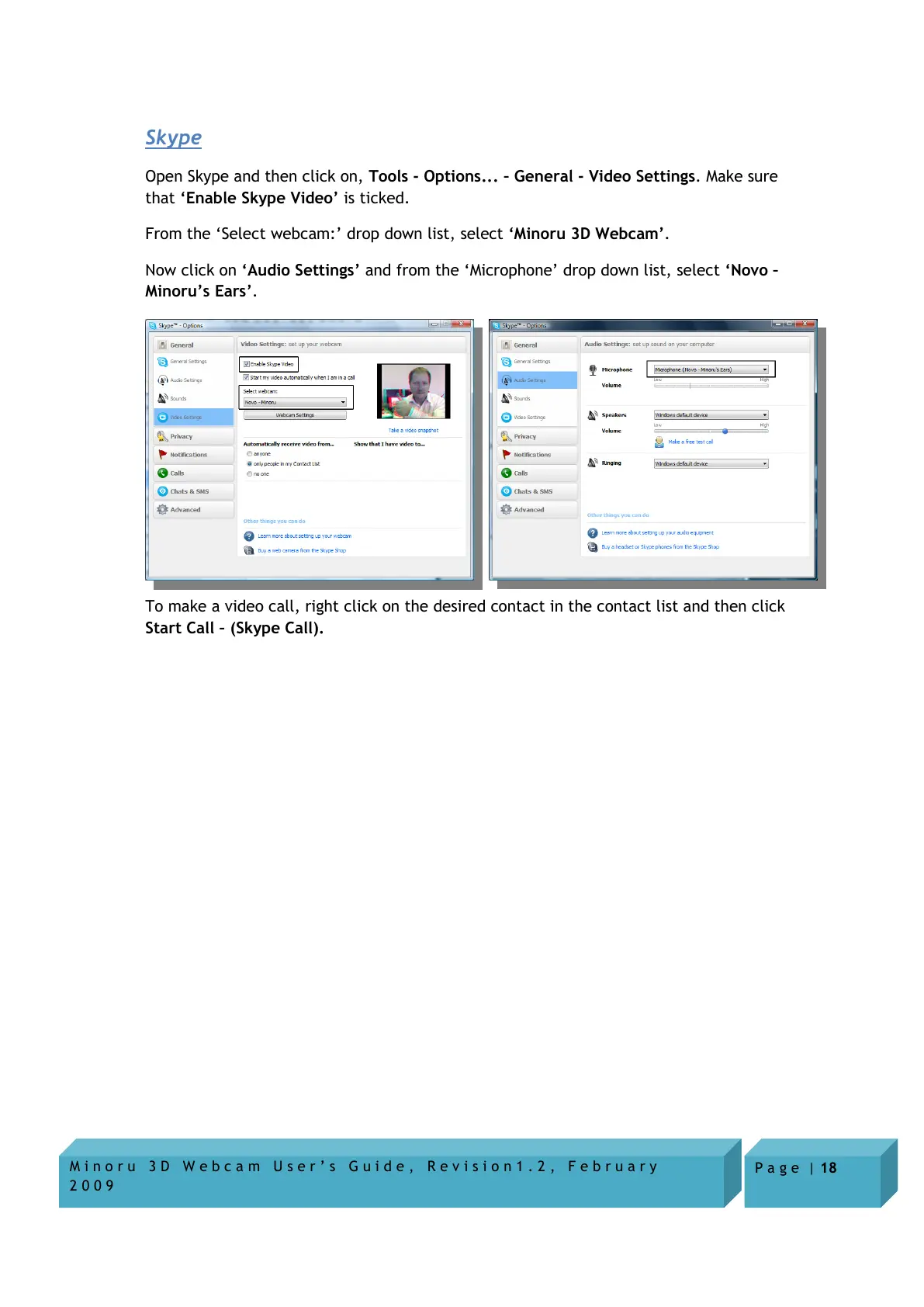
Open Skype and then click on, Tools - Options... – General - Video Settings. Make sure
that ‘Enable Skype Video’ is ticked.
From the ‘Select webcam:’ drop down list, select ‘Minoru 3D Webcam’.
Now click on ‘Audio Settings’ and from the ‘Microphone’ drop down list, select ‘Novo –
Minoru’s Ears’.
To make a video call, right click on the desired contact in the contact list and then click
Start Call – (Skype Call).


 To Next Page