2 0 0 9
P a g e | 19
OoVoo
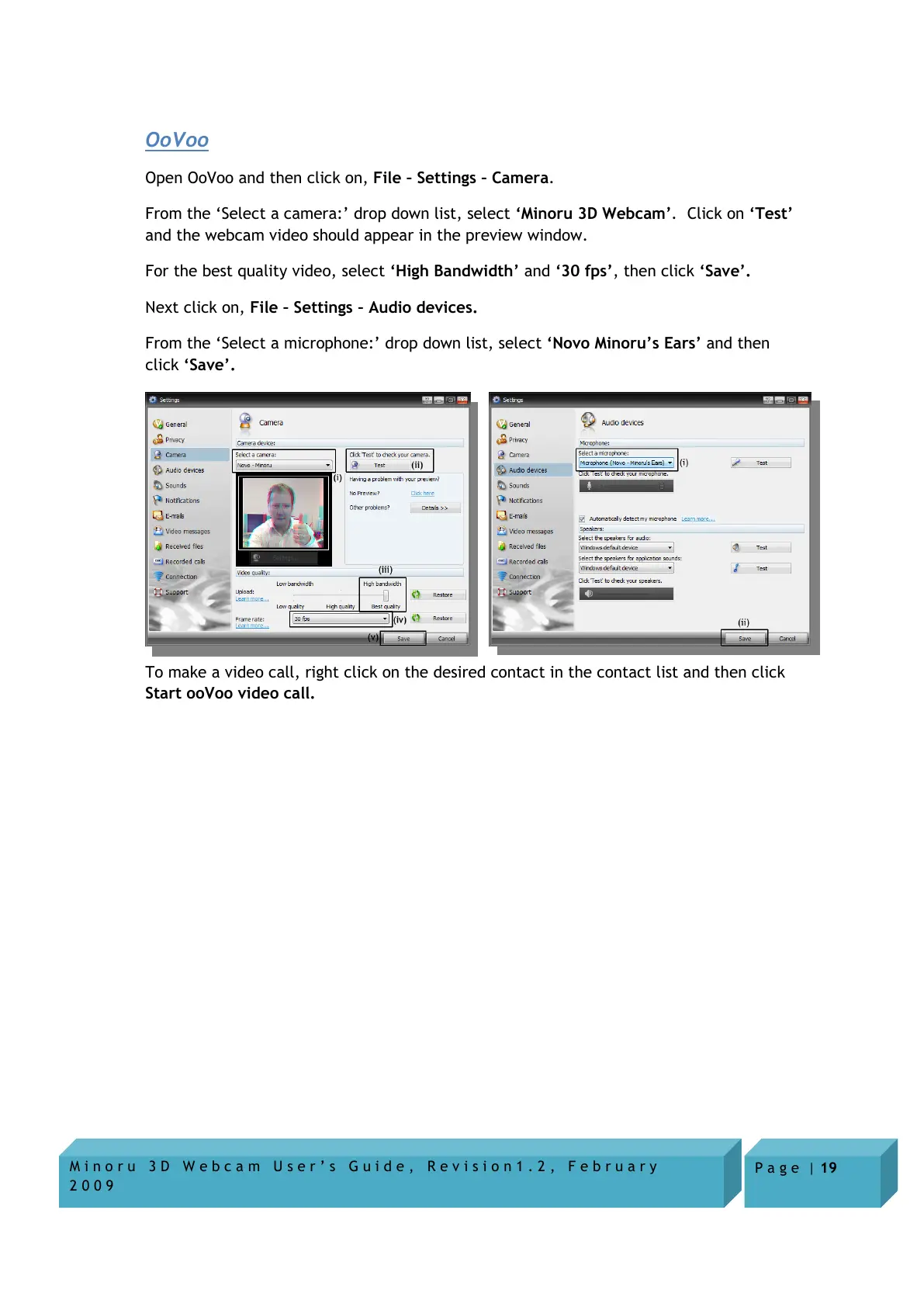
Open OoVoo and then click on, File – Settings – Camera.
From the ‘Select a camera:’ drop down list, select ‘Minoru 3D Webcam’. Click on ‘Test’
and the webcam video should appear in the preview window.
For the best quality video, select ‘High Bandwidth’ and ‘30 fps’, then click ‘Save’.
Next click on, File – Settings – Audio devices.
From the ‘Select a microphone:’ drop down list, select ‘Novo Minoru’s Ears’ and then
click ‘Save’.
To make a video call, right click on the desired contact in the contact list and then click
Start ooVoo video call.


 To Next Page