2 0 0 9
P a g e | 21
Troubleshooting
Problem
• The webcam output freezes or the webcam cannot work in the higher resolution
modes 640 x 480 and 800 x 600.
• When Minoru is plugged into a front panel USB port you see a message, ‘USB Device
Not Recognised’.
Solution
• Plug Minoru into a USB port at the rear of your PC. The front panel USB ports on
some PC’s are not working properly to the high specification required by Minoru.
• Some older slower PC’s cannot display the video fast enough when the high
resolution modes are used. Please use the 320 x 240 mode instead.
Problem
• Minoru will not work with Yahoo Messenger
Solution
• Yahoo Messenger uses an old video technology and Minoru is not compatible with
that.
For further help please visit www.minoru3d.com
Specifications
High Speed USB 2.0 3D Webcam
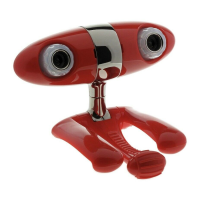
2 x VGA 640x480 CMOS sensor
2 x High quality wide angle lens
Built in USB microphone
800 x 600, 640 x 480, 352 x 288 and 320 x 240 pixel output, up to 30 fps
Output - 3D optimised anaglyph (red/cyan), Picture in Picture (PiP) and standard 2D
Multi-position stand
Compatible with Microsoft Windows XP and Microsoft Windows Vista


 To Next Page