2 0 0 9
P a g e | 6
Minoru Settings
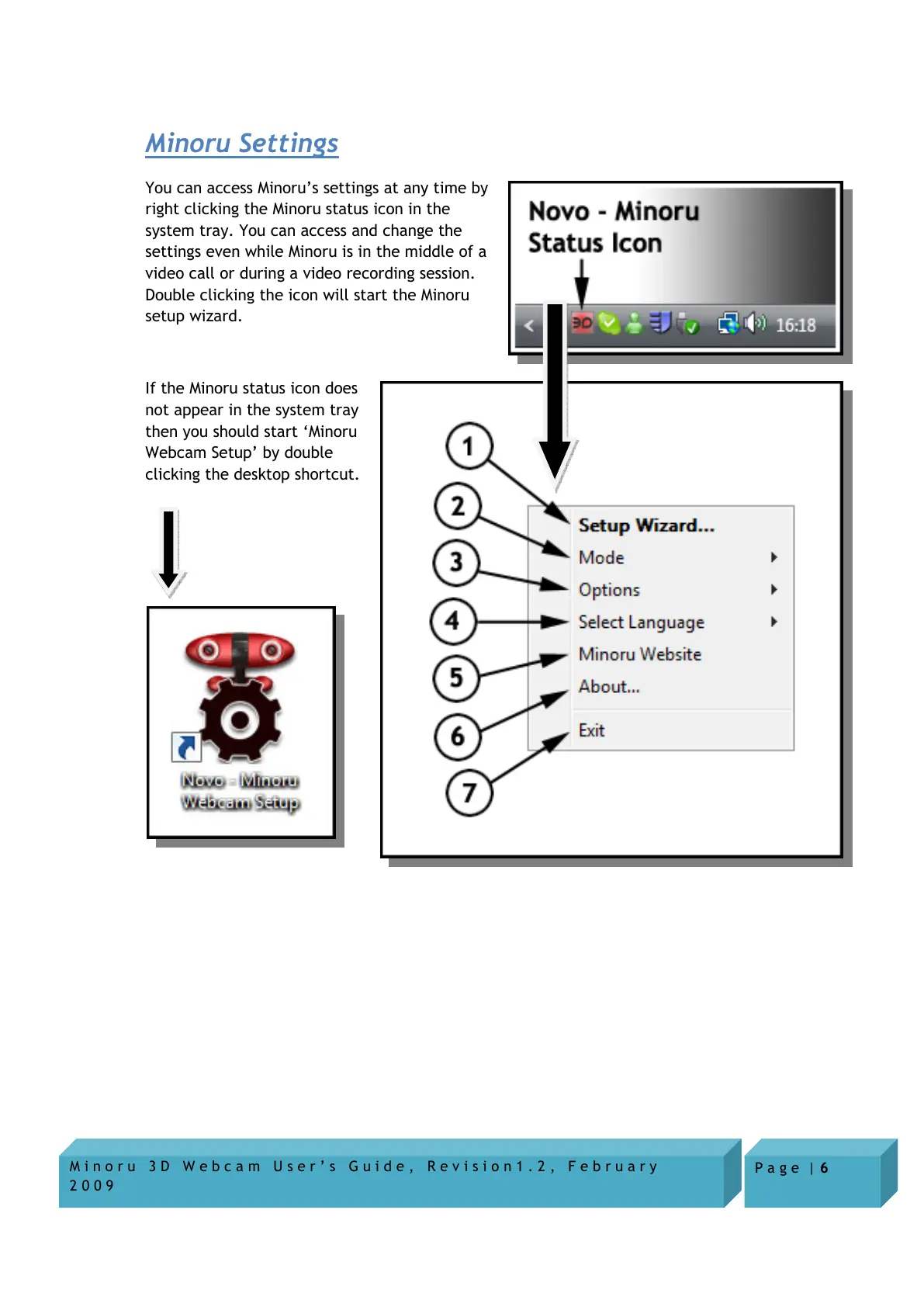
You can access Minoru’s settings at any time by
right clicking the Minoru status icon in the
system tray. You can access and change the
settings even while Minoru is in the middle of a
video call or during a video recording session.
Double clicking the icon will start the Minoru
setup wizard.
If the Minoru status icon does
not appear in the system tray
then you should start ‘Minoru
Webcam Setup’ by double
clicking the desktop shortcut.


 To Next Page