2 0 0 9
P a g e | 9
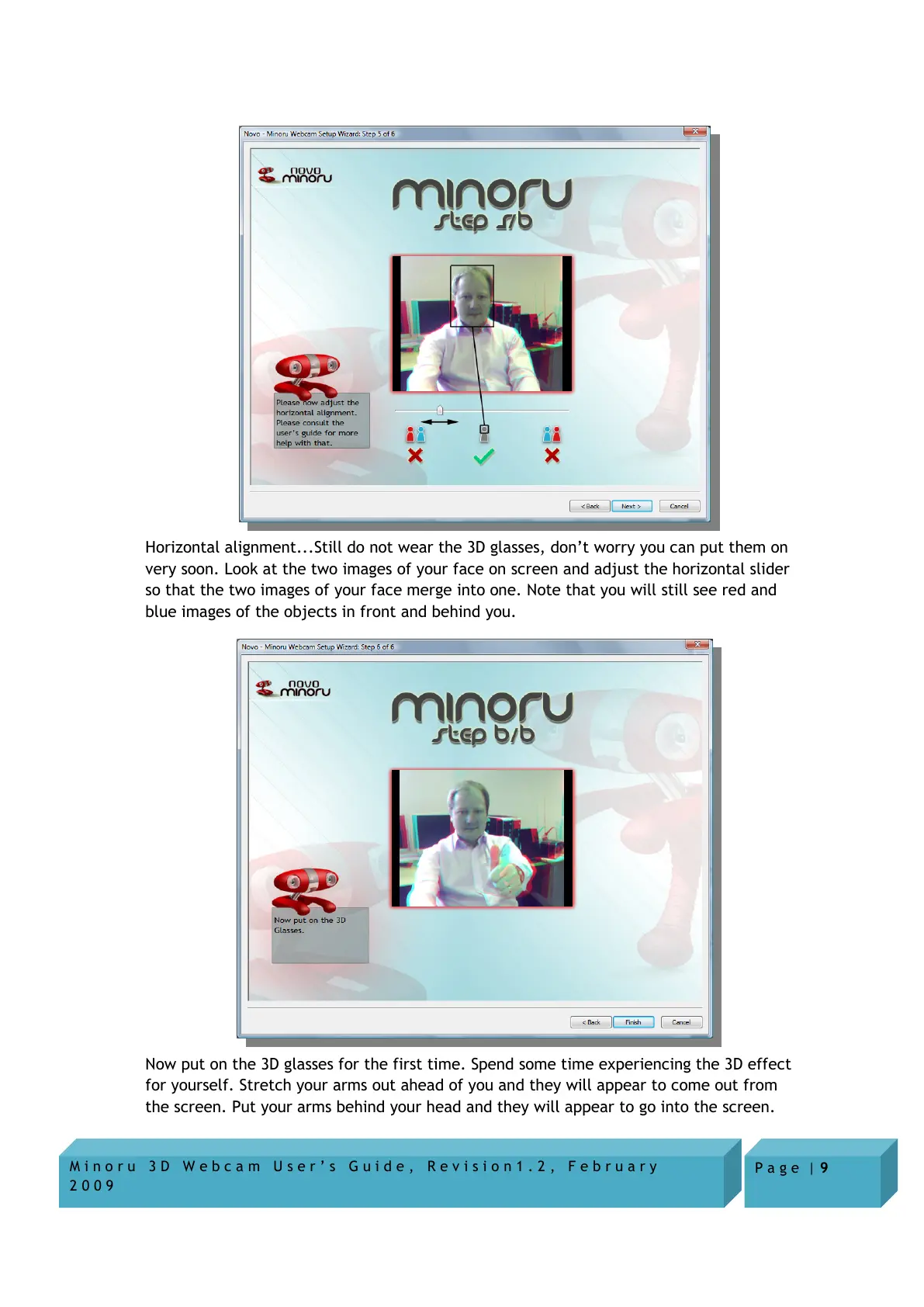
Horizontal alignment...Still do not wear the 3D glasses, don’t worry you can put them on
very soon. Look at the two images of your face on screen and adjust the horizontal slider
so that the two images of your face merge into one. Note that you will still see red and
blue images of the objects in front and behind you.
Now put on the 3D glasses for the first time. Spend some time experiencing the 3D effect
for yourself. Stretch your arms out ahead of you and they will appear to come out from
the screen. Put your arms behind your head and they will appear to go into the screen.


 To Next Page