EasyManua.ls Logo

Mintek DTV-265-D - Using Number Buttons on the Remote Unit; Using Flashback on the Remote Unit

Mintek DTV-265-D
52 pages
Print Icon
To Next Page IconTo Next Page
To Previous Page IconTo Previous Page
Loading...
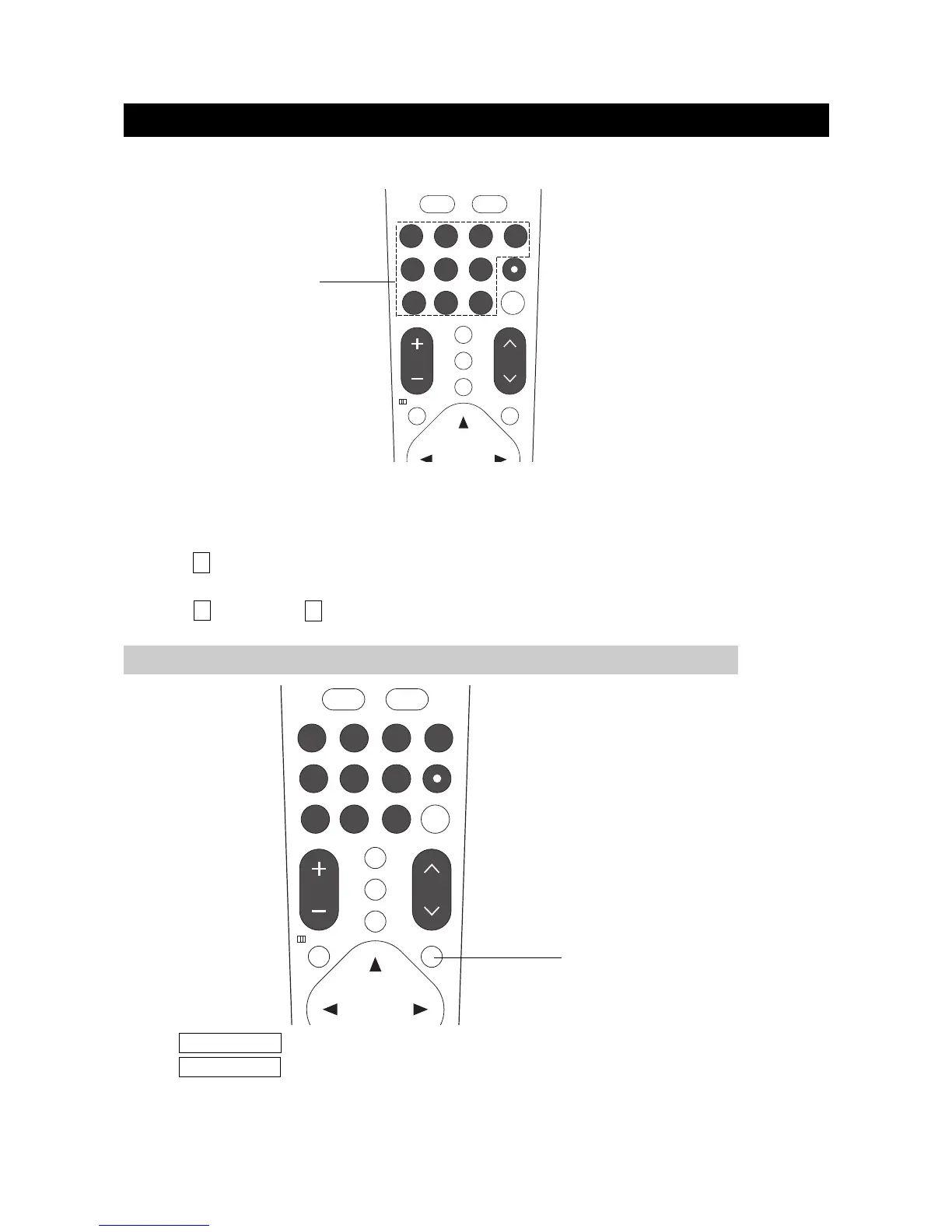
Using number buttons on the remote unit
WATCHING TV
page14
Press FLASHBACK to switch the currently tuned channel to the previous tuned channel.
Press FLASHBACK again to switch back to the currently tuned channel.
Select the channels directly by pressing the number buttons.
EXAMPLE:
To select a 1-digit channel (e.g. channel 2):
Press 2 .
To select a 2-digit channel (e.g. channel 12):
Press 1 ,followed by 2 .
USING FLASHBACK ON THE REMOTE UNIT
NUMBER BUTTONS

OK
5 6
7 8
1 2 3
4
9
FAVORITE
VOL CH
MUTE
10
0
/
S.MODEP.MODE
CC
FLASHBACK
TV MENU
MTS/SAP
+10
FLASHBACK
OK
5 6
7 8
1 2 3
4
9
FAVORITE
VOL CH
MUTE
10
0
/
S.MODEP.MODE
CC
FLASHBACK
TV MENU
MTS/SAP
+10

Related product manuals