Default Setting
1. Press / to select "Default Setting" in "Setup" menu.
2. Press OK to restore the default setting, the value of video menu and audio menu
return to the default.
3. Press TV MENU to exit.
BASIC ADJUSTMENT SETTINGS
page23
1. Press the TV MENU button to enter LCD menu.
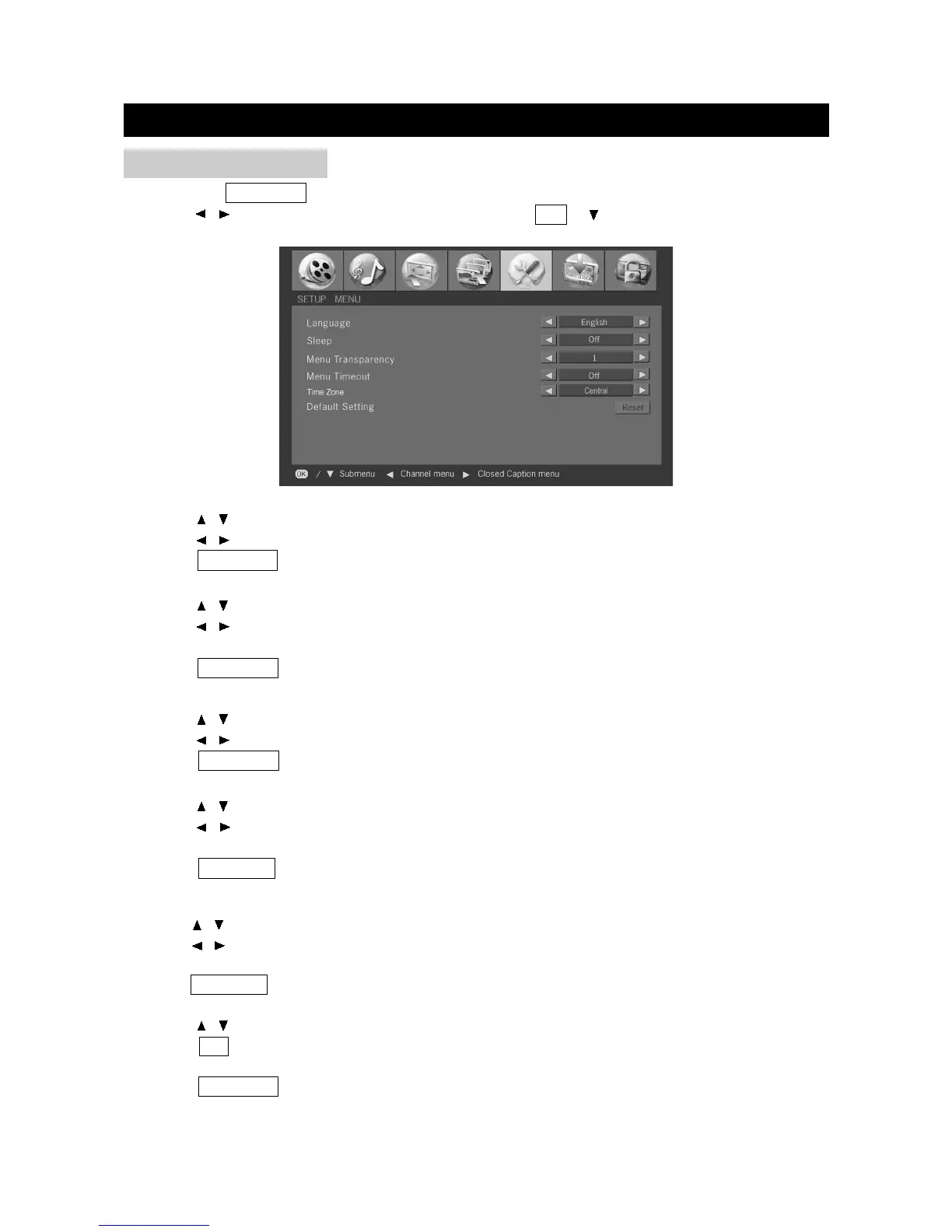
2. Press / to select "SETUP MENU", and then press OK or to enter "Setup" menu.
SETUP MENU
Language
1. Press / to select "Language" in "Setup" menu.
2. Press / to select a language.
3. Press TV MENU to exit.
Sleep
1. Press / to select "Sleep" in "Setup" menu.
2. Press / to set the sleep time among: Off, 15Mins, 30Mins, 45Mins, 60Mins, 90Mins, and
120Mins.
3. Press TV MENU to exit.
Menu Transparency
1. Press / to select "Menu Transparency" in "Setup" menu.
2. Press / to adjust the menu transparency.
3. Press TV MENU to exit.
Menu Timeout
1. Press / to select "Menu Timeout" in "Setup" menu.
2. Press / to set the menu timeout among: Off, 10Seconds, 20Seconds, 30Seconds,
40Seconds, 50 Seconds, and 60Seconds.
3. Press TV MENU to exit.
Time Zone
1.Press / to select ”Time Zone” in “Setup” menu.
2.Press / to select the time zone among: Central, Eastern, Atlantic, Hawaii, Alaska, Pacific,
Mountain.
3.Press TV MENU to exit.


 To Next Page