Balance
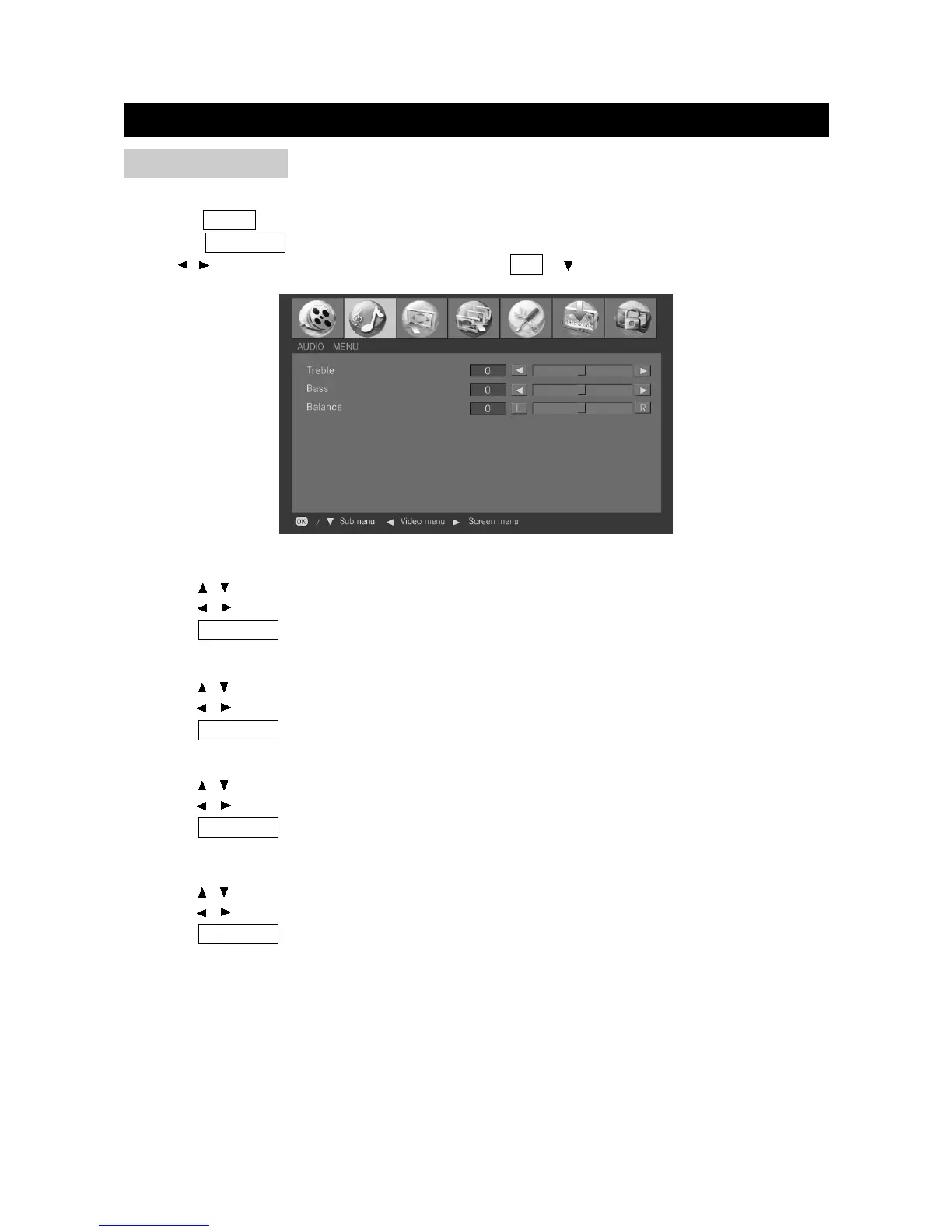
1. Press / to select "Balance" in "Audio" menu.
2. Press / to adjust the balance.
3. Press TV MENU to exit.
Bass
1. Press / to select "Bass" in "Audio" menu.
2. Press / to adjust the bass.
3. Press TV MENU to exit.
Treble
1. Press / to select "Treble" in "Audio" menu.
2. Press / to adjust the treble.
3. Press TV MENU to exit.
BASIC ADJUSTMENT SETTINGS
page19
AUDIO MENU
Adjust the quality of the sound through the following Audio menu.
Press the VIDEO button to select various signal modes.
Press the TV MENU button to enter LCD menu.
Press / to select "AUDIO MENU", and then press OK or to enter "Audio" menu.
Multi Channel Sound (only in Analog TV mode)
1. Press / to select "Multi Channel Sound" in "Audio" menu.
2. Press / to select a Multi Channel Sound.
3. Press TV MENU to exit.


 To Next Page