BASIC ADJUSTMENT SETTINGS
page18
VIDEO MENU(CONTINUED)
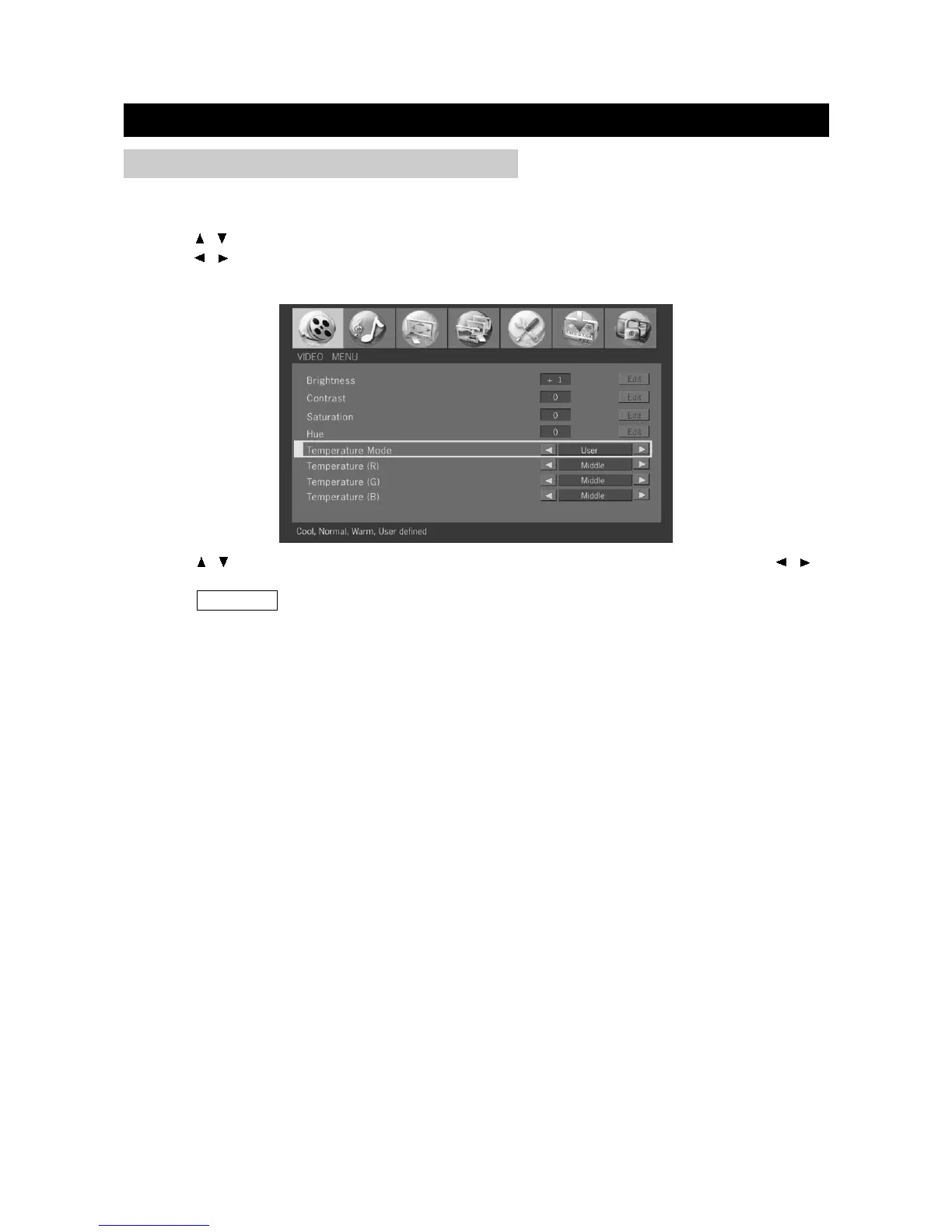
Temperature Mode
1. Press / to select "Temperature Mode" in "Video" menu.
2. Press / to select a Temperature Mode among: Cool, Normal, Warm, and User. When "User"
is selected, the screen shows:
3. Press / to select "Temperature (R)", "Temperature (G)", "Temperature (B)", and press / to
adjust.
4. Press TV MENU to exit.


 To Next Page