BASIC ADJUSTMENT SETTINGS
page28
PARENTAL MENU (CONTINUED)
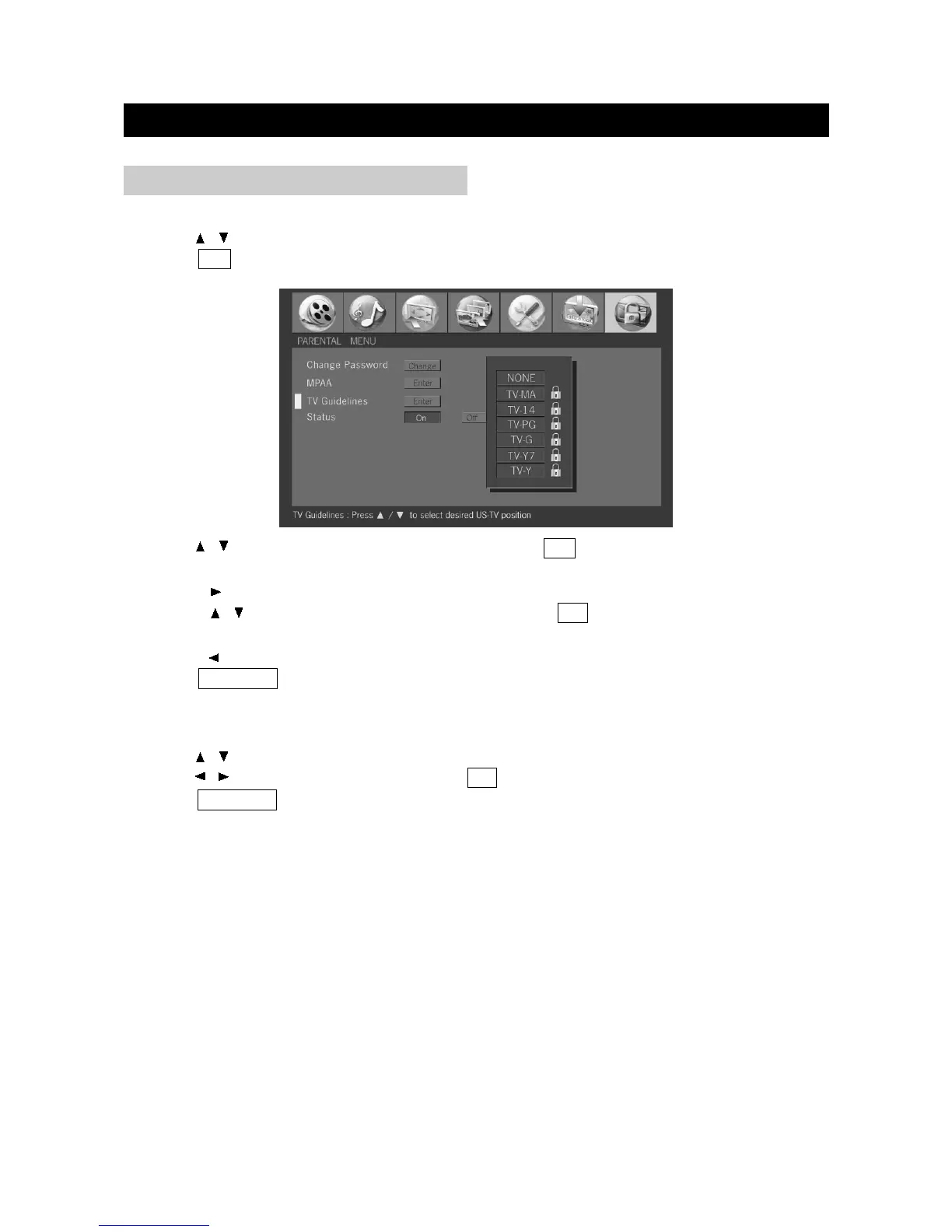
TV Guidelines
1. Press / to select "TV Guidelines" in "Parental" menu.
2. Press OK to display the TV Guidelines menu.
3. Press / to select desired US-TV position and press OK to confirm.
When setting an individual content-based rating items, do as follows:
①Press to access block content items from the currently selected age-based rating item.
②Press / to select an individual item, and then press OK to confirm. Repeat the same
step for other items.
③Press to return to the previous menu.
4. Press TV MENU to exit.
Note: If Status is not set to “ON”, the configuration settings will not work.
Status
1. Press / to select "Status" in "Parental" menu.
2. Press / to select "On" or "Off" and press OK to confirm.
3. Press TV MENU to exit.


 To Next Page