©
TM
]
Sii!iiiii! _
TM
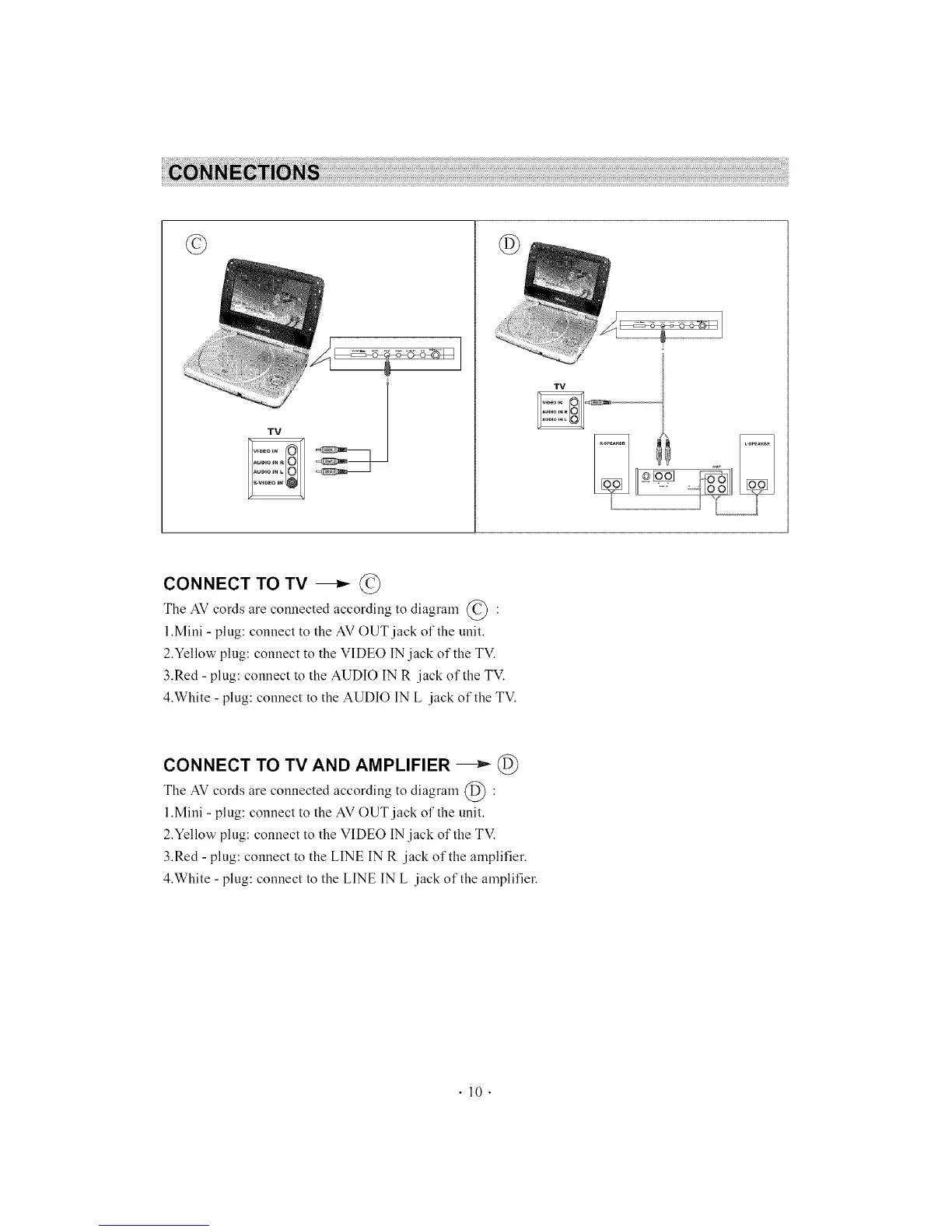
CONNECT TO TV _ ©
The AV cords are connected according to diagram © :
l.Mini - plug: connect to the AV OUT jack of the unit.
2.Yellow plug: connect to the VIDEO IN jack of the TV.
3.Red - plug: connect to the AUDIO IN R jack of the TV.
4.White - plug: connect to the AUDIO IN L jack of the TV.
CONNECT TO TV AND AMPLIFIER _ @
The AV cords are connected according to diagram @ :
l,Mini - plug: connect to the AV OUT jack of the unit.
2.Yellow plug: connect to the VIDEO IN jack of the TV.
3.Red - plug: connect to the LINE IN R jack of the amplifier.
4,White - plug: connect to the LINE IN L jack of the amplifier.
.10.



 To Next Page