PROGRAM PLAY
To use the program playback feature, you must
enter the order in which you want the titles (and
chapters) on the DVD or the tracks on the CD
to play by creating a program.
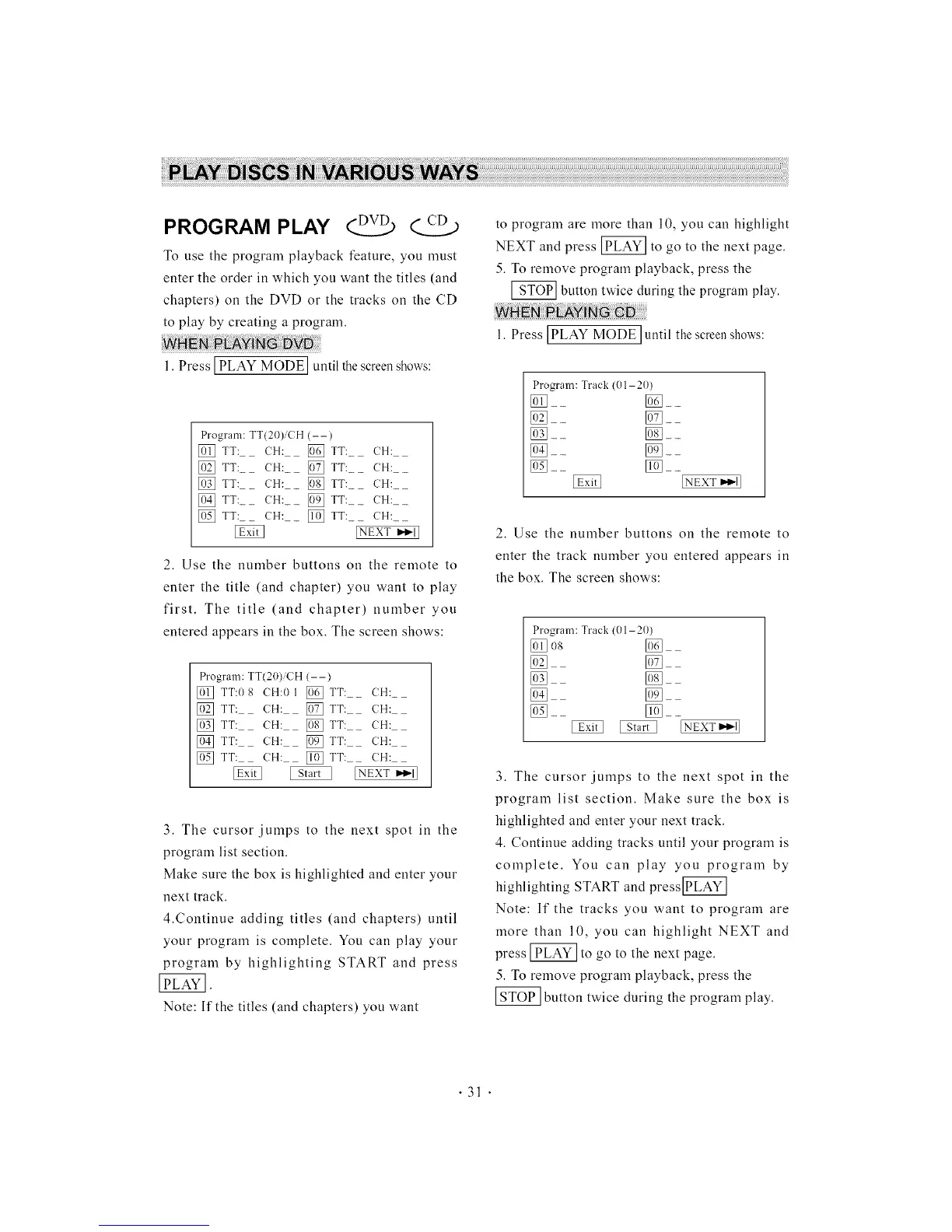
1. Press] PLAY MODE] until thescreenshows:
Program: TT(20)/CH (--)
[] TT: (H: [] TT:_ (H:
[] TT:_ CH: [] TT:_ CH:
[] TT:_ (H: [] TT:_ (H:
[] TT:_ (H: [] TT:_ (H:
[] TT:_ (H: [] TT:_ (H:
[NEXT I_1_1]
2. Use the number buttons on the remote to
enter the title (and chapter) you want to play
first. The title (and chapter) number you
entered appears in the box. The screen shows:
Program: TT(20)iCH (--)
[] TT:08 CH:01 [] TT: (;H:
[] TT: (H: [] TT: (H:
[] TT: CH: [] TT: CH:
[] TT: (H: [] TT: (H:
[] TT: CH: [] TT: CH:
[NEXT""l]
3. The cursor jumps to the next spot in the
program list section.
Make sure the box is highlighted and enter your
next track.
4.Continue adding titles (and chapters) until
your program is complete. You can play your
program by highlighting START and press
Note: If the titles (and chapters) you want
to program are more than 10, you can highlight
NEXT and press _ to go to the next page.
5. To remove program playback, press the
_ button twice during the program play.
1. Press ]PLAY MODE ]until the screenshows:
Program: Track (01-20)
]__ []__
[]__ []__
[]__ []__
[]__
[]__ []__
2. Use the number buttons on the remote to
enter the track number you entered appears in
the box. The screen shows:
Program: Track (01-20)
[] O8 []
[] []
[] []
[] []
3. The cursor jumps to the next spot in the
program list section. Make sure the box is
highlighted and enter your next track.
4. Continue adding tracks until your program is
complete. You can play you program by
highlighting START and press[iTL_
Note: If the tracks you want to program are
more than 10, you can highlight NEXT and
press _ to go to the next page.
5. To remove program playback, press the
button twice during the program play.
• 31 •



 To Next Page