3.Toremovethedigestfeature,usethedirection
buttonstoselectEXITonthescreenandpress
[i;L_ to confirm.
Note: If you have stored bookmarks on a
DVD disc, there will be one more
digest option: BOOKMARK DIGEST.
1. Press [DIGEST lafter the unit stops.
DIGEST
The screen shows:
I Scan
The unit plays the first ten seconds of each track
one after another.
2. Remove digest play.
Press _, digest play is removed and
the unit stops.
Note: A CD disc only has "SCAN" function.
• SELECT TRACKS WITH MENU
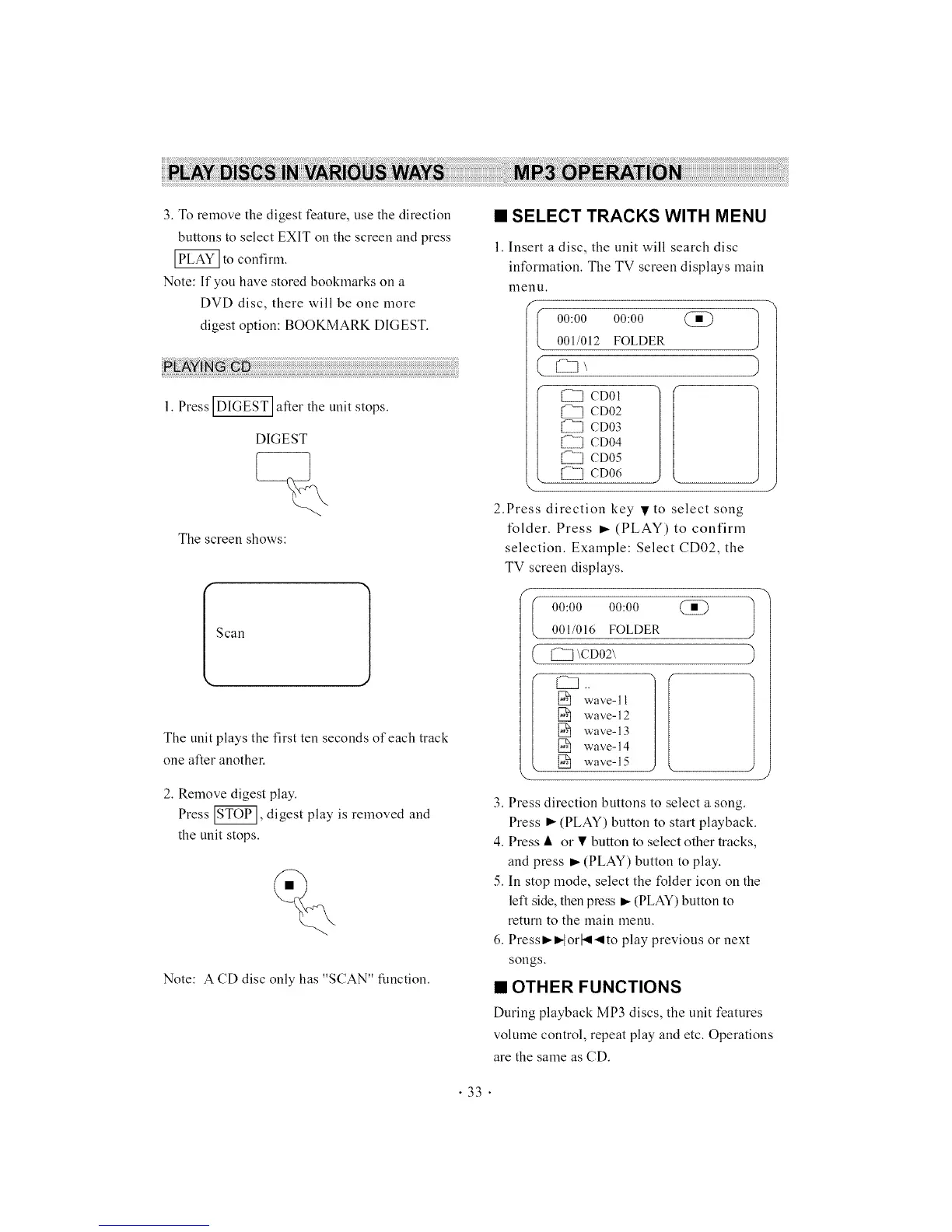
1. Insert a disc, the unit will search disc
information. The TV screen displays main
nlenu.
f
00:00 00:00 1
001/012 FOLDER
(_ CD01
CD02
[2111_CD03
[21111_£i]CD04
CD05
I2Z_]CD06
2.Press direction key • to select song
*'older. Press • (PLAY) to confirm
selection. Example: Select CD02, the
TV screen displays.
(
C
00:00 00:00
001/016 FOLDER
\CD02\
1_ wave-11
1_ wave-12
1_ wave-13
1_ wave-14
1_ wave-15
3. Press direction buttons to select a song.
Press • (PLAY) button to start playback.
4. Press • or • button to select other tracks,
and press • (PLAY) button to play.
5. In stop mode, select the folder icon on the
left side, then press • (PLAY) button to
return to the main menu.
6. Press••lorl_l-qlto play previous or next
songs.
• OTHER FUNCTIONS
During playback MP3 discs, the unit features
volume control, repeat play and etc. Operations
are the same as CD.
• 33 •



 To Next Page