MIO Alpha User Guide 05
Using Alpha
Wearing Your Alpha
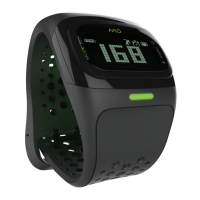
To use the heart rate monitor on your Alpha watch, you must:
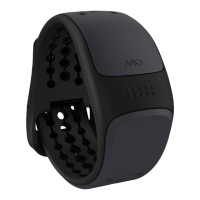
• Fasten the watch snugly so the optical sensor on the back of the watch makes good contact with
your skin.
• Wear the watch above—not on—your wrist bone; wear it higher on the forearm if you have a
small wrist.
• If you often have cold hands or poor circulation, your Alpha’s performance may be diminished. Try
exercising for a few minutes to increase your blood flow before turning on the heart rate monitor.
When you’re not using the heart rate monitor, you can wear your Alpha like any watch.
Getting Your Heart Rate
You can view your heart rate and use the heart rate monitor when you put your watch in EXERCISE
mode. You must be wearing the watch for it to read and display your heart rate.
turnIng on exercIse mode
1. Press and hold the hr button until the watch beeps and the display says FIND.
2. Hold your arm fairly still until the watch beeps again and displays your heart rate.
Note: It takes a few seconds for your heart rate to register. The
icon flashes when Alpha finds your
heart rate.
If you see , the heart rate signal is not strong enough. Please refer to Troubleshooting.
turnIng off exercIse mode
1. Press and hold the hr button until the watch beeps and the display says QUIT or END.
troubleshootIng
• You may need to tighten the watch strap.
• On cold days, activate the heart rate reading while still indoors.
• If you are still having trouble, try wearing Alpha on your other wrist.
• Minimize wrist movement while using Alpha’s continuous heart rate.
If Alpha cannot detect your heart rate during the FIND period (2 min), it will leave EXERCISE mode and
go back to TIME mode.


 To Next Page