1.3 Using Your Device in a Vehicle
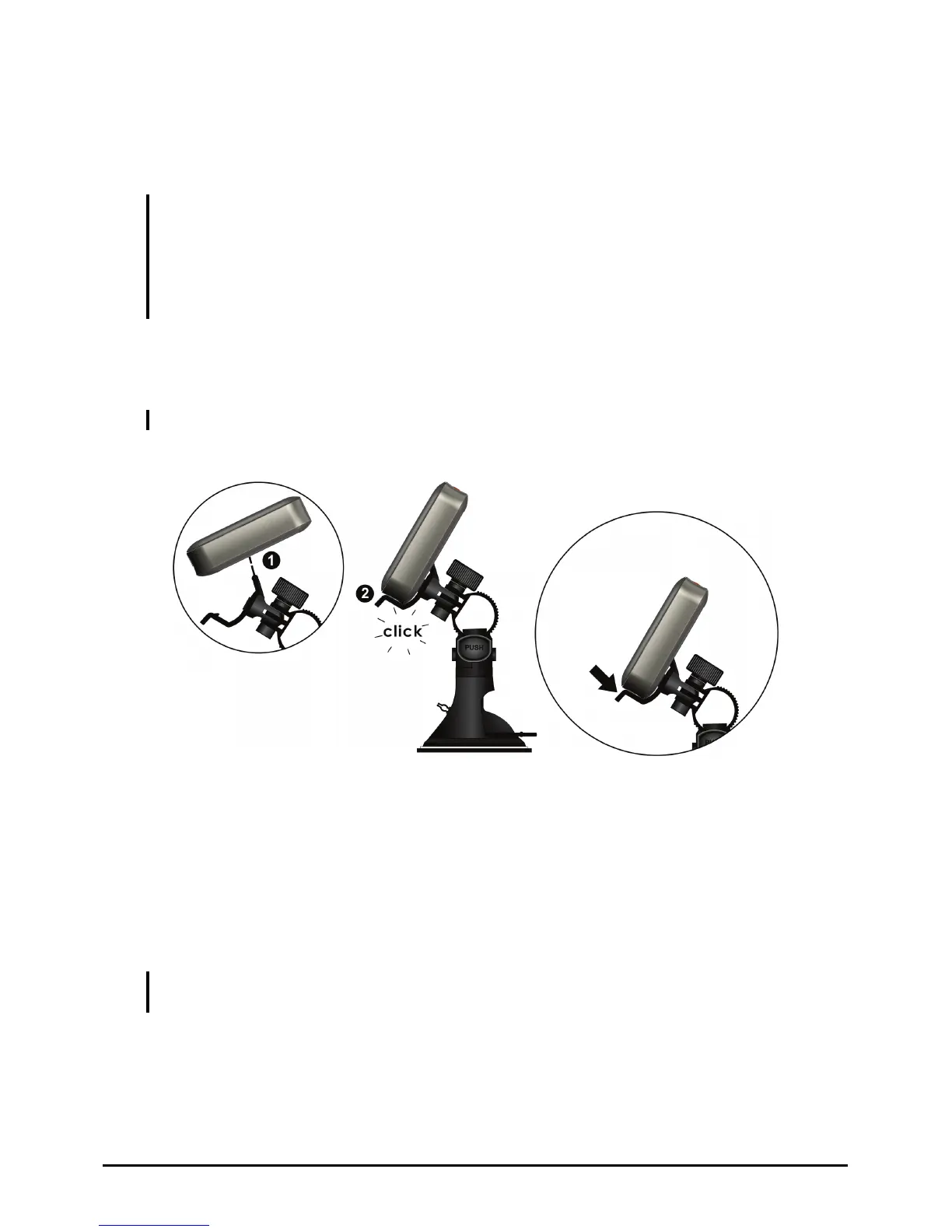
Using the Device Holder
CAUTION:
z Select an appropriate location for the device holder. Never place the holder where the
driver’s field of vision is blocked.
z If the car’s windshield is tinted with a reflective coating, an external antenna (optional) may
be needed to route the antenna to the top of the car through a window. When closing the
car window, be careful not to pinch the antenna cable
Use the device holder to fix your device in a vehicle. Make sure that the GPS
antenna has a clear view of the sky.
Note: To remove your device from the holder, slightly push the tab of the holder to release it.
To release:
Connecting the Car Charger
The car charger supplies power and charges your device at the same time. If the
battery is fully charged, you can use the battery power without connecting the
charger. If you don’t want to drain the battery power, you can keep the charger
connected while in a vehicle.
CAUTION: To protect your device against sudden surges in current, connect the car charger
only after the car engine has been started.
9



 To Next Page