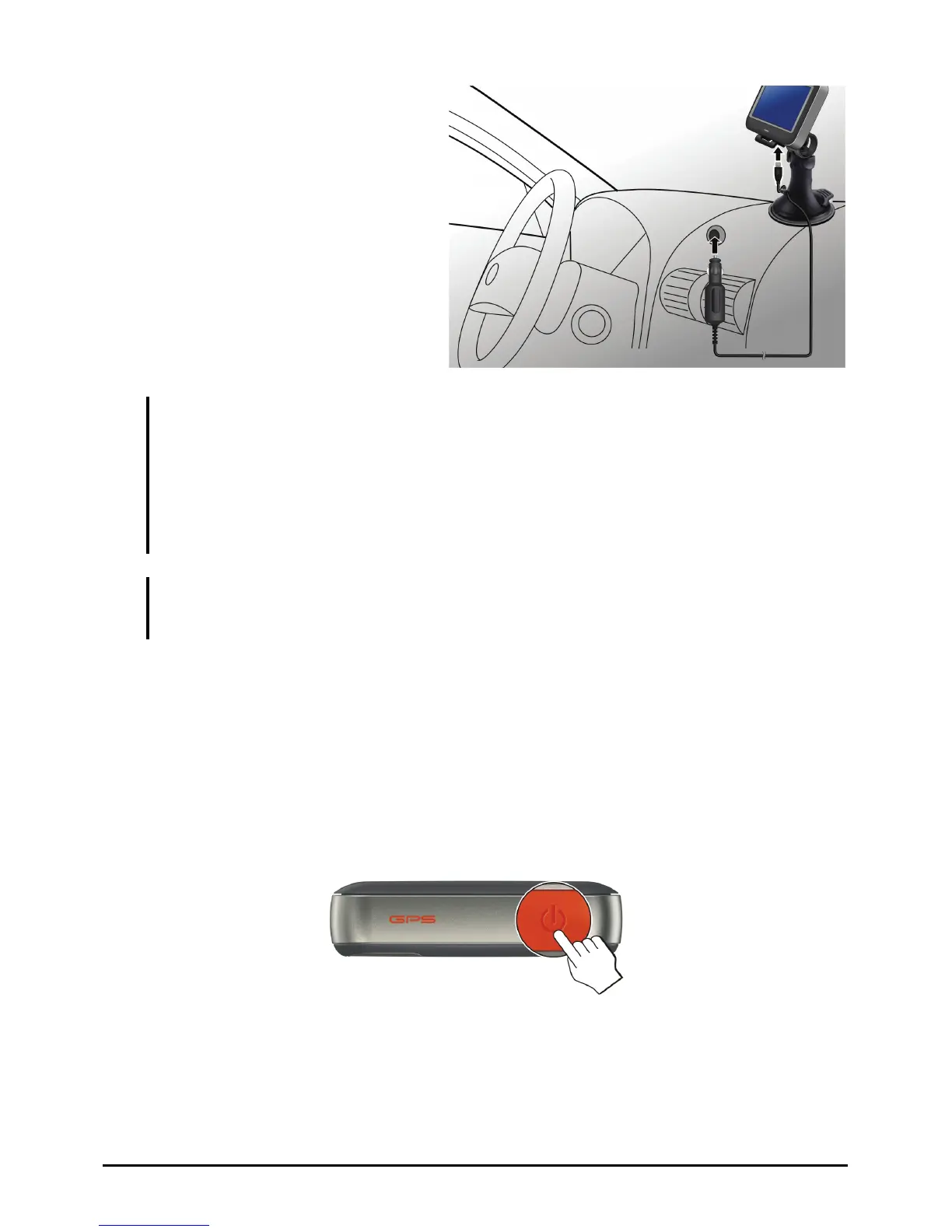
1. Connect one end of the car
charger to the power connector
of your device.
2. Connect the other end to the
cigarette lighter in the car to
power and charge your device.
The indicator on the car
charger lights in green to
indicate that power is being
supplied to your device.
To
CAUTION: For optimal performance of the lithium battery, take note of the following:
z Do not charge the battery where the temperature is high (e.g. in direct sunlight).
z There is no need to fully discharge the battery before charging. You can charge the battery
before it is discharged.
z If you will not use the product for a long period of time, be sure to fully charge the
battery at least once every two weeks. Over discharge of the battery can affect the
charging performance.
NOTE: Your device can also be charged when it is connected to a desktop computer via the
USB cable (purchase separately). If you intend to charge your device in this way, turn off your
device so that it takes less time to charge the battery.
1.4 Operating Basics
Turning On and Off
For normal operation, turn off the device by briefly pressing the power button.
The device enters a suspended state.
When you next briefly press the power button, the system resumes. You will
either be back to where you left off or see the Home screen.
10



 To Next Page